October | 2017
Page | 7
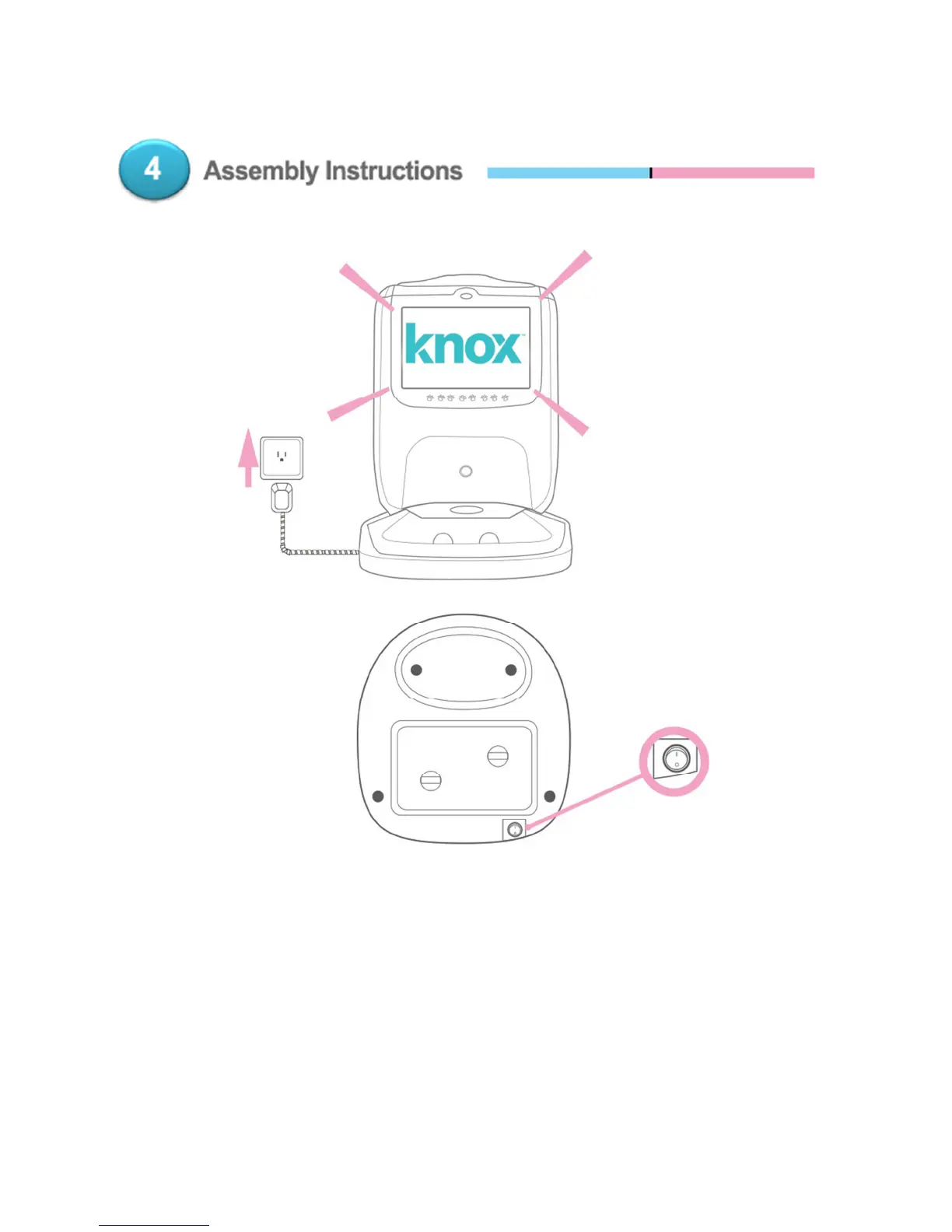
Once the Knox Pet Feeder is assembled, plug the device in and turn the power on
when you’re ready to start Pettion app & Wi-Fi setup. The power switch is located
on the back of the BASE.
Please Note – Each time the feeder is turned on, a QR code will display for 1
minute while the feeder menu loads in the background. This is to give you an
opportunity to pair your phone to the feeder again if needed. At the end of the
countdown, the feeder menu will have finished loading.


 To Next Page