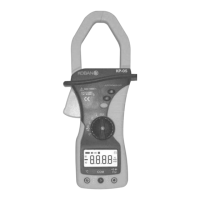
2.3 Keypad
See Table 1 indicated for information about the keypad operations.
Table 1. Keypad
Key Function Operation performed
(YELLOW)
Switches between Resistance measurement,
Diode Test and Continuity check.
Any switch position
Power-up Option
Press
to enter and exit the Data Hold
mode.
Disables automatic power-off feature.
Any switch position Press this key over approx. 2 seconds to turn
the backlight on. After about 15 seconds, the
backlight is auto-off.
Once press this key over approx. 2 seconds
again within 15 seconds, the backlight will be
turned off.
2.4 Rotary switch
See Table 2 indicated for information about the rotary switch positions.
Table 2. Rotary Switch Positions
Switch
Position
Function Page
A ~ AC Current measurement 55
V
DC Voltage measurement 55
V ~ AC Voltage measurement 55
Resistance measurement / Diode Test / Continuity
Check
55,56
ºC Temperature measurement 56


 To Next Page
 Loading...