Working with pictures/videos
20 www.kodak.com/go/easysharecenter
Deleting pictures/videos
1 Press the Review button.
2 Press for previous/next picture/video.
3 Press the Delete button.
4 Follow the screen prompts.
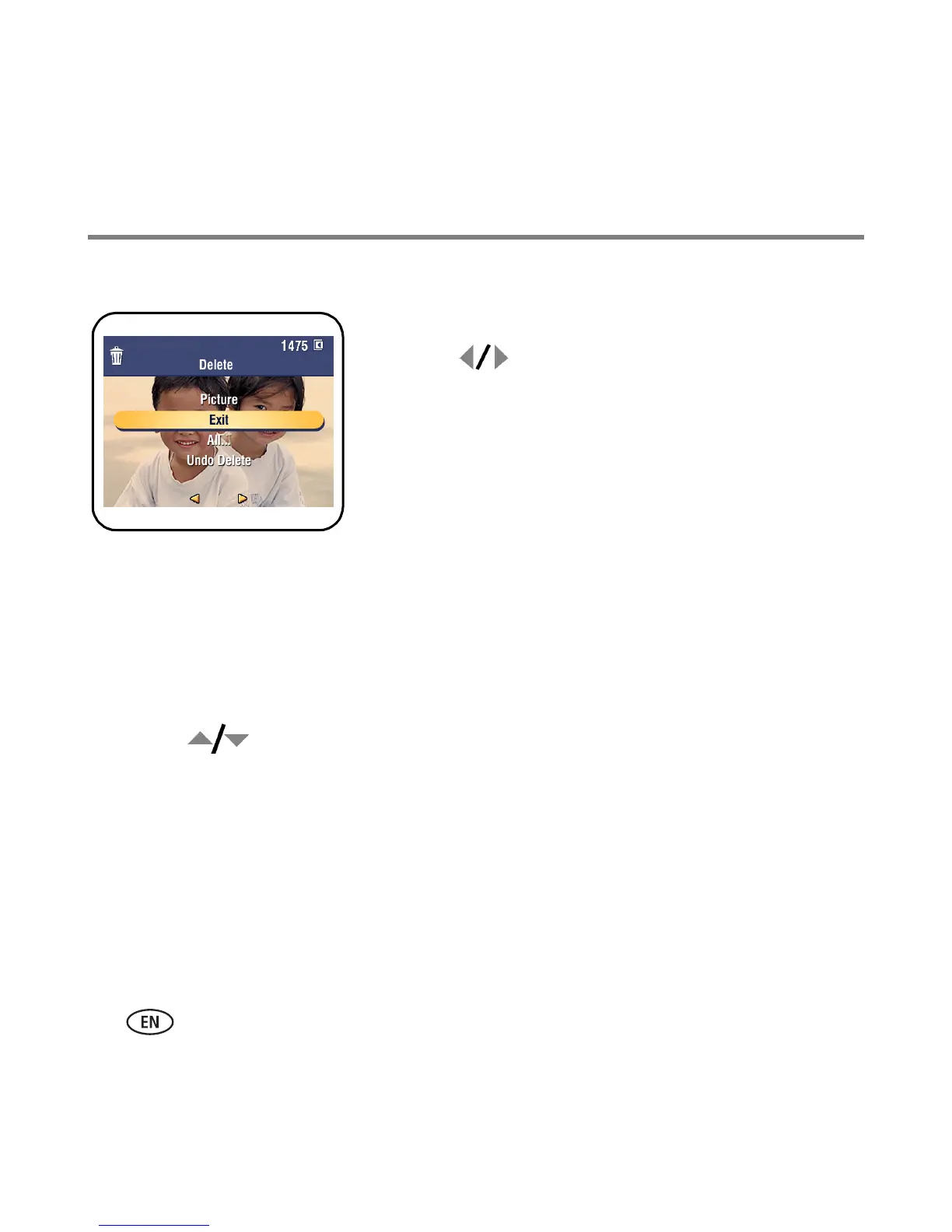
NOTE: After you delete a picture, the next picture (overlaid with the
Delete menu with the Undo Delete option) appears. If there are
no more pictures, the Delete menu on a blank screen appears.
See Using the undo delete feature for more information.
Using the undo delete feature
If you accidentally delete a picture, use Undo Delete to retrieve it. This feature is
available only immediately after you delete a picture in Review mode. The Undo Delete
option appears.
1 Press to highlight Undo Delete.
2 Press OK.
The deleted picture (overlaid with the Delete menu) appears.
■ Select Exit to exit the Delete menu.


 To Next Page
 Loading...