EasyManua.ls Logo

Koeng KEG-500 - User Manual

Koeng KEG-500
64 pages
Print Icon
To Next Page IconTo Next Page
Loading...
KOENG Co., Ltd. 1302, DIGITAL EMPIRE, 1130, BEOMAN-RO, GEUMCHEON-GU, SEOUL, KOREA
Tel: +82-2-838-6300 / Fax: +82-2-839-4700 / export@koeng.com
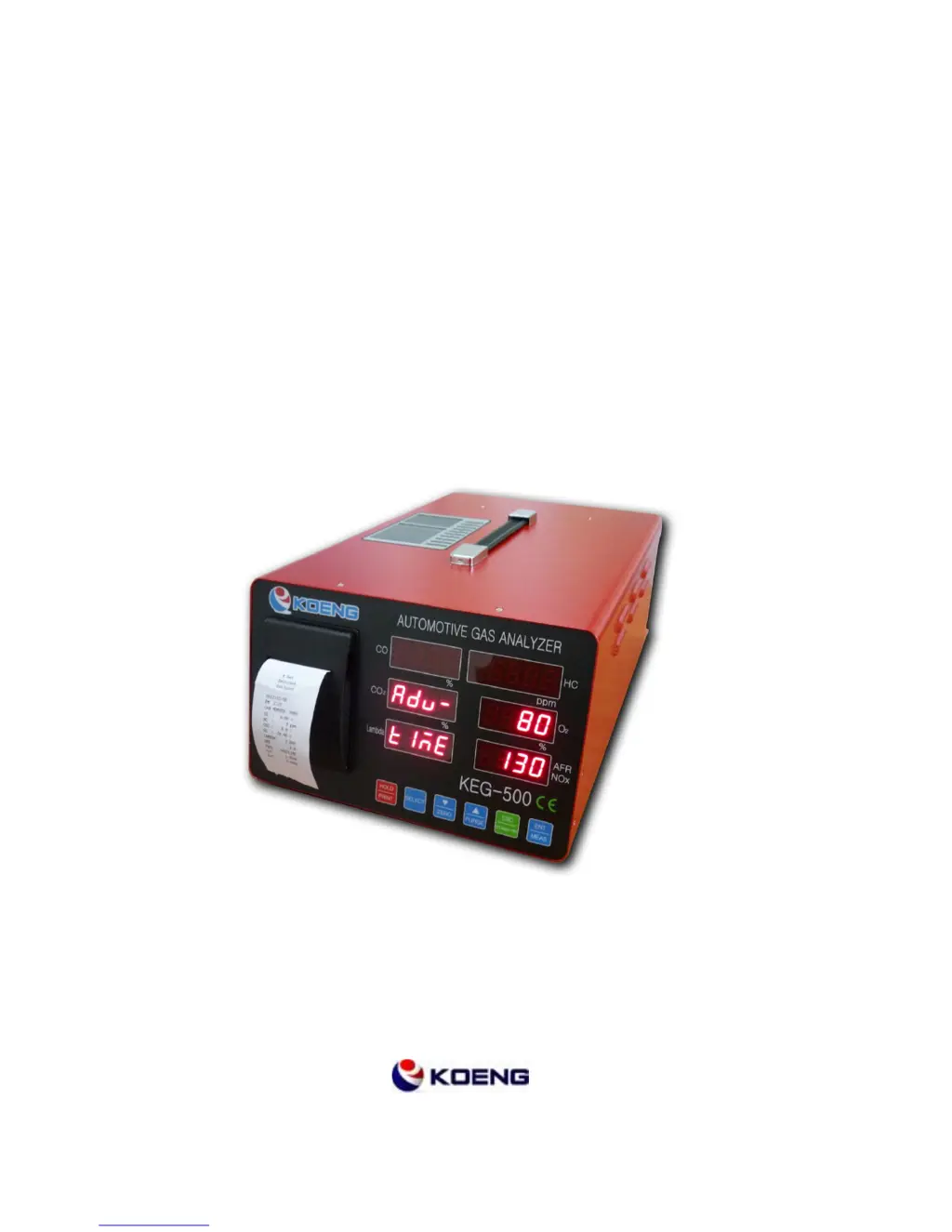
AUTOMOTIVE GAS ANALYZER
KEG-500
OPERATION MANUAL

Questions and Answers

  • P
    patricia57Aug 17, 2025
    What to do if Koeng Measuring Instruments shows 'Unable to measure'?
    • W
      wturnerAug 17, 2025
      If the measuring value stays at "0" and does not change, ensure that the device has warmed up completely. Wait until the rdy mode is active before starting measurement. Also, make sure you press the measurement key in rdy mode. Check the connection between the probe and the analyzer, verifying the connection status between the probe and hose (gas inlet). Finally, inspect the probes, hoses, and filters for any blockages, as water-icing can occur, especially in the winter.
  • J
    Johnathan JohnsonAug 20, 2025
    What to do if Koeng KEG-500 Measuring Instruments shows 'Flow ERR'?
    • L
      lauren48Aug 20, 2025
      If you encounter a 'Flow ERR' message, it indicates a flow error. Check the probes, hoses, and filters for any blockages. This is a common issue.
  • C
    carlsonkyleAug 23, 2025
    What to do if Koeng KEG-500 Measuring Instruments has no printer paper output?
    • Z
      Zachary GibbsAug 23, 2025
      If there is no paper output from the printer, check if the printer is out of paper. Open the printer case and replace the paper if needed. Also, check if the paper is jammed inside the printer; if so, open the printer case and refill the paper.
  • G
    gregory02Aug 26, 2025
    What to do if my Koeng Measuring Instruments shows 'Leak Fail'?
    • E
      Emily SmithAug 26, 2025
      If you are getting a 'Leak Fail' message indicating a gas leakage fault, double-check the connection status of the probes, hoses, and filters to ensure they are properly connected.
  • W
    William DavisAug 28, 2025
    How to fix 'COM ERR' on Koeng Measuring Instruments?
    • R
      Renee SmithAug 28, 2025
      If you are experiencing a 'COM ERR' (Communication error), try using an alternative, well-purified power source for the device.
  • W
    Wesley AguilarAug 31, 2025
    What to do if Koeng KEG-500 Measuring Instruments is unable to power switch ON?
    • J
      Jennifer BeanAug 31, 2025
      First, check if the power cord is correctly and securely connected. If the device still won't turn on, the fuse might be cut. Replace the fuse, and then investigate what caused the power overflow to prevent it from happening again.
  • M
    Melissa WrightSep 2, 2025
    What to do if Koeng Measuring Instruments screen stop (unable to press Key)?
    • A
      Andrew CastroSep 2, 2025
      If the screen freezes and you can't press any keys, it might be due to a significant impact to the analyzer. Turn off the power and reboot the device.
  • K
    Kevin HoganSep 5, 2025
    What to do if Koeng Measuring Instruments has no letter in the printer paper?
    • A
      Amy WellsSep 5, 2025
      If the printer paper is blank, the ink cartridge may be old or not working correctly. Replace the ink cartridge with a new one.
  • M
    Michael AndersonSep 8, 2025
    What to do if Koeng Measuring Instruments shows 'Mem ERR'?
    • G
      George JamesSep 8, 2025
      If you see a 'Mem ERR' message, it indicates a memory error. Turn off the power and then reboot the device to resolve the issue.
  • J
    Johnny HansonSep 12, 2025
    Why does my Koeng KEG-500 show 'Zero ERR'?
    • B
      Brett SandovalSep 12, 2025
      A 'Zero ERR' message indicates a zero calibration error. Press the purge key to clean the inside of the device with clean air for about 2-3 minutes.

Summary

Safety Instructions

2-3. Caution and warning

Provides critical safety warnings and precautions for operation to prevent accidents.

Introduction of KEG-500

3-1 Specification

Details technical specifications of the KEG-500 analyzer, including ranges and measurements.

3-3. Front view and description

Explains the components and displays on the front panel of the analyzer.

3-4 Rear view and description

Details the connectors, ports, and inlets/outlets on the rear of the analyzer.

Circuits of KEG-500

4-1 Measuring principal

Explains the NDIR and electrochemical methods used for gas analysis in the KEG-500.

4-2 Guiding diagram

Provides a system diagram illustrating the flow of gases and key components within the analyzer.

4-3 Electrical circuit diagram

Shows the internal electrical connections and layout of the KEG-500 analyzer.

Installation Methods and Notes

5-1 Installation

Details the physical connection steps for setting up the KEG-500 analyzer.

5-2 Notes

Provides important considerations and precautions for analyzer placement and handling.

Measurement Mode

6-1. Warming- Up

Describes the initialization and warm-up sequence before measurement operations begin.

6-4. Zero calibration

Details the steps for performing zero calibration to ensure measurement accuracy.

6-5. Measurement

Guides on how to perform gas measurements using the KEG-500 analyzer.

Selection Mode

Standard Gas Calibration

7-10-4. Standard gas calibration

Provides the step-by-step procedure for performing the standard gas calibration.

Fault diagnosis and troubleshooting

Fault diagnosis and troubleshooting

Lists common faults, verification steps, and corresponding troubleshooting solutions for the analyzer.

Koeng KEG-500 Specifications

General IconGeneral
BrandKoeng
ModelKEG-500
CategoryMeasuring Instruments
LanguageEnglish