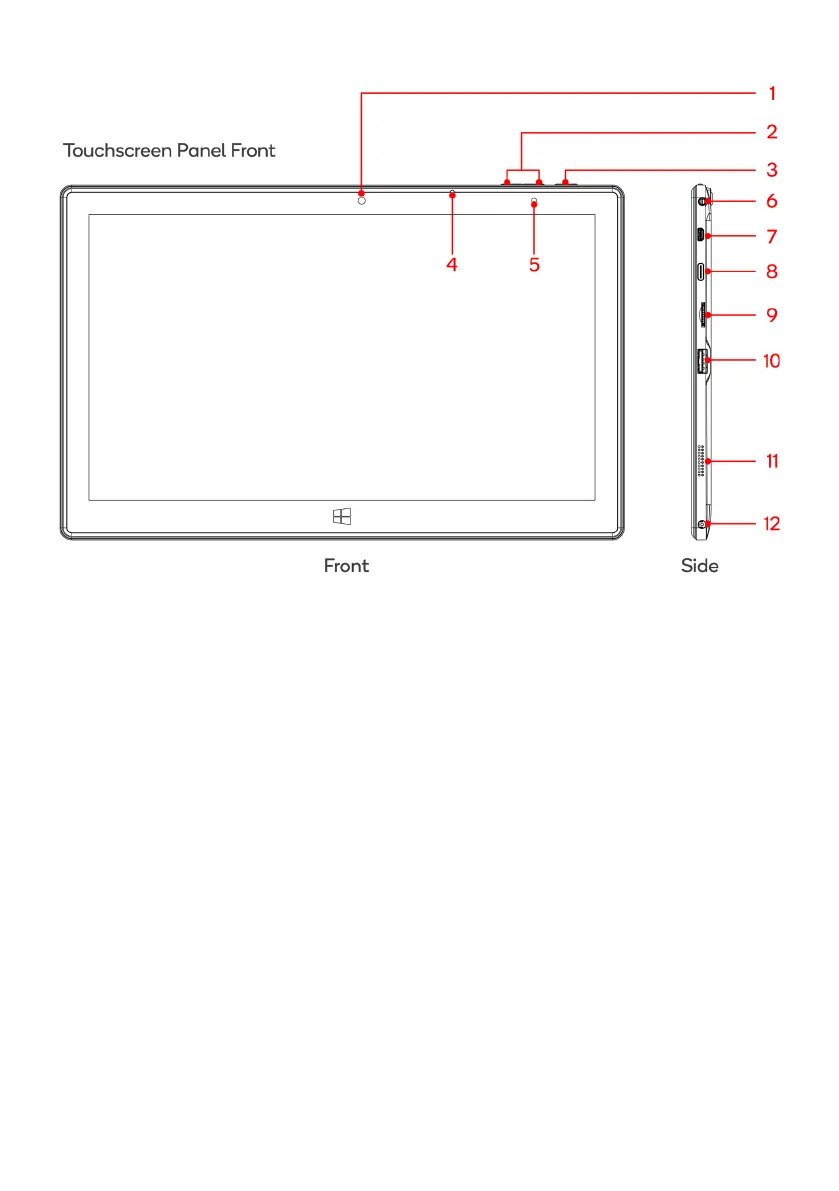
Take photos and record pictures
3 Power button
Press to start or close the touch screen panel. You can
also put the computer into sleep mode using this
button or wake from sleep mode.
Becomes brighter when charging
6 3.5mm audio jack
This socket can transmit the audio signals of Tablet PC
to external speakers or headphones
High-Definition Multimedia Interface
Access data from an external source via USB-C
9 MicroSD card slot
The built-in storage card reader slot supports MicroSD
and MicroSDHC format
10 USB 3.0 Interface
For direct connections of USB drives or a USB mouse or
keyboard
11 Loudspeaker
The built-in loudspeaker enables you to hear the sound
without having to connect external speakers
Insert power supply to charge battery



 To Next Page