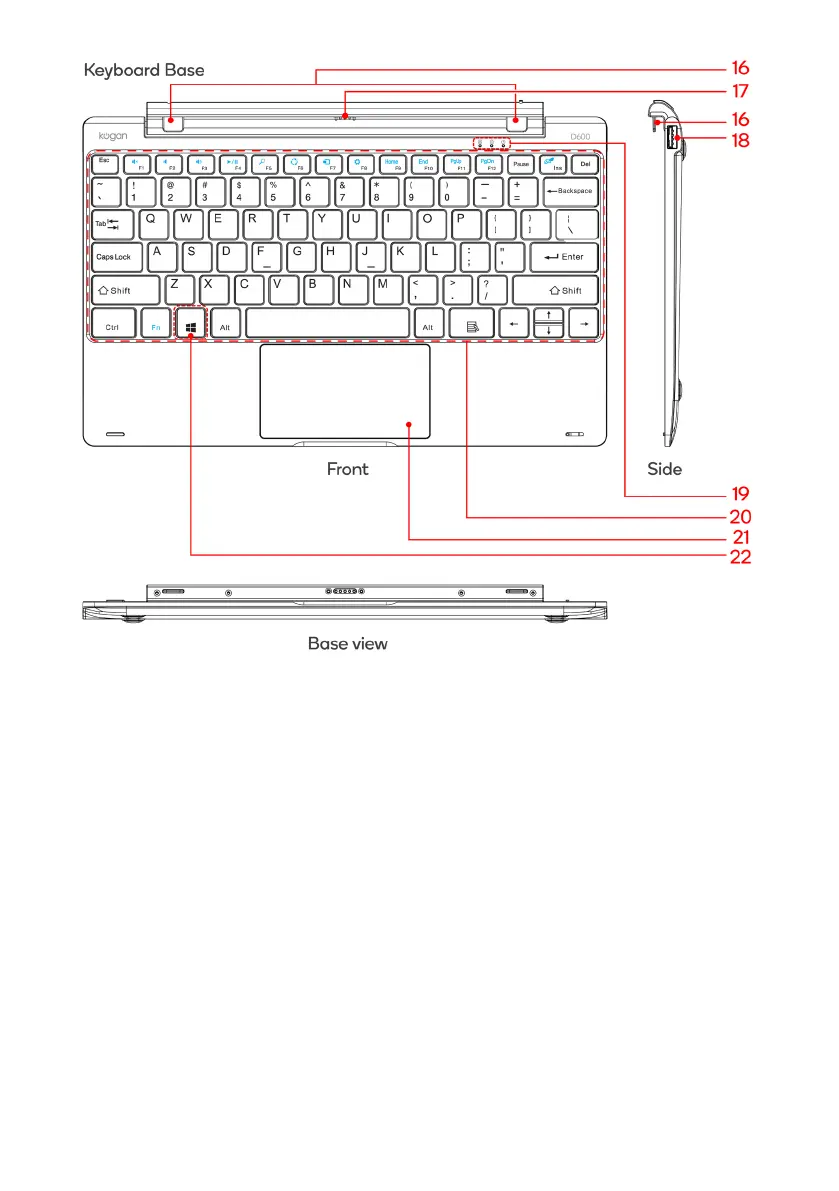
Tablet/Keyboard Dock Latch
Secure the tablet to the keyboard base
17
Movable base keyboard
interface
This interface is magnetic, which is convenient for
alignment and firmly linking the Table PC and the
keyboard
18 USB 2.0 Interface
For direct connections of USB drives or a USB mouse
or keyboard
Touchpad lock, Caps lock and Power indicator lights
20 QWERTY keyboard
Full size keyboard layout. Use Fn (function) key to
access alternate key functions.
21 Touchpad
Used to control the cursor on the Tablet PC, with the
same function as a mouse
Press to return to the Start screen



 To Next Page