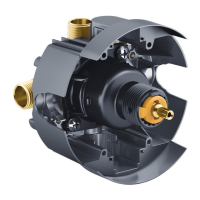
Clean/Replace the Diaphragm
NOTICE: Do not pinch or kink the wires between the cap and the
valve body. If the wires are damaged, the unit may not operate.
Close the control stop valve (refer to the ″Control Stop Valve
Operation″ section).
NOTE: If the unit has not flushed since the stop valve was closed,
the inlet arm may still be pressurized. Use manual flush button to
release pressure.
Use a 3/32″ hex head wrench to remove the setscrew from the
cap.
Remove the cap from the valve body.
Disconnect the DC sensor connector from the solenoid connector
by pulling the connectors apart.
Temporarily store the cap and DC sensor assembly in a safe
place.
Use an adjustable wrench to remove the solenoid.
Remove the diaphragm.
NOTE: Take care not to lose the spring and pin contained within the
solenoid assembly.
Rinse any debris from the diaphragm.
Verify the spring and pin are still in place in the solenoid
assembly.
Valve Body
Diaphragm
Cap
DC Sensor
Connector
Solenoid
Assembly
Piston
Cover
Solenoid
Connector
Setscrew
O-Ring
Piston
Retaining Nut
Pin
Spring
Kohler Co. 15 1058866-5-D


 To Next Page
 Loading...