Faucet Operation
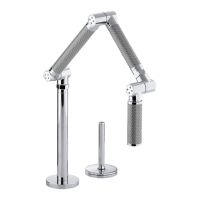
Rotate the handle outward to the open position to start water
flow. The handle LED will illuminate to indicate that the sensor is
functioning.
Adjust the handle to the desired water temperature.
Wave your hand under the spout to turn the water OFF.
Wave your hand under the spout again to restart the water flow.
NOTE: Some objects that are clear and certain colors are not
detectable by the sensor. Always use your hand for sensor testing.
If needed, refer to the ″Handle LED Adjustment″ section for more
information.
NOTE: For extended periods of nonuse, the handle should be
returned to the closed (upright) position. The handle LED will turn
OFF, indicating that water flow is not available.
LED Indicators
Handle LED: Illuminates when the sensor is active.
Circuit board LED: Indicates there is power to the circuit board.
NOTE: The sensor LEDs are only visible inside the spout when the
spray hose is extended.
Green sensor LED: Indicates there is power to the sensor.
Sensor
Open Position
Manual Override
Handle LED
Sensor
LEDs
1186051-2-E 10 Kohler Co.



 To Next Page
 Loading...