21
3. Basic Operation Methods
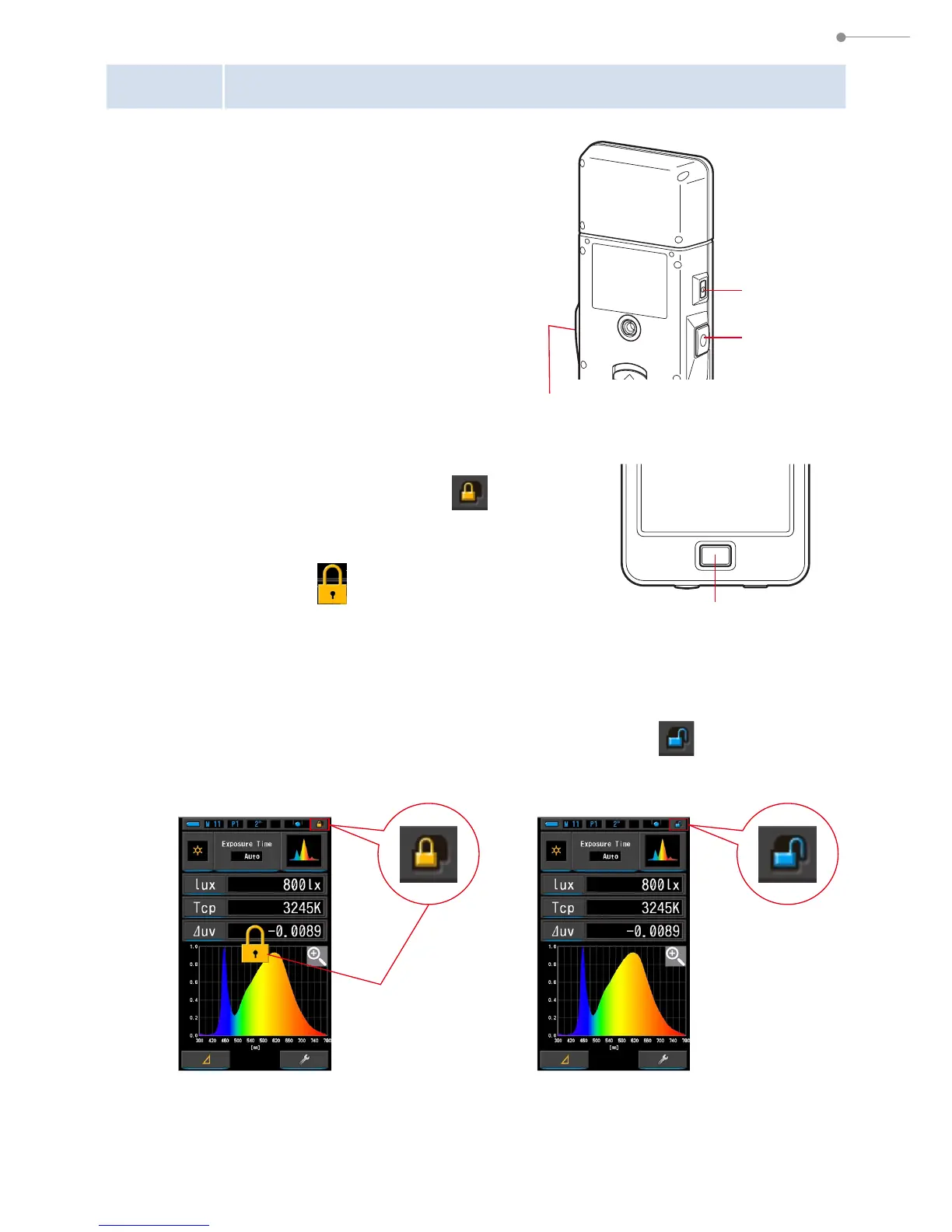
3-2-4 Locking and Unlocking the Screen
You can lock the screen to prevent
misoperation.
When the screen is locked, touch operation is
disabled.
However, the Memory Button
7
, Measuring
Button
5
, and Power Button
3
are still
operational.
The screen will stay locked even when power
is turned OFF and ON.
To Lock
In any measuring mode, press and hold the Menu
Button
6
to see the Locked icon [ ] appear at
the upper right corner of the LCD screen.
Function Icons cannot be operated while the
screen is locked.
The Locked icon [ ] will appear for
approximately 1 second at the center of the screen
when function Icons are touched or MENU button
6
is pressed.
To Unlock
Press and hold the MENU Button
6
to see Unlocked icon [ ] appear at the
top of the LCD screen.
Power
Button
3
Measuring Button
5
Memory
Button
7
Menu Button
6
[Locked] Icon
Unlocked Screen
[Unlocked]
Icon
Locked Screen



 To Next Page
 Loading...








