14 GETTING UP AND RUNNING
GETTING UP AND RUNNING
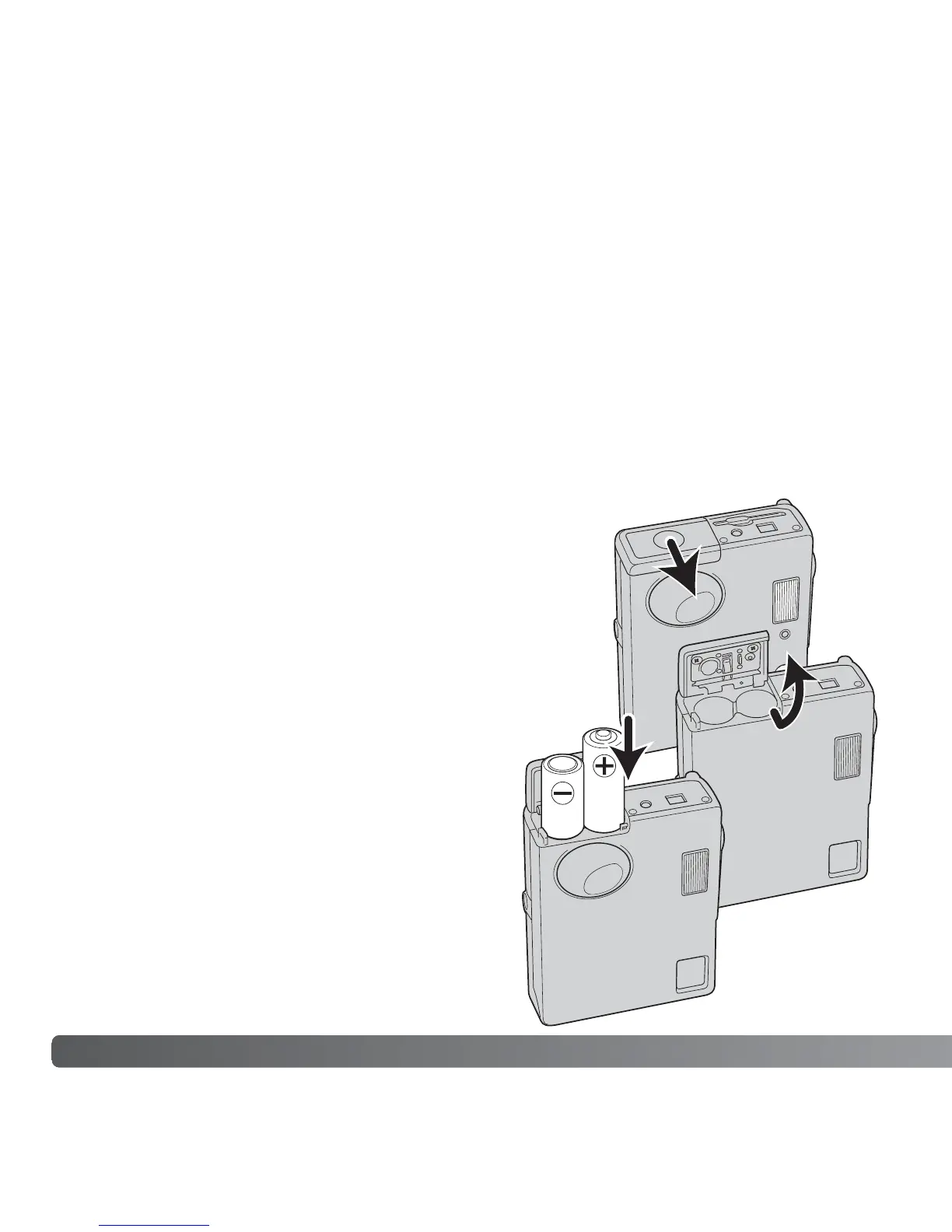
INSERTING THE BATTERIES
This digital camera uses two AA-size alkaline batteries or Ni-MH batteries. AA-size Ni-
MH batteries are recommended because of longer life. Do not use other types of
batteries with this camera. When using Ni-MH batteries, fully recharge them with a
battery charger suitable for complex electronic equipment. Please consult your vendor
about an appropriate charger. When replacing the batteries, the camera should be turned
off.
Slide the battery-chamber door toward the front of the camera to release the safety catch
(1). Open the door.
Insert the AA batteries as shown; make sure the positive
and negative battery terminals are oriented correctly
(2).
Close the battery-chamber door and slide it toward the
back of the camera to engage the safety catch.
After installing the batteries, the set-date/time
message may appear on the monitor. Set the
date and time following the instructions in
page 20. The clock and calendar can also be
set in section 3 of the setup menu. If the
camera is not used for several hours after the
batteries are taken out, the clock, calendar,
and memory settings are lost.
1
2



 To Next Page
 Loading...











