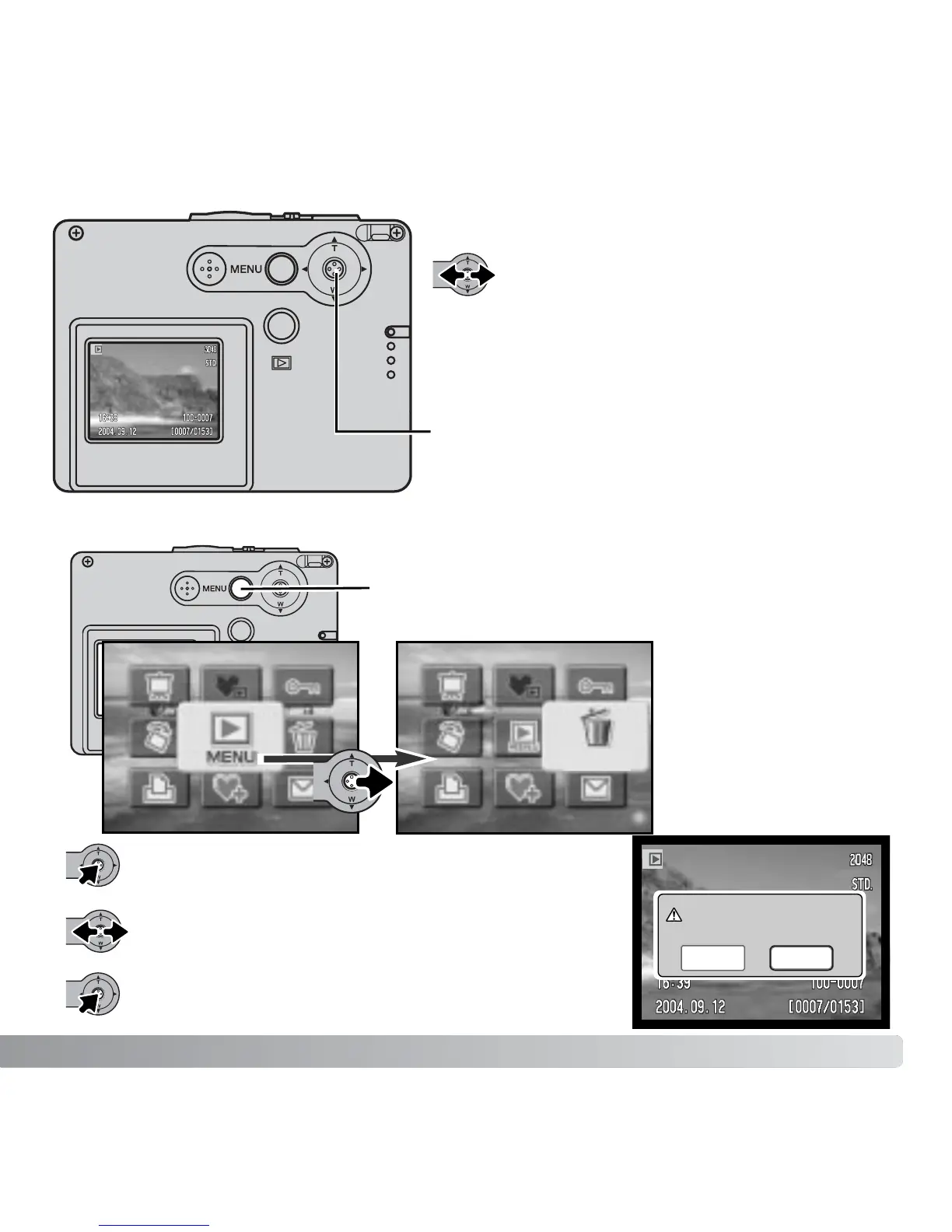
Use the controller
to select the delete
icon.
Move the controller left and right to highlight “Yes.”
“No” will cancel the operation.
33
Press the controller; a confirmation screen will
appear.
DELETING SINGLE IMAGES
VIEWING IMAGES
In the playback mode, move the
controller left and right to scroll through
the images on the memory card. The
images can be scrolled faster by holding
the controller to the left or right.
Press the controller to delete the file.
To delete a displayed image, use the main playback
menu. Press the menu button to display the main menu
on the LCD monitor.
Controller
Delete this frame?
No
Yes
Delete



 To Next Page
 Loading...











