EasyManua.ls Logo

König Gaming GAME-WHEEL11 - User Manual

König Gaming GAME-WHEEL11
7 pages
Print Icon
To Next Page IconTo Next Page
Loading...
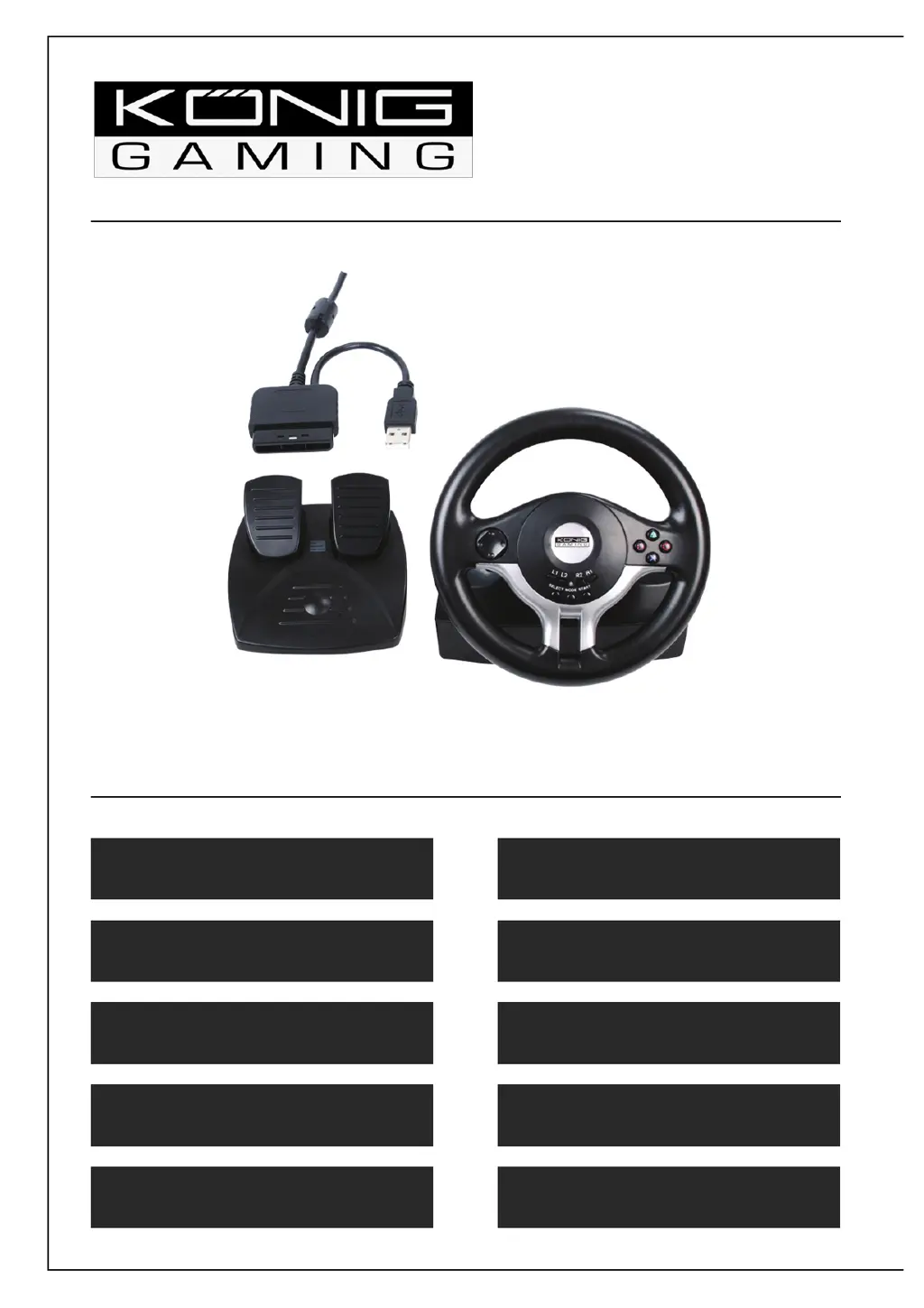
GAME-WHEEL11
PS2™ & PC wheel
MANUAL

Questions and Answers

  • M
    Matthew YoungAug 14, 2025
    What to do if König Gaming GAME-WHEEL11 controller doesn't work after installation?
    • V
      Veronica WhiteAug 14, 2025
      If your König Gaming Video Gaming Accessories controller isn't working after installation, ensure the link cable is securely connected to your PC. Check that the 'Game Port Controller' status in the 'Control Panel' under 'Game Controller' is set to 'Confirmation' and its 'ID' is '1'. Also, verify that the controller's I/O settings don't conflict with other peripherals. If the issue persists, try restarting your computer.
  • M
    Michael SullivanAug 17, 2025
    Why is the analog axis automatically operating after entering the game with König Gaming GAME-WHEEL11 Video Gaming Accessories?
    • G
      Gabriel HuntAug 17, 2025
      If some analog axis automatically operates after entering a game when using König Gaming Video Gaming Accessories, it might be because the steering wheel hasn't been calibrated or confirmed after calibration. To resolve this, go to Option — Controllers — Dead Zone to adjust the range of the dead zone, ensuring the axe is within the dead zone.
  • B
    Billy JacksonAug 20, 2025
    Why can't I install the 'LS-USBMX1/2/3 Steering Wheel W/Vibration' driving program for König Gaming Video Gaming Accessories?
    • J
      John ArroyoAug 21, 2025
      If you can't install the 'LS-USBMX1/2/3 Steering Wheel W/Vibration' driving program or the controller test has no response after installation for your König Gaming Video Gaming Accessories, the DirectX version might be too low. A version of 7.0 or higher is required.
  • J
    Jennifer HarrisAug 25, 2025
    How to fix no motor vibration in racing game with König Gaming GAME-WHEEL11 Video Gaming Accessories?
    • H
      hmartinezAug 25, 2025
      If the motor has no vibration function in a racing game with your König Gaming Video Gaming Accessories, try re-entering the game after exiting (avoid inserting or removing the USB controller during gameplay). If the problem continues, restart your computer.
  • B
    brownronnieAug 27, 2025
    What to do if the right motor keeps vibrating after entering games using König Gaming Video Gaming Accessories?
    • J
      jhowardAug 27, 2025
      If the right motor keeps vibrating after entering games with your König Gaming Video Gaming Accessories, go to 'Force Feedback' and either turn off or turn down the engine.
  • J
    jfreyAug 31, 2025
    Why is the motor vibration intensity weaker after entering games with König Gaming GAME-WHEEL11?
    • W
      William ButlerAug 31, 2025
      If the motor vibration intensity becomes weaker after entering games with your König Gaming Video Gaming Accessories, navigate to 'Force Feedback' and adjust the intensity settings for 'STICK VOLUME', 'ROAD EFFECTS', etc., to be stronger.
  • B
    Benjamin SanfordSep 3, 2025
    What to do if König Gaming GAME-WHEEL11 driving program can’t be searched after inserting the controller?
    • J
      Joyce HunterSep 3, 2025
      If the driving program for your König Gaming Video Gaming Accessories can’t be found after inserting the controller, it may be due to an incomplete driver installation where some files were skipped or incorrect files were specified. To fix this, delete the corresponding equipment marked with a '!' symbol under 'man-machine port', 'Somatological Input Equipment', 'Hidclass', or the 'Sound, Video and Game Controller' menu. Then, re-insert the game controller to your PC to initiate the driver installation process.
  • M
    Meghan BarrySep 6, 2025
    How to calibrate König Gaming Video Gaming Accessories in the testing platform?
    • A
      Aaron Hayes MDSep 6, 2025
      If you find it difficult to calibrate your König Gaming Video Gaming Accessories on the testing platform, first press 'Default' and then press 'Set'.
  • H
    Hannah RussellSep 9, 2025
    Why does the König Gaming GAME-WHEEL11 Video Gaming Accessories motor have no vibration on the testing platform?
    • F
      fwilliamsSep 10, 2025
      If the motor has no vibration on the testing platform for your König Gaming Video Gaming Accessories, the DirectX version might be too low. A version of 7.0 or higher is required.

Summary

Connection and Installation

Wheel Panel Button Layout

Details the button layout on the steering wheel for PS2/PC.

PC;PS Switch Button Function

Explains the function and location of the PC/PS switch.

Foot Pedal Layout and Function

Describes the layout and function of the foot pedals.

Button Function Mapping

Special Function Descriptions

Explains special functions like cycling modes and LED indicators.

PC Setup and Testing

KeyMap and Sensitivity Settings

Details key mapping, directional sensitivity, and pedal axis configuration.

System Requirements and Installation

Lists PC system requirements and provides step-by-step installation instructions.

Steering Wheel Testing Procedures

Guides on accessing test pages and verifying wheel direction and button functionality.

Troubleshooting and Maintenance

Button and Directional Testing

Verifies the functionality of wheel buttons and directional controls.

Calibration and Vibration Testing

Procedures for calibrating the wheel and testing motor vibration feedback.

Common PC Troubleshooting

Addresses issues like controller non-response, installation errors, and motor problems.

Usage and Maintenance

Guides on adjusting vibration intensity, recalibrating, and general maintenance.

Compliance and Safety Information

Declaration of Conformity

States conformity with relevant European standards and directives.

Safety Precautions

Important safety warnings regarding electrical shock, water, and product usage.

General Product Information

Maintenance Guidelines

Instructions for cleaning the product using a dry cloth only.

Warranty and Liability

Details warranty limitations and liability for product modifications or misuse.

General Notes and Attention

Information on design changes, trademarks, and electronic waste disposal.

König Gaming GAME-WHEEL11 Specifications

General IconGeneral
Device TypeSteering Wheel
ConnectivityWired
InterfaceUSB
PedalsYes
MountingClamp
PlatformPC
Rotation270 °