3
Operation and connection
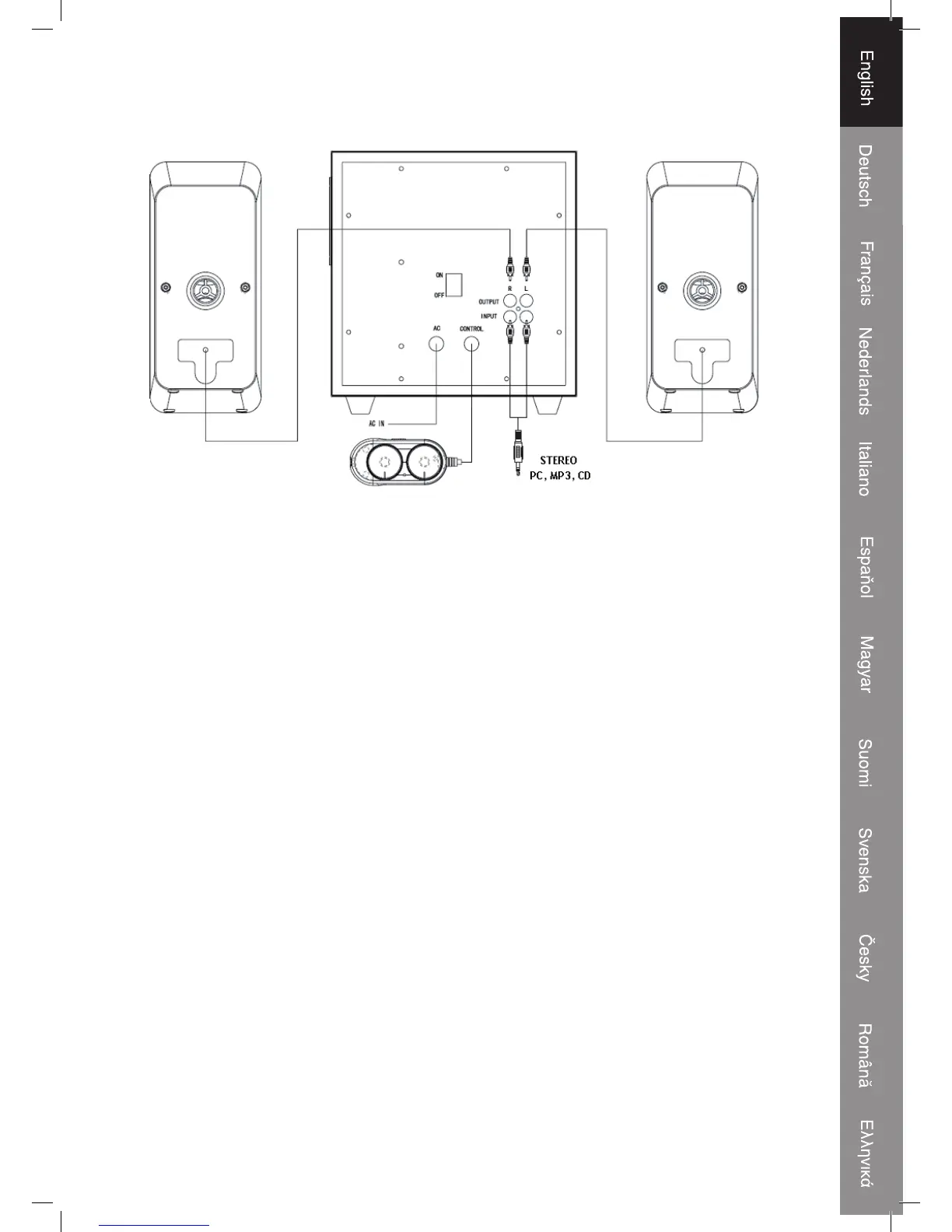
• Please make sure the system and the devices are powered off before you establish
any connection
Please refer to the above figure for cable connections
• Step 1: Connect the device (PC/CD/MP3) with the RCAx 2-3.5mm Stereo Input
Cable with the speaker
• Step 2: Connect the two satellite speakers to the speaker output section on the
back panel
• Step 3: Connect the AC power and turn on the power
• Step 4: Adjust the Volume and Bass on the wired control to your preferred level



 To Next Page