EasyManua.ls Logo

Konig SAS-DVRWCA10 - User Manual

Konig SAS-DVRWCA10
126 pages
Print Icon
To Next Page IconTo Next Page
Loading...
SAS-DVRWCA10
MANUAL (p. 2)
ANLEITUNG (S. 7)
MODE D’EMPLOI (p. 12)
GEBRUIKSAANWIJZING (p. 17)
MANUALE (p. 22)
MANUAL DE USO (p. 27)
MANUAL (p. 32)
HASZNÁLATI ÚTMUTATÓ (o. 37)
KÄYTTÖOHJE (s. 42)
BRUKSANVISNING (s. 47)
NÁVOD K POUŽITÍ (s. 52)
MANUAL DE UTILIZARE (p. 57)
ΕΓΧΕΙΡΙΔΙΟ XPHΣHΣ (σελ. 62)
BRUGERVEJLEDNING (s. 67)
VEILEDNING (s. 72)
ИНСТРУКЦИЯ (77 стр.)
KILAVUZ (s. 82)
KASUTUSJUHEND (lk. 87)
NÁVOD (s. 92)
ROKASGRĀMATA (lpp. 97)
NAUDOJIMO VADOVAS (102 p.)
PRIRUČNIK (str. 107)
РЪКОВОДСТВО (p. 112)
INSTRUKCJA OBSŁUGI (str. 117)
PRIROČNIK (str. 122)
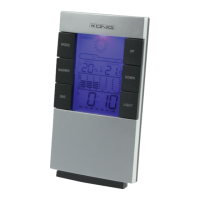
Clock with Camera and DVR
Question and Answer IconNeed help?

Do you have a question about the Konig SAS-DVRWCA10 and is the answer not in the manual?

Summary

Initial Settings Configuration

System Settings Management

Advanced Setting Options

Configure stamp date format, motion sensitivity, light frequency, image quality, overwrite, and bell settings.

Clock Installation Guide

Device Operation and Recording

Motion Detection and Recording Logic

Activate motion detection, record 3s before/15s after motion, and manage file size limits.

Remote Control Functions

Utilize the remote control for manual recording, stopping recording, and enabling/disabling motion detection.

Live View and Playback Options

File Management and Technical Specs

Safety, Maintenance, and Warranty

Safety, Service, and Environmental Care

Handle with care, service by authorized technicians only, and avoid water/moisture exposure.

Summary

Initial Settings Configuration

System Settings Management

Advanced Setting Options

Configure stamp date format, motion sensitivity, light frequency, image quality, overwrite, and bell settings.

Clock Installation Guide

Device Operation and Recording

Motion Detection and Recording Logic

Activate motion detection, record 3s before/15s after motion, and manage file size limits.

Remote Control Functions

Utilize the remote control for manual recording, stopping recording, and enabling/disabling motion detection.

Live View and Playback Options

File Management and Technical Specs

Safety, Maintenance, and Warranty

Safety, Service, and Environmental Care

Handle with care, service by authorized technicians only, and avoid water/moisture exposure.

Konig SAS-DVRWCA10 Specifications

General IconGeneral
BrandKonig
ModelSAS-DVRWCA10
CategoryClock
LanguageEnglish

Related product manuals