VOORUI
Chapter OSD Function
The OSD function information table of this product is as follows. If there is any
question about the operation process, please contact Koorui customer services.
E
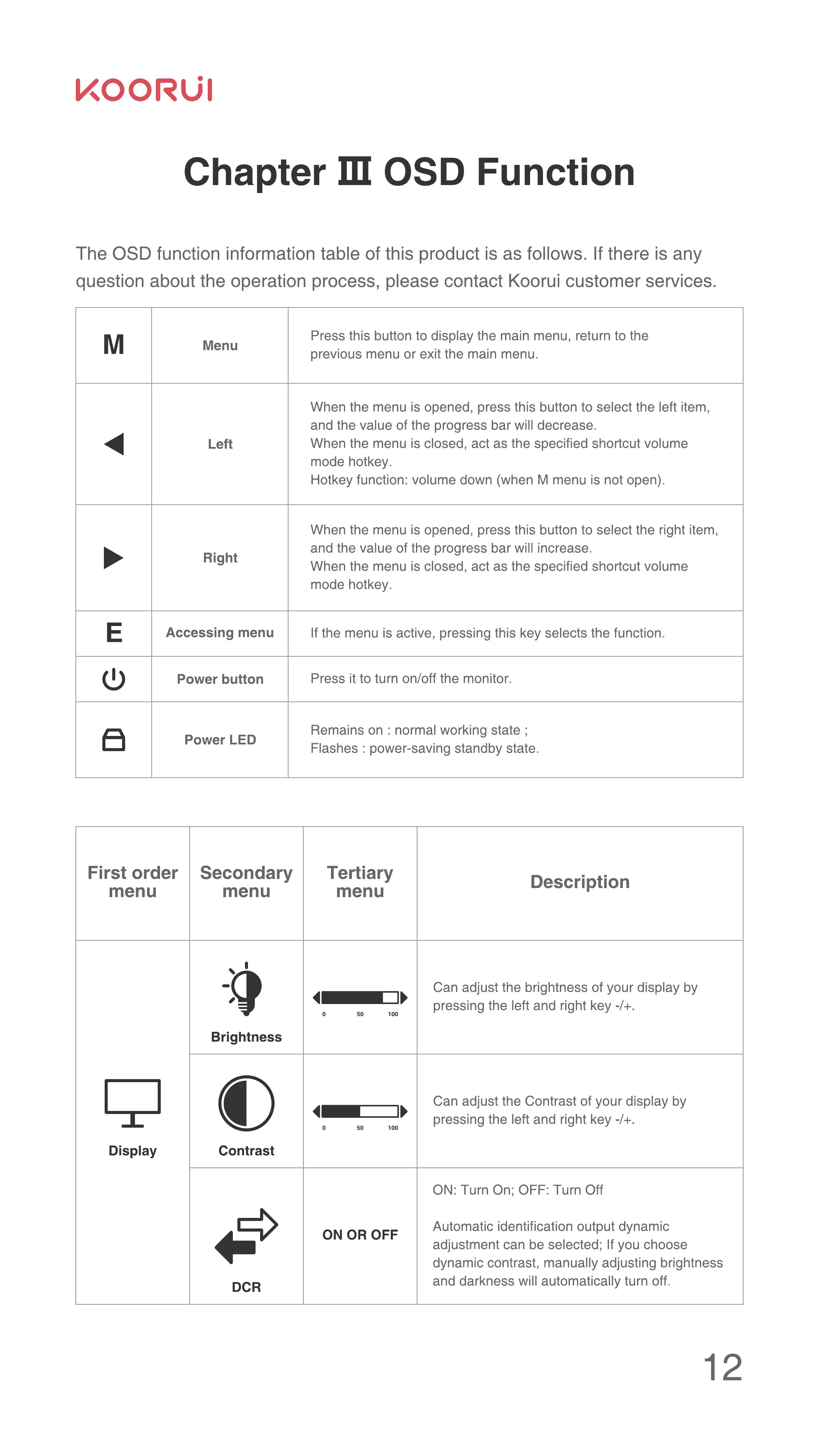
Menu
Left
Right
Accessing menu
Power button
Power LED
First order
menu
Display
Secondary
menu
Brightness
Contrast
DCR
Press this button to display the main menu, return to the
previous menu or exit the main menu.
When the menu is opened, press this button to select the left item,
and the value of the progress bar will decrease.
When the menu is closed, act as the specified shortcut volume
mode hotkey.
Hotkey function: volume down (when M menu is not open).
When the menu is opened, press this button to select the right item,
and the value of the progress bar will increase.
When the menu is closed, act as the specified shortcut volume
mode hotkey.
If the menu is active, pressing this key selects the function.
Press it to turn on/off the monitor.
Remains on : normal working state ;
Flashes : power-saving standby state.
Tertiary
Description
menu
Can adjust the brightness of your display by
pressing the left and right key -/+.
50 100
Can adjust the Contrast of your display by
pressing the left and right key -/+.
50 100
ON: Turn on; OFF: Turn Off
Automatic identification output dynamic
ON OR OFF
adjustment can be selected; If you choose
dynamic contrast, manually adjusting brightness
and darkness will automatically turn off.
12


 To Next Page
 Loading...

