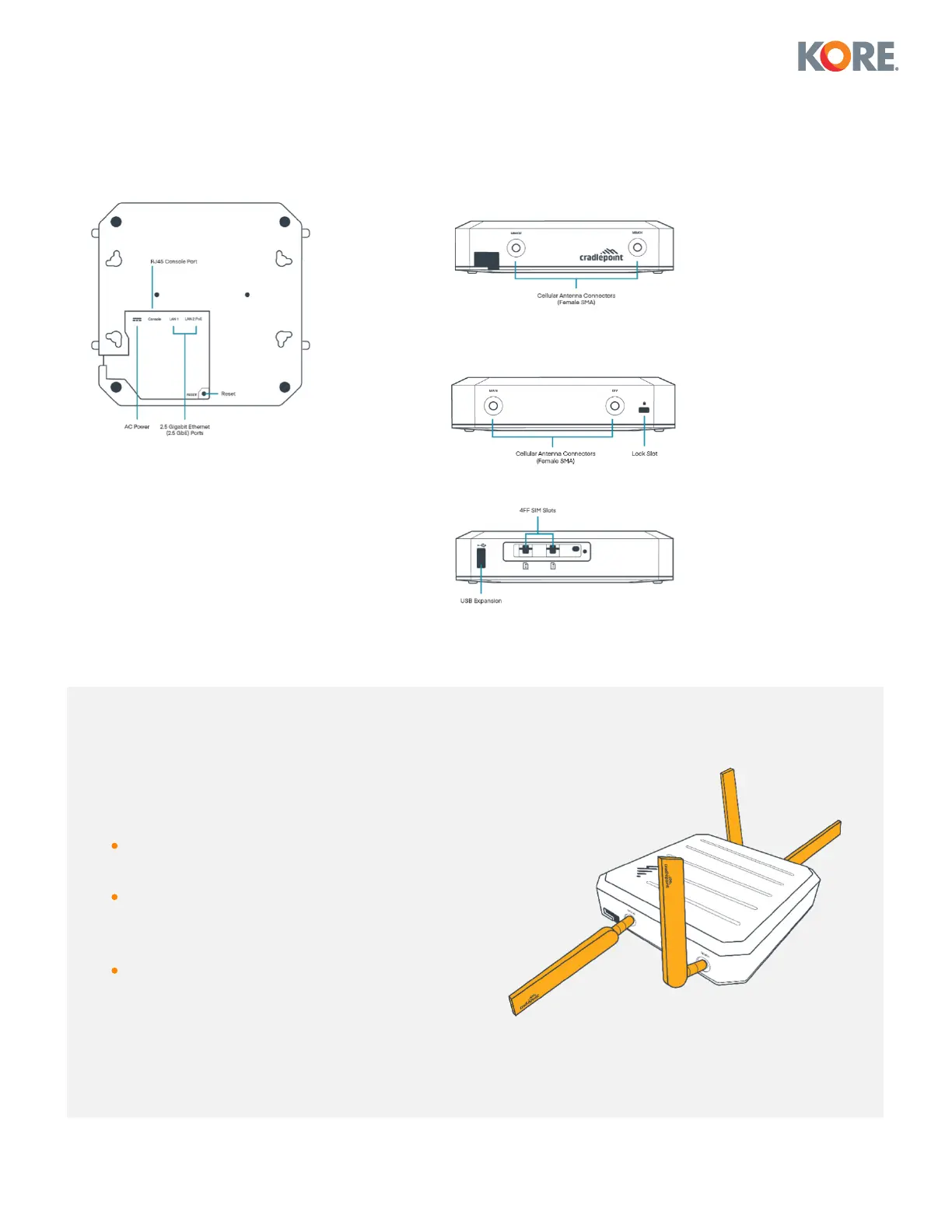
Device Views
Step 1
Attach cellular antennas
Attach the four (4) modem antennas to
the ports marked MAIN and DIV.
Hold the antenna straight and twist the
base to thread onto the device. Tighten
with fingers only. Do not overtighten.
Angle the antennas as shown in the
following image:
1 Device Bottom
2 Antenna Side A
3 Antenna Side B
4 Back View


 To Next Page