EasyManua.ls Logo

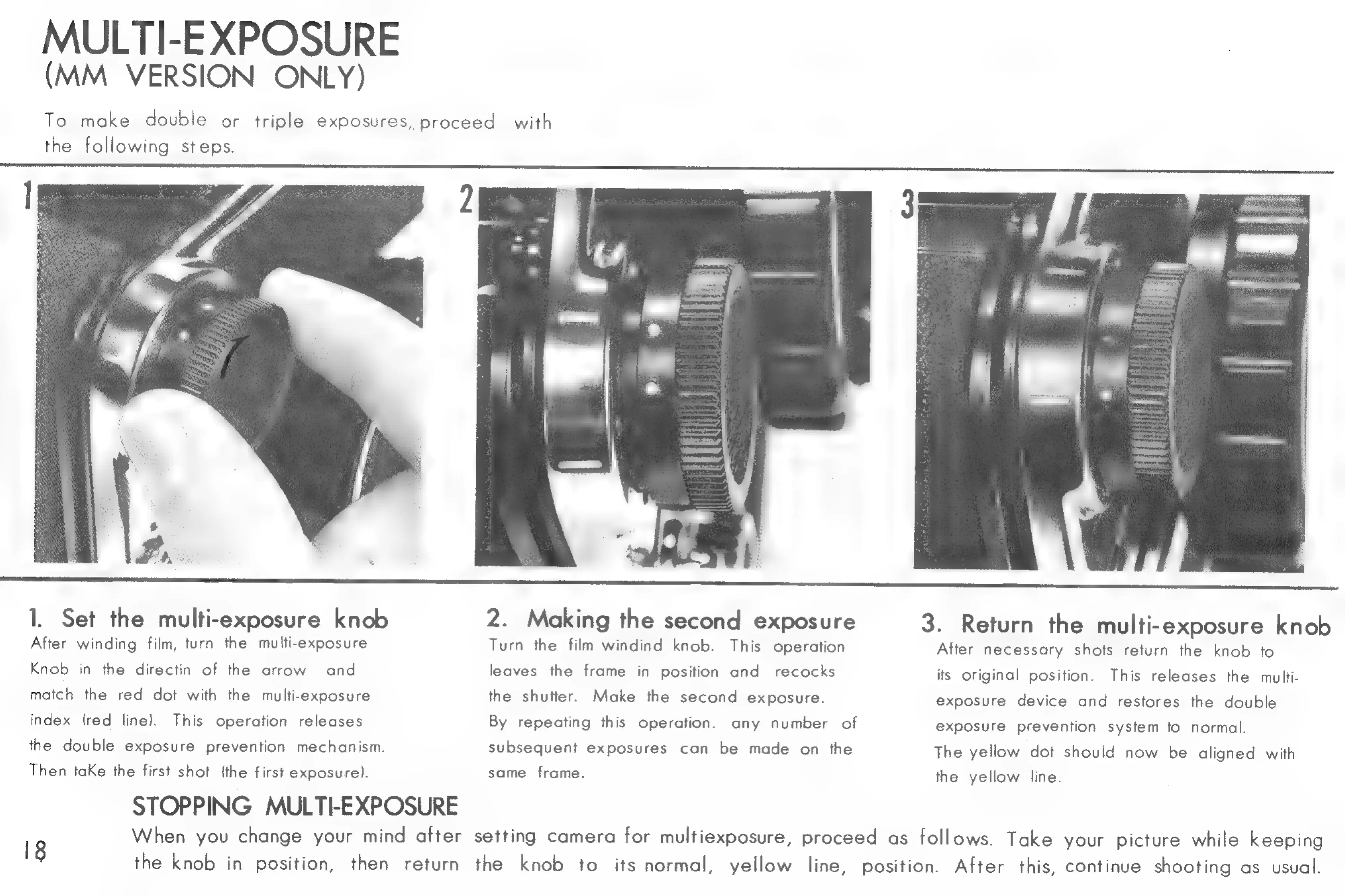
Kowa SIX Version II - Kowa Six Multi-Exposure Technique; Set the Multi-exposure Knob; Making the Second Exposure; Return the Multi-exposure Knob

Kowa SIX Version II
46 pages
Print Icon
To Next Page IconTo Next Page
To Previous Page IconTo Previous Page
Loading...
MULTE
EXPOSURE
(MM
VERSION
ONLY)
To
make
double
or
triple
exposures,
proceed
with
the
following
steps.
l
Set
the
multi-exposure
knob
2.
Making
the
second
exposure
After
winding
film,
turn
the
multi-exposure
Turn
the
film
windind
knob.
This
operation
Knob
in
the
directin
of
the
arrow
and
leaves
the
frame
in
position
and
recocks
match
the
red
dot
with
the
multi-exposure
the
shutter.
Make
the
second
exposure.
index
(red
line).
This
operation
releases
By
repeating
this
operation.
any
number
of
the
double
exposure
prevention
mechanism.
subsequent
exposures
can
be
made
on
the
Then
taKe
the
first
shot
(the
first
exposure].
same
frame.
STOPPING
MULTI-EXPOSURE
18
3.
Return
the
multi-exposure
knob
After
necessary
shots
return
the
knob
to
its
original
position.
This
releases
the
multi-
exposure
device
and
restores
the
double
exposure
prevention
system
to
normal.
The
yellow
dot
should
now
be
aligned
with
the
yellow
line.
When
you
change
your
mind
after
setting
camera
for
multiexposure,
proceed
as
follows.
Take
your
picture
while
keeping
the
knob
in
position,
then
return
the
knob
to
its
normal,
yellow
line,
position.
After
this,
continue
shooting
as
usual.

Related product manuals