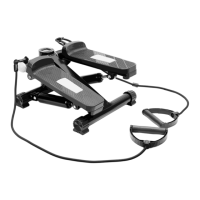
posi on. Using the pedals provides strength training and exercise for the legs, hips and
bu ocks, while your arms and upper body muscles can be targeted with the removable
latex expander bands (training ropes).
INSTRUCTIONS FOR USE
1. Place the mini stepper on a dry, solid, fl at area of fl oor. You may prefer to posi on the
mini stepper so that you have access to a fi xed handrail for support and balance during
use.
2. To operate the pedals, carefully put each foot onto the onto the mini stepper and
press down to push alternate pedals to the ground. Always exercise at a comfortable
pace for you.
3. To use the removable training ropes, a ach each rope to the loop at the top of each
bar suppor ng the step. Take hold of one rubbe rised handgrip with each hand and
bend/relax your arms in order to exercise with the resistance of the bands.
4. Take care not to allow the training ropes to become tangled in the equipment, espe-
cially when moving onto and off the mini stepper and during use.
5. When you have fi nished your exercise session, carefully step down from the mini
stepper and store it away when not in use.
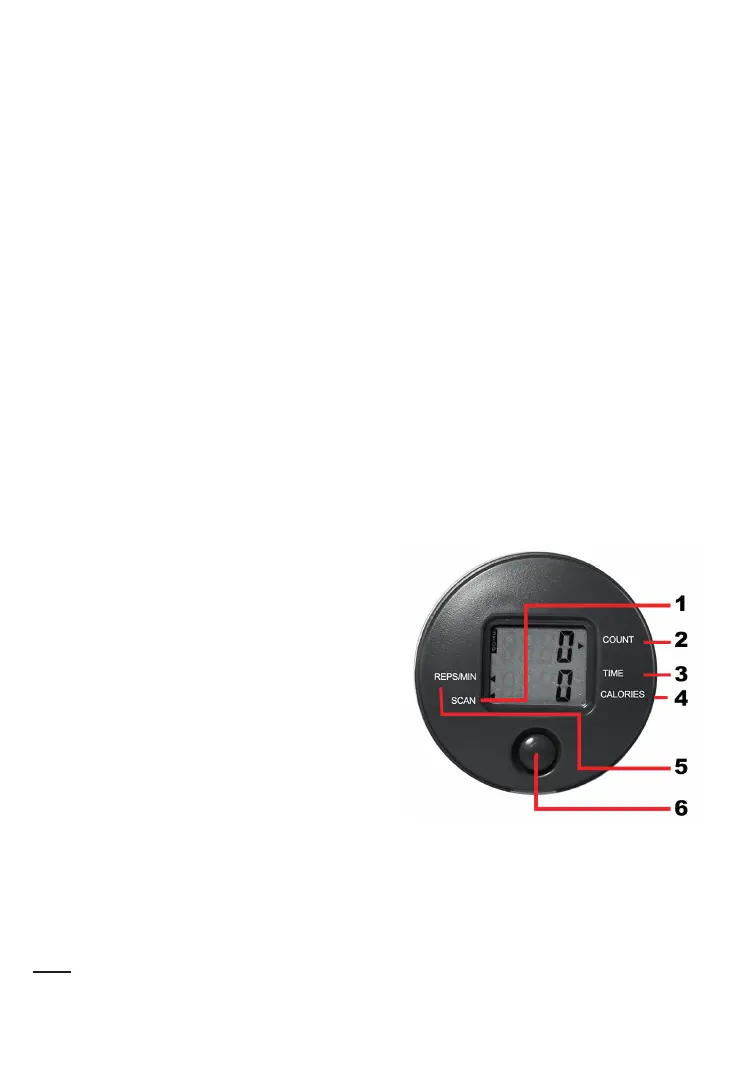
USING THE BUILT-IN COMPUTER
1. SCAN: Automa cally scrolls through each
func on in sequence
2. COUNT: Displays the total number of strides
during workout sessions.
3. TIME: Counts from zero up to 99:59 in one
second increments.
4. CALORIES: Displays total calories used during
exercise. NB. This is a rough
guide only and should be used as a comparison
over several exercise sessions.
5. REPS/MIN: Displays the number of strides/minute.
6. MODE/RESET: Press to select or switch func on. Hold for 3 seconds to reset all val-
ues to zero.
Note: to turn on the power, press any bu on or start to exercise. If no signal is trans-
mi ed to the computer for 4 minutes, the computer display will shut off automa cally.


 To Next Page