1. e programming of the transmitter depends on the type of receiver. When programming, it is necessary
to be guided by the instruction manual of the device which is to be controlled by the transmitter.
2. A pause longer than 5 seconds between successive presses of the button will automatically cause
exit from the programming mode without any introduced changes.
3. Adding a transmitter using this method will cause erasing the memory of the receiver.
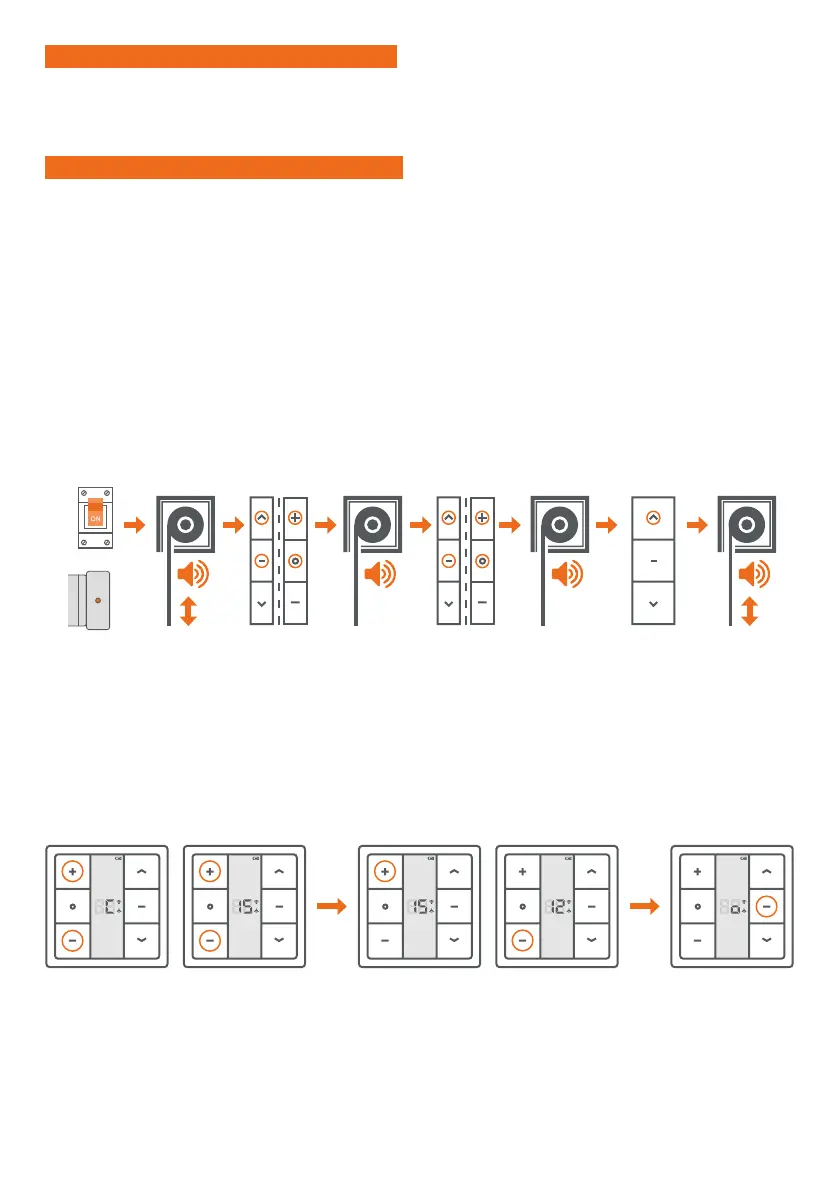
3. PROGRAMMING THE FIRST TRANSMITTER FOR ER TYPE DRIVES
We turn on the
power supply
or press the
programming
button on the
drive head.
e drive will
emit a sound.
e roller blind
will make short
up / down
movements.
We simultaneo-
usly press the
STOP and UP
buttons or ZERO
and CHANNEL +
buttons on the
remote control.
We simultaneo-
usly press the
STOP and UP
buttons or ZERO
and CHANNEL +
buttons on the
remote control.
e roller blind
will make short
up / down
movements and
emit several
sound signals.
e drive will
emit a sound.
e drive will
emit a sound.
We press the UP
button once.
LUB
1. The function of the programming button is performed by the combination of UP + STOP keys pressed simultaneously.
2. e batteries must be replaced when the integrated LED does not light up, or when the receiver
stops responding at the moment of pressing the keys.
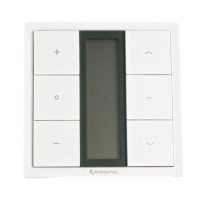
IMPORTANT! 1- CHANNEL TRANSMITTER
IMPORTANT! 15-CHANNEL TRANSMITTER
1. e programming function is performed by the combination of ZERO and CHANNEL + buttons pressed
simultaneously.
2. After pressing the ZERO button, the digit 0 indicating the group channel appears on the display.
All devices programmed on individual transmitter channels are active on this channel.
We do not perform any programming procedures on the group channel.
3. e batteries must be replaced when the channel number is not displayed after pressing any button,
or when the receiver stops responding at the moment of pressing the keys.
Pressing the UP or DOWN button causes exit from the active channel selection mode. To change
the number of active channels again, it is necessary to perform the following procedure again.
4. SELECTION OF ACTIVE CHANNELS
We press and hold CHANNEL + and CHANNEL
-simultaneously. e „C” symbol will appear
on the display, and after about 4 seconds
the number 15 and the up and down arrows.
Using the CHANNEL + or CHANNEL- buttons
we set the number of channels displayed.
Using the STOP button, we confirm
the setting. e „o” symbol
is visible on the display.


 To Next Page
 Loading...