Chapter 1 Introduction
1-4 Kronos Incorporated
I/O Option Boards
You can add optional I/O boards (with connecting cable and mounting screw) to
the Series 400 terminal. These boards support the connection of optional devices.
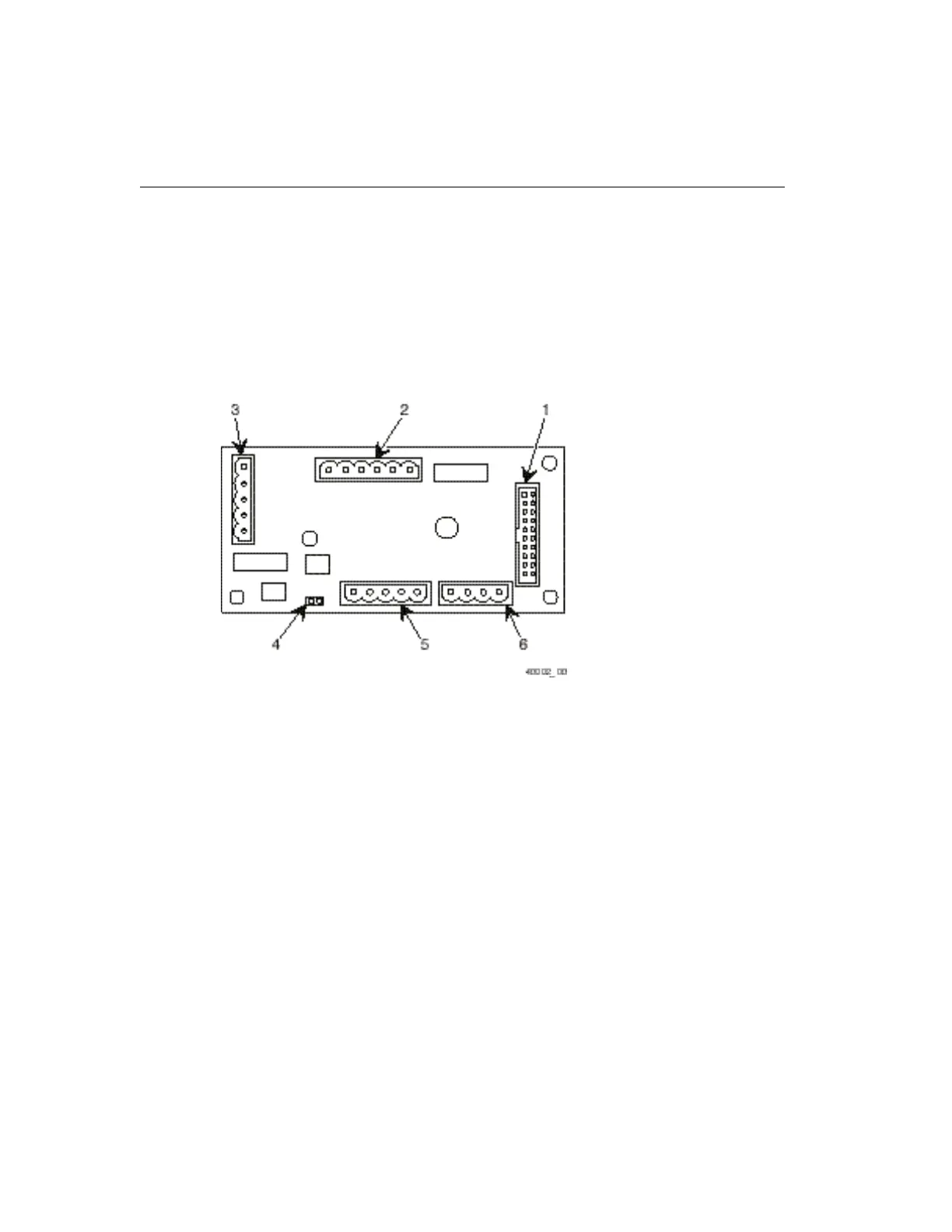
The following figure shows the standard I/O board and the connector locations. A
proximity reader and magnetic reader I/O board and a dual reader I/O board are
also available.
Legend
1 Mainboard cable connector (P1)
2 RS-232 serial printer port (TB2)
3 Remote indicator lights/Megabeep External beeper/Remote swipe bar code reader/
Wand bar code reader port (TB1)
4 Kronos RS-485 remote swipe bar code reader RS-485/Termination jumper (SB1)
5 Kronos RS-485 remote swipe bar code reader port (TB3)
6 I/O port (TB4) for master synch and other less used hardware options



 To Next Page