10 11
Call-handling
Answer a call
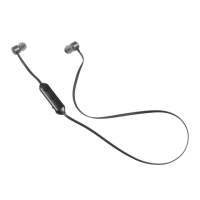
– When a call comes through, the Clash Evo will play a ringtone. Press the MFB (1)
to answer
– During the call you can decrease/increase the volume by pressing and holding
the Volume– button (2) or Volume+ button (3) respectively
End call
– During a call, press the MFB (1) to end the call
Care for your Clash Evo
Please DON’T
• Get the Clash Evo wet
• Drop the Clash Evo as this will invalidate your warranty
• Open up the Clash Evo as there are no user serviceable parts inside
• Expose the Clash Evo to extreme temperatures or rapid changes
of hot to cold or vice versa
Please DO
• Clean the Clash Evo with a soft dry cloth and no detergents
Specications
Bluetooth V4.0
Bluetooth range up to 10 m
Aux input 3.5 mm
Battery Li-Po 380 mAh
Frequency response 20 Hz – 20 kHz
Play time up to 10 hours
Charging time up to 4 hours
Troubleshooting
We hope you’ve now got all the information you need to get started, but if
you’re having problems with anything, please feel free to contact us at:
support
@
kitsound.co.uk
We apologise for any inconvenience caused by minor inconsistencies in these instructions, which may occur as
a result of product improvement and development.
Please do not attempt to open this product. There are no user serviceable parts inside, in particular if your
product has an embedded, non-replaceable battery, do not attempt to access or remove the battery as this
may cause personal injury and will damage the product.
Making any attempt to open the product or carry out repair voids any and all warranties.



 To Previous Page
 Loading...