Dr Walt’s Quick Guide to Keycreator Sheet Metal Tools- Part 1
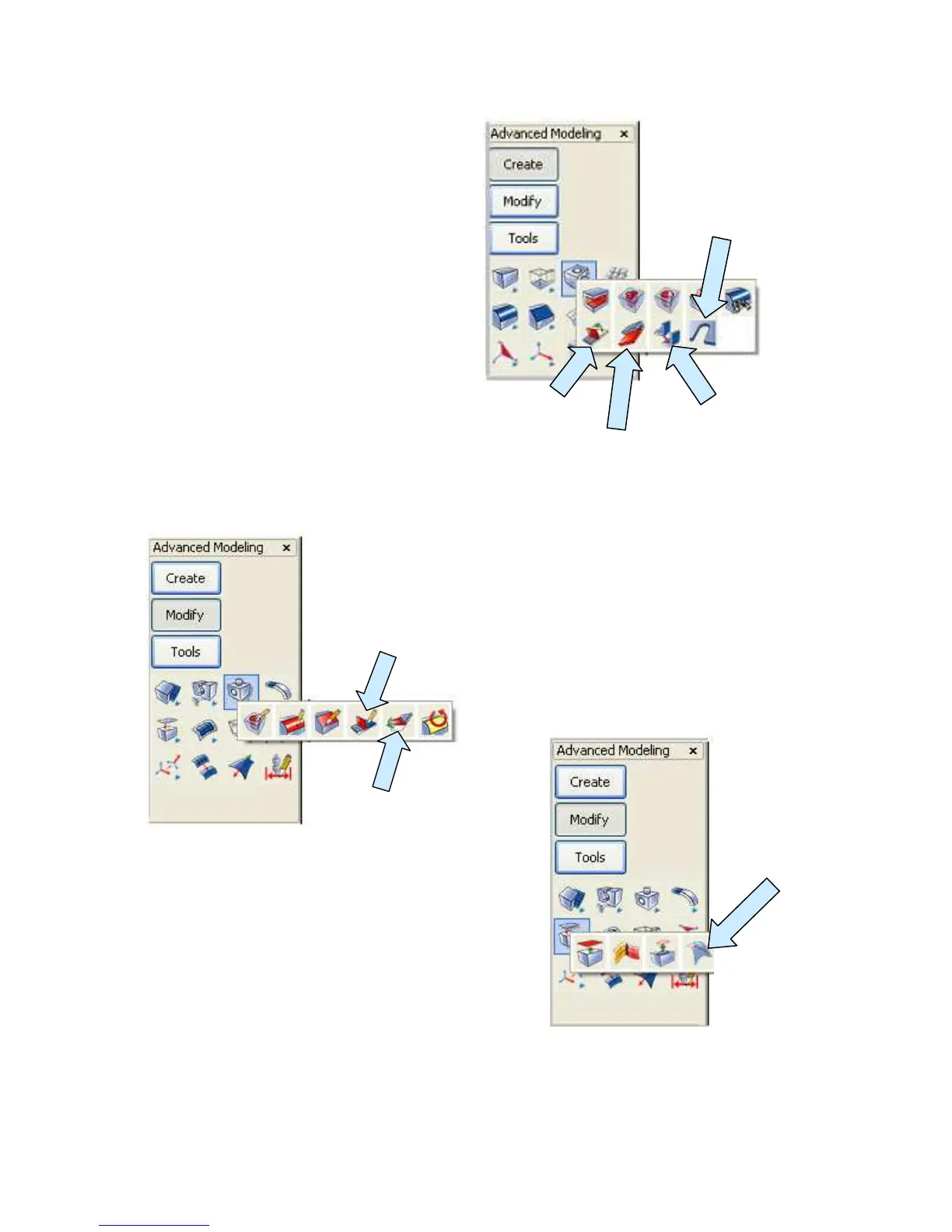
I place the four Icons labeled to the
right next on my toolbar, starting
with the AUTO BEND CORNER
Tool.
Next I place the CREATE
FLANGE Icon, then the ADD
SHEETMETAL BEND and then
the CREATE BEND RELIEF Icon.
Next, drag the EDIT SHEETMETAL
BEND and UNBEND ALL Icons onto the
toolbar.
Let’s also drag the SCRIBE FACE Icon onto the
toolbar.
ADD
SHEETMETAL
BEND
CREATE
FLANGE
AUTO
BEND
CORNER
CREATE
BEND
RELIEF
UNBEND ALL
EDIT
SHEETMETAL
BEND



 To Next Page