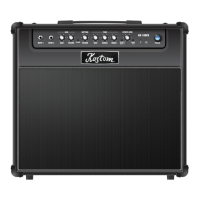
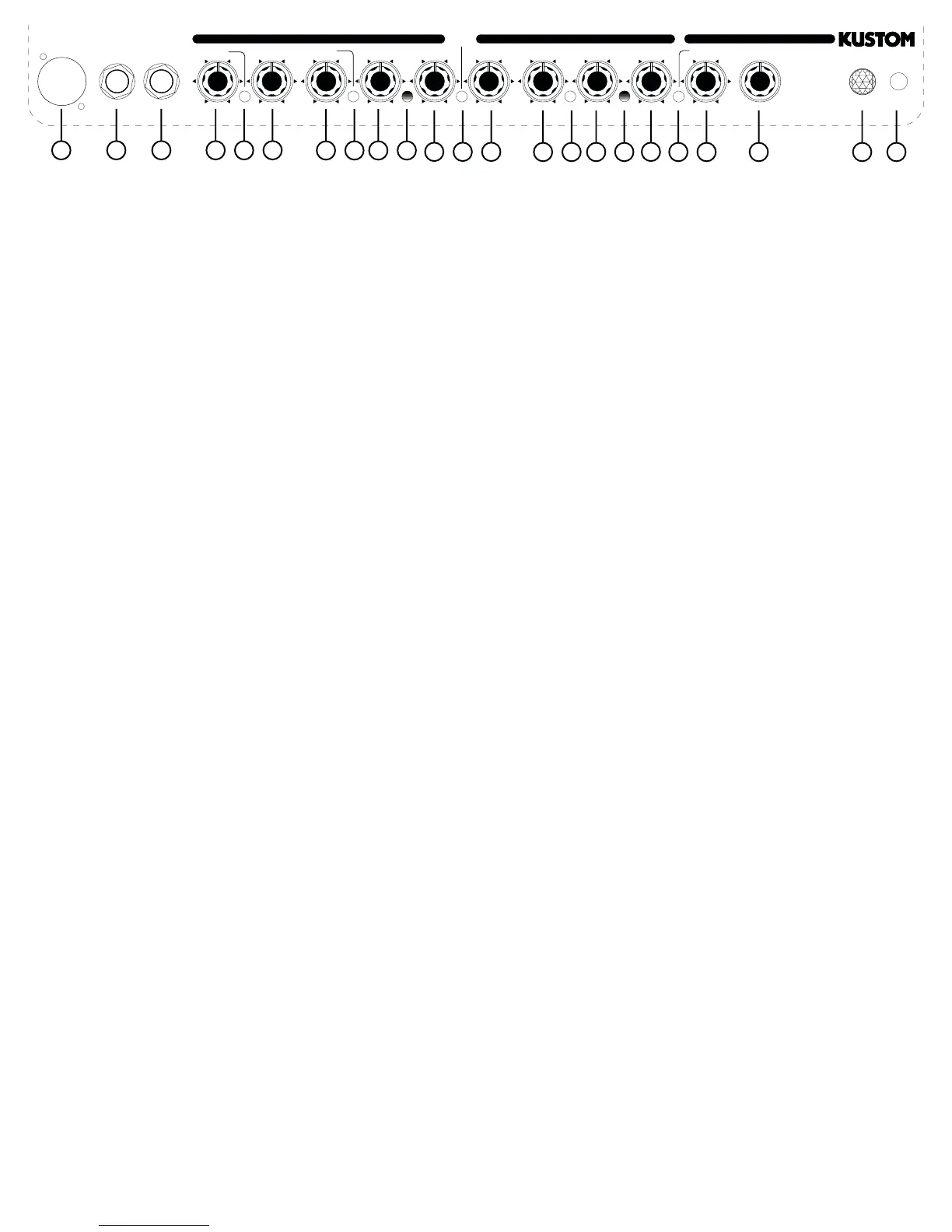
1.) Line Output - this is a 3 cond. XLR output jack for plugging into Lo-Z microphone inputs as found on PA or recording
mixers. It is intended in place of external mics or used as a built in direct box.
2.)
CD/Tape Input - this 1/4 3 conductor jack will allow you to plug in a CD player, tape or any other source to practice along
with. It sums the left and right signals into a mono signal. To control the volume of the source, adjust the output volume of the
device.
3.)
Guitar Input Jack - this is a 1/4 2 conductor input jack for plugging in your instrument. It is intended for guitars but will accept
other instruments as well.
4.) Lead Gain - adjust this clockwise to increase the amount of distortion you add to the overdrive signal. Used in the lower ranges
of the control, you get a less distorted sound, a bluesy tone. As you increase the gain, you add tremendous amounts of distortion
to the signal for a harder edged crunch tone.
5.) More On/Off - this switch will add more distortion to the lead channel.
6.) Low - this control is the bass control for the lead channel. It is passive and set to shelve frequencies at 100 Hz. Turning
it fully clockwise, the signal is unaltered. Turning it counterclockwise, the low will be rolled off -12db.
7.) Mid - this control is the midrange control for the instrument channeI and is passive and set to shelve frequencies at
800Hz.Turning it fully clockwise, the signal is unaltered. Turning it counterclockwise, the low will be rolled off -12db.
8.) Shift - this switch will boost the center frequency of the midrange control +6db at 800 Hz.
9.) High - this is the high frequency tone control for the microphone channel. It is passive and set to shelve frequencies at
3KHz. Turning it fully clockwise, the signal is unaltered Turning it counterclockwise, the highs will be rolled off -12db.
10.) Lead Channel On LED - when this LED light is on, it indicates that the Lead Channel is on.
11.) Volume - this is a volume control for the Lead Channel ONLY.
12.) Channel Select - this switch selects between the Lead or Rhythm Channel.
13.) Bass - this control is the bass control. It is passive and set to shelve frequencies at 100 Hz. Turning it fully clockwise,
the signal is unaltered Turning it counterclockwise, the low will be rolled off -12db.
14.) Middle - this control is the midrange control for the instrument channeI and is passive and set to shelve frequencies
at 1KHz.Turning it fully clockwise, the signal is unaltered. Turning it counterclockwise, the low will be rolled off -12db.
15.) Bright On/Off - when engaged, this switch will boost the treble sound of the Rhythm channel. It boosts 3 KHz by +6
db.
16.) Treble - this is the high frequency tone control. It is passive and set to shelve requencies at 3KHz on the instrument
channel. Turning it fully clockwise, the signal is unaltered. Turning it counterclockwise, the highs will be rolled off -12db.
17.) Rhythm Channel On LED - when this LED light is on, it indicates that the Rhythm Channel is on.
18.) Volume - this is a volume control for the Rhythm Channel ONLY.
19.) Effects On/Off - this switch engages the digital effects section.
20.) Effects Level - this control adds the digital effects section and mixes it into the main signal buss. Several different
effects are available.
21.) Program Select -this switch will select any of eight different effects. 2- Reverbs, 2- Echos, Chorus, Chorus/Reverb,
Flange/Reverb and Tremolo.
22.) Jewel Light - this jewel light lets you know that the amplifier is on.
24.) Power - this switch turns on and off the AC power to the amp.
Back Panel - (not pictured)
Speaker Out - this is a 2 conductor 1/4 speaker output jack. This will disconnect the internal speaker and allow an external
speaker cabinet to be employed. Rating is 8 ohms.
Line Output - this is a 2 conductor 1/4 line output jack. This will allow an external amplifier or mixing board to be supplied with
the signal from this amp.
Effects Loop I/O - these are 2-2 conductor 1/4 jacks. This will allow an external effects device or equalizer to be patched back in before
the power amp section in this amp. One is send and the
other is return.
Footswitch Jack - this is a 3 conductor 1/4 jack. This is for hooking up a footswitch to switch channels and to turn on/off the
effects section
14
19
56
11 18
41 2 3
7 8 9 10
15 16 17 20 22 2321
12 13
PROGRAM
LEVEL
5
6
7
8
2
3
4
1
DIGITAL EFFECTS
POWER
MORE
BASS MIDDLE TREBLE VOLUME
ON
CHANNEL
SELECT
HIGH VOLUMEMIDLOWGAIN
SHIFT
BRIGHT
65 WATT
MOSFET GUITAR AMPLIFIER
GUITAR
INPUT
CD/TAPE
INPUT
LINE OUT
1. HALL REVERB
2. SPRING REVERB
3. SLAP BACK
4. ECHO
5. CHORUS
6. CHORUS/REVERB
7. FLANGE/REVERB
8. TREMOLO
KGA65
RHYTHM CHANNELLEAD CHANNEL


 To Next Page
 Loading...