10-60
Troubleshooting > Clearing Paper Jams
Clearing Paper Jams
If a paper jam occurs, printing stops and the location at which the paper jam has occurred and the following message
appear on the touch panel.
"Paper Jam."
Refer to these procedures to remove the jammed paper.
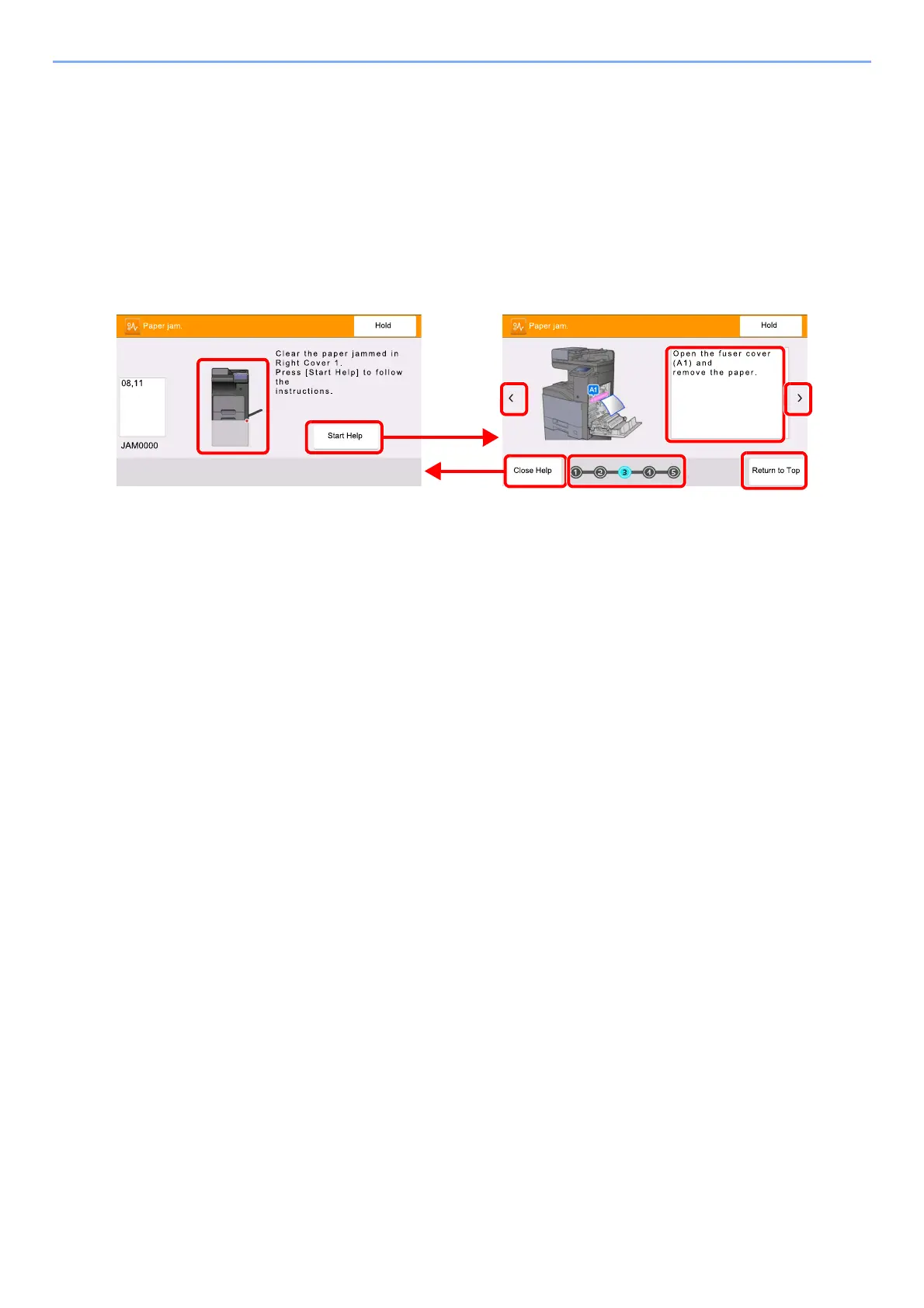
Jam Location Indicators
1 Shows the location of a paper jam.
2 Shows the Help screen. The Help screen shows the procedure to clear the jam.
3 Returns to the previous step.
4 Closes the Help screen and returns to the original screen.
5 Shows the selected step.
6 Returns to step 1.
7 Advances to the next step.
8 Shows the removal procedure.


 To Next Page
 Loading...