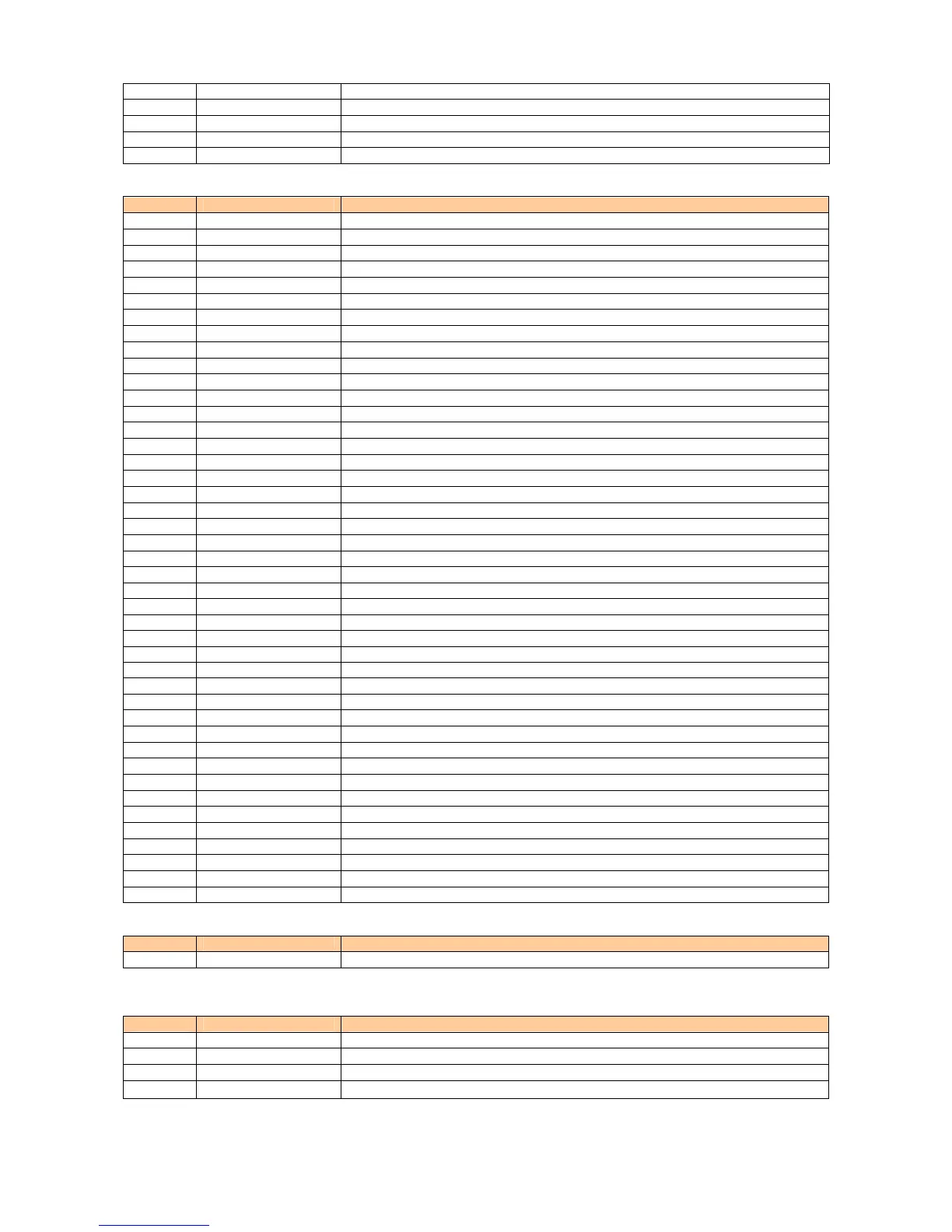
M481 Cert. Disp Displaying downloaded certificate in detail
M482 Confirm Disp Setting whether to display check screen when sending certificate
M483 Root CA Setting to display Root Certificate
M49 Emer. Position On emergency call, location information notified to emergency can be viewed
M40 Incoming Display Setting to display while incoming call
■ M5 User Support
Mode No. Function Description
M51 Input Setting for the character input
M511 User Dictionary Registering words in the list
M512 Edit Phrase Editing phrases
M513 Edit Face Mark Editing Emoticon
M514 Input Setup Setting for the input prediction
M515 D/L Dictionary Registering the dictionary downloaded from EZweb
M516 Choice Palette Registering or Editing often used symbols and pictograms
M517 Write Now Setup Setting for Write Now
M52 Network Setting for network service
M521 Play Voice Mail Listening to messages
M522 Voice Mail1 ON Setting the answering message service 1
M523 Voice Mail2 ON Setting the answering message service 2
M524 Voice Mail OFF Stopping the answering message service
M525 Change Ans. Msg Recording/Confirming/Changing response messages
M526 Eng. Guidance Switching to English language guidance
M527 Jpn. Guidance Switching to Japanese language guidance
M528 Call Waiting ON Setting call waiting service
M529 Call Waiting OFF Stopping call waiting service
M53 Notice Screen Setting Notice Screen
M54 Clock Setting autonomous working
M541 Auto Time Adj Setting auto time set
M542 Auto Power On Setting auto power ON
M543 Auto Power Off Setting auto power OFF
M55 No.Append Setup Registering prefix or area code memory
M56 Comm/USB Exchanging dada connecting phone to PC
M561 Conn. Environment Checking connection
M562 au FemtoCell Setting and Search for au FemtoCell on
M563 Ext.Mem.TransMd Exchanging microSD data with external device
M564 USB Setup Setting operation when connecting USB cable
M565 USB Charge Setting for USB charge
M566 Emission OFF Setting Emission OFF
M57 Maintenance Updating software or checking for failure in the phone
M571 Software Update Beginning to update
M572 Check Menu Checking for failure in the phone
M573 StatsDataSending Setting status data sending of au phone
M574 Area Quality Setting whether to send out area quality info at connection error
M58 Customize Key Setting functions which can be started by Customize Key
M581 TV Key Setup Setting press the TV key
M582 Side Key Setup Setting press & hold the side key when closed on standby screen
M59 BlogUp/Tweet Setting BlogUp/Tweet
M591 BlogUp Setting E-mail address to BlogUp
M592 Tweet Setting E-mail address to Tweet
M50 Open & Anser Setting for Open & Anser
■ Mode setup (M6)
Mode No. Function Description
M6 Teens Mode Setting teens mode
■ Guide Function (M#)
Mode No. Function Description
M# Guide Function Displaying the operation instructions for functions other than M functions
M#1 Operation Guide Displaying the operation instructions for functions
M#2 Top Icon Guide Displaying explanation of top icon on screen
M#3 au Online Manual Connecting to EZweb au Online Manual and check the operations
- 9 -




 To Next Page