使用说明书
头戴式无线降噪耳机
KZ-T10
感谢您购买本产品。
请于使用前仔细阅读操作使用说明书,并将说明书妥善保管,以备将来使用。
安全注意事项
耳机
警告:
为了降低火灾、触电或产品损坏的风险,应注意以下几点:
·请勿让耳机遭受雨淋、受潮。
·请使用推荐的附件。
·请勿卸下耳机盖。
·请勿自行维修耳机。请联系合格的服务人员进行维修。
·避免在热源附近使用或放置耳机。
·在需要听到周围环境声音以保证安全的场所(比如铁路的十字路口或施工
现场),请勿使用耳机高音量收听。
·在飞机中使用本机时,请遵循航空公司的指示。某些航班可能禁止您使用
本机。有关详情,请联系您要搭乘的航班。
使用耳机收听的注意事项
·耳机和头戴式耳机产生的声压过大会导致听力损害。
·使用耳机时请勿用高音量。听力专家建议不要连续长时间收听。
·如果您感觉到耳朵嗡嗡作响,请降低音量或者停止使用。
·请勿在驾驶机动车时使用。否则可能导致交通事故并且在很多地区是违法
行为。在有可能发生事故的情况下,您应极其谨慎或者暂时停止使用。
电池
·禁止拆解、撞击、挤压或投入火中。
·若出现严重鼓胀,请勿继续使用。
·请勿置于高温环境中。
·电池浸水后禁止使用!
维护保养
·请用柔软的干布清洁耳机。
·切勿使用溶剂,包括汽油、稀释剂、酒精、厨房洗涤剂、化学擦拭布等。这可
能会导致外部变形或涂层脱落。
耳机在使用过程中,可能会受到移动电话的无线电波干扰。
如果发生这种干扰,请将移动电话远离耳机使用。
在连接计算机时,请使用随附的Type-c充电线缆。
附件
充电
充电电池(安装在耳机内)最初未充电。使用耳机前,请为电池充满电,这样
可确保最佳的电池电量和寿命。使用原装充电线(随附)将耳机连接到充电
器。检查插头方向,握住插头,平直地插入和拔出。(如果偏斜或以错误方向
插入插头,插头可能变形,从而导致故障。)
*为更好的延长电池寿命,长时间存放时,请将电池充满电。
3.5mm音频转换线X1Type-C充电线X1蓝牙耳机X1
单次续航时间: ANC/通透模式约38小时,音乐模式:约33小时
项目
充电中
充满电
低电
提示音
/
/
Battery Low
LED
红灯长亮
蓝灯常亮
红灯快闪
部件名称
MFB
开机/关机
降噪孔
3.5mm接口
Type-C接口
ANC
PC灯
右侧(R)
开启/关闭电源
蓝牙连接配对
①将需连接的蓝牙设备置于距离耳机约10米范围内。
②耳机开机后,拨动开关键推到顶部,耳机进入配对状态。
③打开蓝牙设备搜索并连接【KZ-T10】
④听到提示音“Connected”后表示配对成功。
⑤以后每次只需把耳机开机,蓝牙设备与手机自动回连配对。
*请确认是否开启蓝牙设备,否则会导致自动回连失败。
⑥远距离断开3分内可自动回连,蓝灯3秒闪一次。
⑦耳机未成功连接蓝牙,五分钟后自动关机。
⑧同时长按ANC键+MFB 3秒,可清除蓝牙耳机内配对信息,
清空后需要在手机端重新点击设备进行连接。
开机
拨动开关键推到ON位置开机。提示音Power on+Pairing, 蓝灯亮2秒熄灭。
关机
拨动开关键推到OFF位置关机。提示音Power off,红灯亮2秒熄灭。
清除耳机配对信息能解决大部分耳机连接不成功等问题。
同时长按ANC键+MFB 3秒,红蓝灯长亮2秒。
音乐模式
通话模式
音量加
音乐播放状态下,顺时针旋转转轮增加音量,
最大声时伴有提示音。
接听/挂断
待机状态下,单击MFB键,接听新来电,再次单击
MFB键,挂断当前通话。
三方通话
通话状态下,双击MFB键,保留当前通话,接听新
来电。三方通话状态下,双击MFB键,在通话与被
保留的通话间切换。三方通话状态下,单击MFB键
挂断当前通话,切换至被保留的通话。
音量减
音乐播放状态下,逆时针旋转转轮降低音量,
最小声时伴有提示音。
上一曲/下一曲
双击ANC键,切换至上一曲。
单击ANC键,切换至下一曲。
关于降噪模式
切换降噪/通透模式
您可以根据偏好选择以下其中一种模式。
·默认模式设置为ANC OFF。
-1- Ambient mode(环境模式)
-2- ANC ON(开启降噪模式)
-3- ANC OFF(关闭降噪模式)
降噪模式
音乐播放状态下,开启降噪模式会改变音量和音质。音质设置为针对每种
模式进行优化。
切换降噪模式时,可能会听到电路
消噪而产生的非常小的噪声,这是
正常现象,不表示任何故障。
*
每次长按【ANC】键2秒,便会在1-2-3这三种模式循环切换。
Ambient mode
(环境模式)
ANC ON
(开启降噪模式)
ANC OFF
(关闭降噪模式)
KZ-T10
重量:
频响范围:
阻抗:
灵敏度:
续航时间:
283±5g
20-20KHz
32Ω
101dB
33H
降噪深度:
蓝牙版本:
充电接口:
传输距离:
耳机电池容量:
≥25db
蓝牙5.0
TYPE-C
大于10m
800mAh
注:此手册内容仅供参考,如有更改恕不另行通知。
深圳市原泽电子有限公司 出品
地址:广东省深圳市宝安区新安街道龙井社区宝城2区湖滨路东侧(酒店)数字文化创业园
2008房105号
生产商:东莞巿原泽声学技术有限公司
地址:广东省东莞市寮步镇寮步金兴路323号1栋902室
邮箱:sales@kzhifi.com
产品保修卡
保修条例
一、购买本产品,请仔细阅读以下保修条款,以确保产品得到
有效保修。
1、保修时需同时提供本保修卡;
2、产品保修期为一年,保修期内如产品发生故障,原器件品质不良或制作
问题,经查验属实,本公司提供免费维修及更换;
3、保修卡不得涂改、伪造等。
二、下列原因造成产品损坏不能正常使用,不在保修范围内。
1、未按说明书使用造成的产品损坏;
2、一切人为或意外及自然灾害造成的产品损坏;
3、未经本公司认可的维修、改装、拆卸等造成的产品损坏;
4、产品表面外壳的老化、刮伤、划痕等。
三、保修期满后,用户仍可得到本公司的维修服务,但需支付相
应费用。
四、本公司保留对此保修卡上内容的修改权和解释权。
如产品有任何问题,请及时与我司联系。祝您生活愉快!
用户信息
客户姓名
下单ID
产品型号
购买日期
联系电话
联系地址
经销商
清除蓝牙配对信息
Instructions for wireless
ANC headphones
KZ-T10
Thank you for purchasing this product.
Please read the operating instructions carefully before use and keep
them properly for future use.
Headphones safety precautions
Warning:
To reduce the risk of fire, electric shock, or product damage, the following
points should be noted:
· Keep the earphones away from rain and moisture.
· Please use the recommended attachment.
· Do not remove the headphones cover.
· Do not repair your headphones by yourself.Please contact the qualified
service personnel for the repairs.
· Avoid using or placing headphones near the heat source.
· Do not use your headphones to listen at high volume where the ambient
sound needs to be heard to be safe (such as a railway intersection or
construction site).
· Please follow the airline's instructions when using headphones in flight.
You may not be allowed to use it on some flights.Please contact your
upcoming flight for more details.
Precautions for listening with headphones
·Excessive sound pressure from headphones can cause hearing damage.
·Do not use headphones at a high volume. Hearing experts advise against
listening to earphones for long periods of time.
· If you feel ringing in your ears, lower the volume of your headphones or
stop using it.
· Do not use headphones while driving. Because it can cause an accident
and is illegal in many areas. In the event of a possible accident, you
should exercise extreme caution or temporarily discontinue use it.
Maintenance of headphones
· Please clean the headphones with a soft dry cloth.
· Do not use solvents, including gasoline, dilutions, alcohol, kitchen
detergent, chemical wipe cloth, etc.This may cause external deformation
or coating shedding.
Safety of battery
· Do not disassemble, bump, squeeze or throw battery into fire.
· Do not continue to use if there is serious swelling on battery.
· Do not place battery in high temperature environment.
· Do not use after the battery is soaked in water!
Attachment list
Safety of charging
The headphone has a built-in rechargeable battery. Please fully charge
the battery before using the earphone to ensure the best battery power
and life. Connect the headphones to the charger using the original
charging cable (attached). Check the plug direction, hold the plug,
insert and pull out flat. (If the plug is tilted or inserted in the wrong
direction, the plug may deform, resulting in failure).
* For better battery life, please fully charge the battery when the
earphone is stored for a long time.
Bluetooth Headphone X13.5mm audio conversion cable X1Type-C Charging cable X1
Single battery life: about 38 hours in ANC/ Transparent mode, about 33 hours in music mode.
Battery Low
In charging
Fully charged
Low battery
Prompt
/
/
Battery Low
LED
Red light keeps on
Blue light keeps on
Component name
MFB
Power button
ANC port
3.5mm interface
Type-C interface
ANC
LED light
Right side (R)
Power on / off
Bluetooth connection pairing
①Place the Bluetooth device to be connected within
10 meters of the headphone.
②After the headphone is turned on, push the power
key to the top, the headphone enters the pairing
state.
③Turn on bluetooth device to search and connect
[KZ-T10].
④Headphone is successfully paired with the player
device when you heard “Connected” .
⑤After the first pairing, the headphone will automatically connect to the
player each time when it is turned on.
*Ensure Bluetooth of the player is turned on; otherwise, the automatic
connection will be fail.
⑥If the connection is disconnected due to exceeding the transmission
distance, it can be automatically reconnected within 3 minutes. When
the headphone is disconnected, the LED blue light flashes once for
every 3 seconds.
⑦The headphone will automatically shut down after 5 minutes if they
are not successfully connected to the player device.
⑧Hold down ANC +MFB buttons for 3 seconds to remove pairing
information of headphones.
Power on
Push the power button to the ON position
Power off
Push the power button to the OFF position
*Clearing the headphone pairing information can solve most problems
such as unsuccessful headphone connections.
Long press ANC +MFB button for 3 seconds, the red and blue lights on
for 2 seconds, and the reset is successful.
Music mode
Calling mode
Volume down
Turn the wheel counterclockwise to lower the
volume
*There will be a prompt when the volume is set
to maximum or minimum.
Pick up / Hang up
Click MFB button to answer a new call. Click
MFB button again to end the current call.
Three-way calling
Double-click MFB button to remain the current
call and answer the new call.
In a three-way call, double-click MFB button to
switch between the current call and the
reserved call.
In a three-party call, press MFB button to end
the current call and switch to the reserved call.
Volume up
Turn the wheel clockwise to increase the
volume
Last song/ Next song
Double-click the ANC key to switch to the last song.
Click the ANC key to switch to the next song.
About active noise-cancellation mode
How to switch between Ambient/ANC /Normal Mode
You can choose one of the following modes according to your preference.
· Default mode is set to Normal Mode.
-1- Ambient Mode
-2- ANC Mode
-3- Normal Mode
Active noise-cancellation mode
Volume and sound quality will be changed when ANC mode is turned on.
When switching to different mode,
you may hear very slight noise,this
is normal and does not indicate
any product fault.
*
Long press ANC button for 2 seconds to switch between 3 models.
Ambient modeANC ON
ANC OFF
KZ-T10
weight:
Frequency range:
Impedance:
Sensitivity:
Battery life:
283±5g
20-20KHz
32Ω
101dB
33H
Bluetooth version:
Charging port:
≥25db
Bluetooth5.0
TYPE-C
more than the
10m
800mAh
Note: This manual is for reference only and subject to change without prior notice.
Headphone battery
capacity:
Depth of noise
cancellation :
Transmission
distance:
Address: Room 105, room 2008, Digital Culture Pioneer Park, East side of Hubin Road, Area 2,
Longjing Community, Xin 'an Street, Bao 'an District, Shenzhen city, Guangdong Province
Manufacturer: Dongguan Yuanze Acoustics Technology Co., Ltd.
Address: Room 902, Building 1, No.323, Liaobu Jinxing Road, Liaobu Town, Dongguan city,
Guangdong Province
Email: sales@kzhifi.com
Product warranty card
Warranty Regulations
1.When purchasing this product, please read the
following warranty terms carefully to ensure that the
product has a valid warranty.
a. This warranty card is required for the warranty of headphones.
b. The product warranty period is one year, during the warranty period,
if the product has non-human quality problems, the company will
provide free repair and replacement after verification.
c. The warranty card is not allowed to be altered or forged.
2.If the product is damaged and cannot be used
normally due to the following reasons, it will be
beyond the warranty scope.
a.Product damaged caused by not following the instructions.
b.All damage caused by man-made, accidental and natural disasters.
c.Product damage caused by maintenance, modification, disassembly
and other reasons not approved by our company.
d.The headphone shell appears aging, damage, scratches and other
phenomena.
3.After the warranty period expires, users can still get
the maintenance service of our company and only
need to pay the corresponding maintenance fee.
4.Our company reserves the right to modify and
interpret the contents of the warranty card.
For any problems with the product, please contact our company promptly.
Thanks for buying our product, wish you a happy life!
User info
User name
ID
Product model
Purchase date
Phone number
Contact address
Agency
How to reset the headphone
Red light flash with a
warning tone
Volume
wheel
Please use the attached USB charging cable when connecting the computer.
Wireless headphones may be disturbed by the radio waves of the mobile
phone during use.If this interference occurs, put the mobile phone away from the headphones.
Designed by Shenzhen Yuanze Electronics Co., Ltd.

 Need help?
 General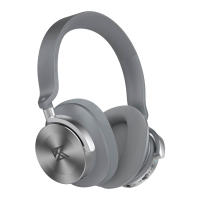

 To Next Page