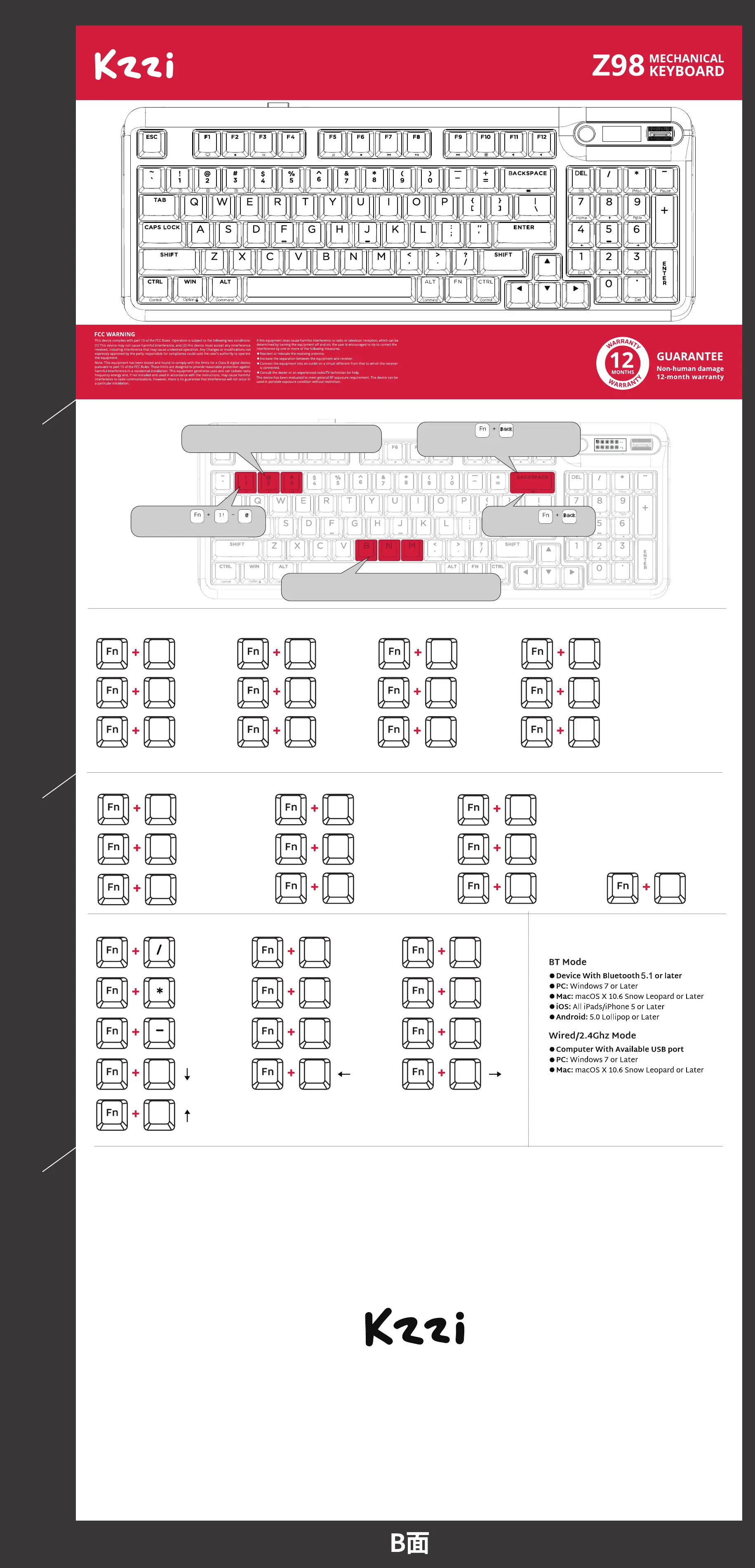
WINDOWS MULTIMEDIA KEYS
SPECIAL FUNCTION KEYS
SYSTEM REQUIREMENTS
MAC MULTIMEDIA KEYS
F1
F2 F3 F4
F5
F6
F7
F8
F9
F10 F11 F12
BACKLIGHT RECORDING METHOD
3
Step 1:Press
to set the backlight mode.
Step 2:Press
Enter backlight recording mode.
Step 4:Press
again to save and exit.
Step 3: Press the keys that you want to customize.
Press the single key repeatedly to choose the color you like.
Step 5: Press FN+ 1/2/3 to switch between those three
groups of customized backlight.
Computer
Browser
Mailbox
Calculator
2
Ins
Prtsc
Pause
7
8
1
4
Home
Pgup
End
3
.
DEL
6
8
Player
Stop
Last song
Play / pause
Next song
Mute
Volume-
Volume+
F1
F2
F5
F6 F7 F8
F9
F10 F11 F12
Screen Brightness -
Screen Brightness +
Keyboard Backlight
Brightness-
Keyboard Backlight
Brightness+
Last song
Play / pause
Next song
Mute
Volume-
Volume+
Pgnd
Del
Num
Is there a problem with our kzzi products?
Please contact us and we will respond as soon as possible to ensure that all your needs are addressed
Brand: Kezhi(HuiZhou)ElectronicTechnologyCo.,Ltd.
Made in China
For product details, driver,firware updating, please visit KZZI official website:www.kzzi.com
Service Hotline:400-0221-288
折线位置
折线位置
折线位置



 To Previous Page