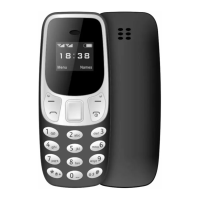
2.Function Menu
2.1 Contacts
This function could help you browse the name card holder, store, edit and delete the names
and phone numbers in the phone and SIM card. To facilitate the management of the records, this
phone sets the group function, collecting the similar items into a group. The storage capacity of
the SIM card varies and the maximum storage capacity of this phone is 300.
2.2 Messaging
◼ Write Message
You could write new message by using this function. When you input the message to be sent,
press left soft key to send, to add contact person information, and to save, etc.
◼ Inbox
Store the SMS you’ve received.
Press OK key directly you can read this SMS.
Choose one SMS and press left soft key, then you will do several operations, for example,
reply the SMS, delete and dial.
◼ Drafts
Store the SMS you’ve edited.
◼ Outbox
Store the SMS you’ve sent in failure.
◼ Sent messages
Store the SMS you’ve sent successfully.
◼ Delete messages
You could edit or delete the templates.
◼ SMS Settings
▪ Message Settings
--SMSC address: Display the SMS service center number in SIM.
--Delivery report: You can select “On” or “Off”.
--Reply path: You can select “On” or “Off”.
--Voicemail server: When you receive the calls from others, they could give you a message in
your voice mailbox. When you phone receives the message notice, you could listen to the
messages.
▪ Memory status:Check sim card and phone’s sms memory status.
▪ Save sent message: You can select “On” or “Off”.
▪ Preferred storage: You could choose the preferential storage position at SIM card or
phone.
▪ Long text message: You can select “Activated” or “Deactivate”.
2.3 Phone book
The mobile phone has carefully prepared the phone storage space for you. The storage capacity of
the SIM card depends on the different cards.


 To Next Page
 Loading...