
 Need help?
Do you have a question about the La Crosse Technology 810-106 and is the answer not in the manual?
Charge the radio by placing it outside with the solar panel in direct sun. Full charge takes 10-12 hours.
Extend and rotate the crank clockwise at 130 cycles/minute for 1 minute to get 30 minutes of power.
Use the mini USB port to charge the radio or other external devices. Max 5.0V, 500MA.
Press and release the POWER button to turn the radio ON or OFF.
Hold MODE for 5 seconds to enter menu. Use TUNE to adjust, MODE to confirm settings.
Press MODE to toggle between AM, FM, and WB radio modes.
Use TUNE buttons to adjust frequency or press/hold to auto-scan.
Supports 7 NOAA weather band frequencies from 162.400MHz to 162.550MHz.
Silences weather radio until an alert sounds. Enter by holding MODE for 3 seconds.
During an alert, backlight turns red, volume increases to 16 for 5 mins.
Use -/VOL to decrease and +/VOL to increase the volume.
Supports worldwide AM (520-1710 kHz) and FM (64-108 MHz) bands.
Press LIGHT button to turn the white LED light ON or OFF.
If display is blank, charge battery then press the reset button.
Extend and rotate antenna, place near a window for best signal reception.
Plug 3.5mm earphones into the jack for private listening.
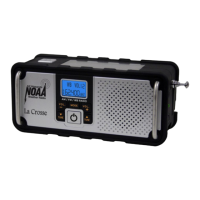
This document describes a multi-functional weather radio, model 810-106, designed for receiving weather alerts, AM/FM radio, and providing a white LED light. It offers multiple power options, including a rechargeable battery, solar charging, hand-crank charging, and USB charging, making it a versatile device for various situations.
The primary function of this device is to serve as a weather radio, capable of receiving all seven NOAA specified weather band (WB) frequencies (162.4 to 162.55 MHz). It is equipped with an integrated IC chip that supports narrowband FM de-emphasis and 1050 Hz alert tone detection, ensuring reliable reception of weather alerts. In WB mode, the radio continuously broadcasts weather information. A crucial feature is the "Weather Band Standby" mode, which silences the radio until an active alert sounds. When an alarm signal is received in standby mode, the backlight automatically flashes red for 60 seconds, drawing attention to the alert. During an active alert, if the radio is in WB mode, it automatically receives alarm signals, the backlight changes from blue to red, and the volume increases to level 16 for five minutes to ensure the beep alert tone and broadcast are heard. After five minutes, the radio automatically returns to WB standby.
Beyond weather alerts, the device also functions as a standard AM/FM radio. It supports worldwide AM band reception from 520 to 1710 kHz and FM broadcast band reception from 64 to 108 MHz. The integrated IC chip in both AM and FM modes utilizes a digital low-IF architecture, which enhances selectivity and signal-to-noise ratio (SNR) for AM and eliminates the need for external components and factory adjustments for FM, providing a clear and stable listening experience.
Another integrated function is a white LED light, which can be turned on and off as needed, providing illumination.
Power and Charging: The radio is powered by a rechargeable LIR123/600MAH battery, which is included. The device offers three ways to charge this battery:
When the low battery symbol displays, it's time to charge the radio. It is recommended to turn off the radio before charging. A red LED indicator illuminates during charging, and a green light indicates a full charge (this light will not stay on when not charging).
Antenna: To ensure optimal reception, fully extend and rotate the telescoping antenna. Position it near a window to receive a steady, strong signal and avoid broken or noisy reception.
Resetting the Radio: If the display is blank, first ensure the battery is charged. Then, press the RESET button once. The RESET button is a small pinhole located near the antenna, where the crank handle rests.
 General
| Brand | La Crosse Technology |
|---|---|
| Model | 810-106 |
| Category | Weather Radio |
| Display Type | LCD |
| Radio Bands Supported | NOAA Weather Band |
| Power Source | AC Adapter |
| Alerts | Weather Alerts |
| Frequency Range | 162.400 MHz to 162.550 MHz |
| Backup Power | 3 AA batteries (not included) |
| Antenna | Built-in telescopic antenna |

 To Next Page

