Page | 7Wi-Fi Wind & Weather Station
When your sensors are ready to be added, you’ll see your app’s cloud turn red. Press this Cloud Icon to add
your sensors.
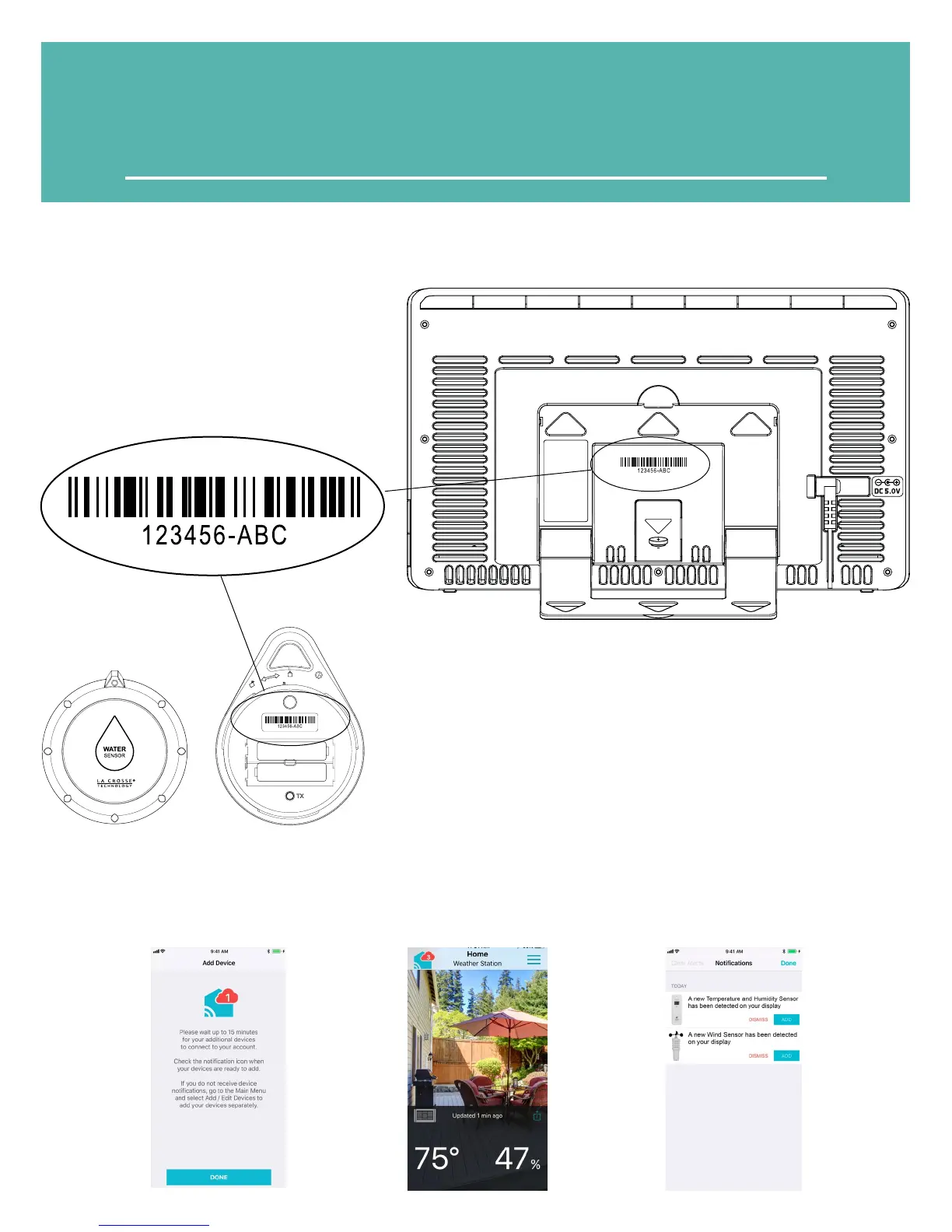
• Your station’s device ID can be found on
the back of the display.
• Within 15 minutes after your station
connects to the La Crosse View app, you
should receive notifications to add your
sensors. These will display in your app’s
Notification Center.
Device ID
When connecting your station we highly recommend following
along with our detailed support videos, found here:
bit.ly/LaCrosseView_Support_Playlist
BATTERY FOR
BACKUP ONLY
CR2032
AA
+
-
AA
+
-
• Your Water Leak sensor ID will need to be
scanned in order to read to your app.



 To Next Page