User’s manual
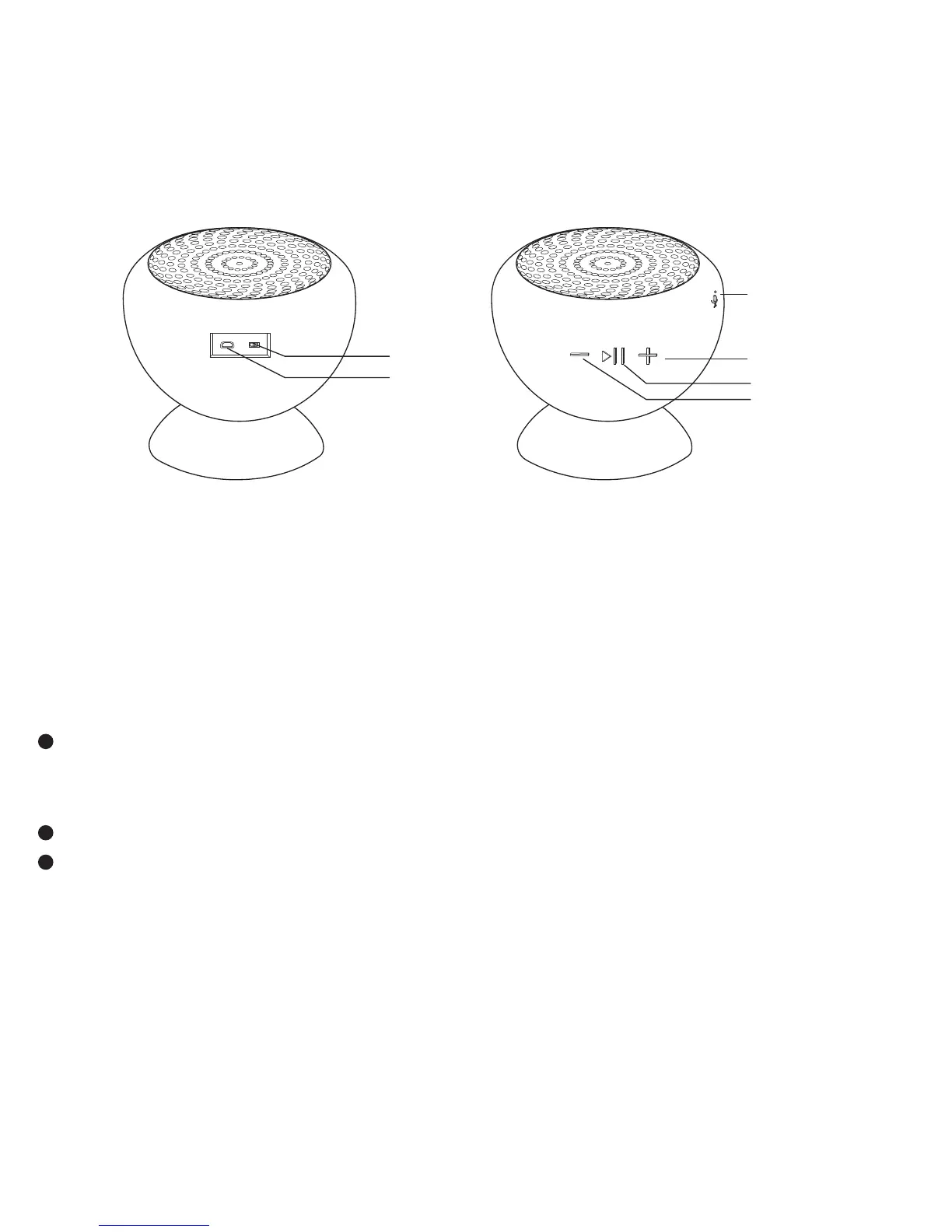
Next/V+
Last/V-
Mic
Play/Pause
USB Input
Power
Thanks for your purchase of our Bluetooth® Speaker!
Like all our products, great care has been taken in its design. A
combination of advanced engineering and state-of- the-art
materials will provide you with years of listening pleasure.
Charging The Battery
Before using, fully charge the battery using the supplied USB
cable. Plug in to any USB port supplying power (Laptop,
Computer, AC Charger, Car Charger, etc.).
A audible tone indicates Low Battery
A solid red LED indicates that the speaker is charging, when fully
charged it will turn off.
EN1


 To Next Page