
 Need help?
Do you have a question about the Laing Innotech LTC Series and is the answer not in the manual?
Defines the intended use of the LTC Controller series for height adjustment.
Identifies the target audience for this installation and operation manual.
Outlines prerequisites for controller use, including prior configuration.
Critical instruction to program the controller before physical installation.
Provides essential safety guidelines for handling and operating the controllers.
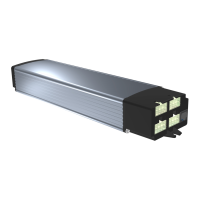
Describes the technical features and construction of the Laing table controllers.
Details technical parameters for different LTC controller models.
Specifies the operating and storage temperature and humidity limits.
Presents the physical dimensions of the controller.
Provides dimensional drawings for the controller variant without OptoSense.
Shows dimensional drawings for the controller variant with OptoSense.
Lists optional modules and features available for the controller.
Details the items included in the controller package.
Specific mounting procedures for controllers without the OptoSense feature.
Mounting guidelines for controllers equipped with the OptoSense sensor.
Mounting instructions for controllers featuring the GyroSense collision detection.
Instructions for mounting rectangular control panel units.
Procedure for installing round control panel units into table tops.
Steps for fitting oval control panels into custom pockets.
Details the electrical connections and port assignments on the controller.
Specifies the requirements and ratings for compatible motors.
Diagram showing the pinout for the controller's connectors.
Details the pin configuration for motor connections.
Provides the pinout for bus communication connections.
Procedure for connecting the motors to the controller.
Explains how to connect control panels and additional options.
How to connect control panels that use cables.
Instructions for connecting two control panels to a single controller.
Guidance on connecting multiple control panels using a HUB.
Information on using the OptoSense sensor with the controller.
Steps for establishing a wireless connection for the control panel.
Proper placement and mounting of the wireless control panel.
Procedure for pairing the wireless control panel with the controller.
Instructions for replacing the battery in the control panel.
How to connect the controller to the main power supply.
Essential checks and setup before initial operation of the controller.
Step-by-step guide for initiating the operation of the height-adjustable table.
Explanation of the collision detection feature based on motor current.
Details on the GyroSense system for collision detection.
Procedure for performing a reference run for calibration.
How to set drive stroke limits during a reference run.
Configuration of a safety zone for restricted movement.
Using safety inputs for external safety devices.
How the controller automatically detects connected motors.
General operation principles applicable to all control panels.
Using control panels with memory functions for height storage.
Recalling stored memory positions using a 2-button panel.
Features of control panels that display height information.
Configuring the controller using LM-type control panels.
Storing desired table heights into memory on LM control panels.
Setting custom upper and lower height limits with LM panels.
Removing previously set user-defined height limits.
Adjusting the sensitivity of collision detection on LM panels.
Performing a reference run using LM control panels.
Setting upper and lower stroke limits with LM panels.
Removing previously set stroke limits on LM panels.
Configuring the controller using LD-type control panels.
Using LD panels with only two buttons for operation.
Storing table positions using LD control panels.
Configuring memory key behavior on LD panels.
Setting custom upper and lower height limits with LD panels.
Removing previously set user-defined height limits on LD panels.
Adjusting collision detection sensitivity using LD panels.
Performing a reference run using LD control panels.
Switching height display between metric and imperial units on LD panels.
Accessing the service menu on LD control panels.
Resetting all user-configured settings to factory defaults.
Defining the maximum travel range for drives on LD panels.
Removing previously set stroke limits on LD panels.
Adjusting the displayed height value on LD panels.
Setting how height values are rounded for display.
Enabling or disabling the Bluetooth Low Energy module.
Resets the controller's name to its serial number.
Putting the controller into pairing mode for wireless devices.
Clears all previously paired wireless control panel connections.
Resets the controller's private mode for app access.
Resets the count of connected motors recognized by the controller.
Configures the safety input function related to the safety adapter.
Operating the table using hand gestures with the OptoSense sensor.
Synchronizing two controllers using a control panel and adapter.
Synchronizing multiple controllers (up to six) for coordinated movement.
Connecting controllers and control panels to the HUB.
HUB operation mode for synchronizing all connected devices as one group.
HUB operation mode allowing group assignments for synchronization.
Startup procedure for the HUB and connected controllers.
Details on the integrated Bluetooth Low Energy module.
Information about the integrated WiFi module for network connectivity.
Enabling remote servicing and adjustment via the internet.
Steps to connect the Cloud Interface for remote diagnostics.
Interpreting the controller's status and error codes via its LED indicator.
Understanding menu navigation codes indicated by sounds on LM panels.
Understanding menu navigation codes displayed on LD panels.
Troubleshooting guide for failure codes displayed by control panels.
Explanation of the different sound signals emitted by the controller.
List of directives and standards the product complies with.
Details on compliance with European safety and EMC standards.
Details on ETL Mark Approval for North American markets.
 General
| Brand | Laing Innotech |
|---|---|
| Model | LTC Series |
| Category | Controller |
| Language | English |

 To Next Page
