Installing and Powering Up the Injector
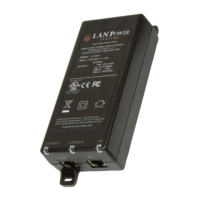
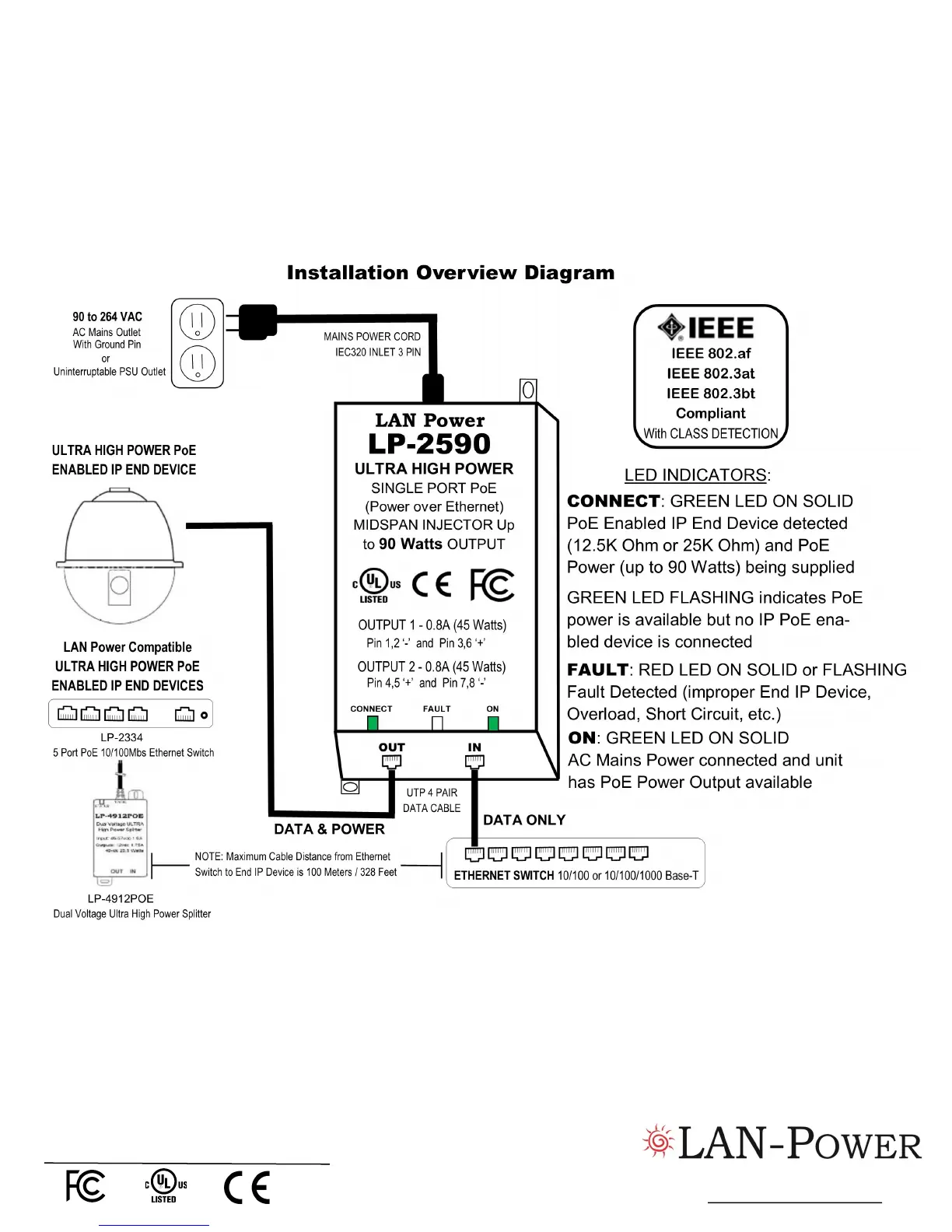
1.) Insert the 3 Pin AC Mains Power Cord Female End into the top of the PoE Injector
2.) Plug the 3 Pin AC Mains Cord 3 Pin Male End into a Mains AC power source. Units are typically connected to power strip or
other power outlet that may be cycled on and off. An uninterruptible power supply (UPS) may be used. This assures uninterrupt-
ed power to the end decide should there be a loss of building power. The Green ‘ON’ LED Indicator will come on SOLID when
AC Power is detected and the CONNECT will BLINK indicating unit is ready to power end device.
3.) Attach a LAN data cable (minimum CAT 5 cable grade) with RJ45 connector attached to the ‘OUT’ (bottom left RJ45 port) of
the PoE Injector with the other end of the LAN data cable connected to the IP enabled End Device. The CONNECT Green LED
Indicator will come on SOLID to indicate correct connection between the IP End Device has been detected (12.5K Ohm or
25K Ohm) and the PoE Injector and that the injector is providing up to 90 watts of PoE power to the IP End Device.
Notice to User
LAN-Power reserves the right to make changes in specifications and other information contained in this document and its web
site without prior notice. The reader should in all cases consult LAN-Power to determine whether any such changes have been
made. The hardware described in this document is subject to change without notice due to make conditions or user
requirements.
Two Year Limited Warranty
LAN-Power warrants to the original customer or purchaser that each of its products, and all components thereof, will be free from
defects in material and/or workmanship for a period of 2 years from the original purchase date. Any warranty hereunder is ex-
tended only to the original consumer or purchaser and is not assignable. More info is available by contacting LAN-Power.
Telephone: +1 (510) 275-4572
www.lan-power.com
Safety Approvals
The equipment meets the following safety approvals:
Rev 07-18


 To Previous Page
 Loading...