Recording
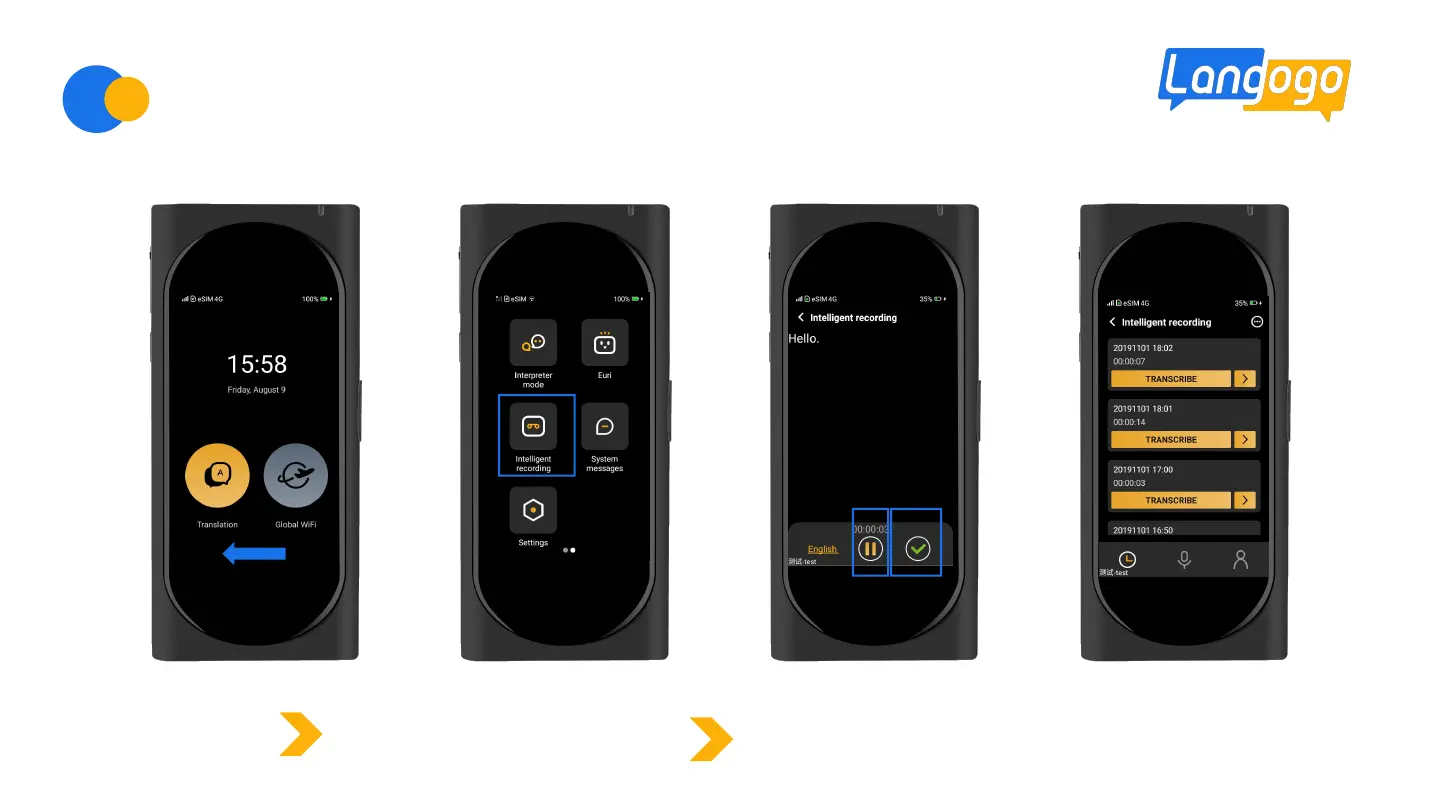
Swipe left the screen
Swipe left to enter the recording
interface of “Intelligent Recording”.
Click the start button to record.While recording, the device displays
real-time content of audio-text conversion.When finishing recording,
click the green tick button to save the voice file.


 To Next Page