5
Copyright LapSafe® Self-Service Solutions
The ClassBuddy Desk - Installation Guide
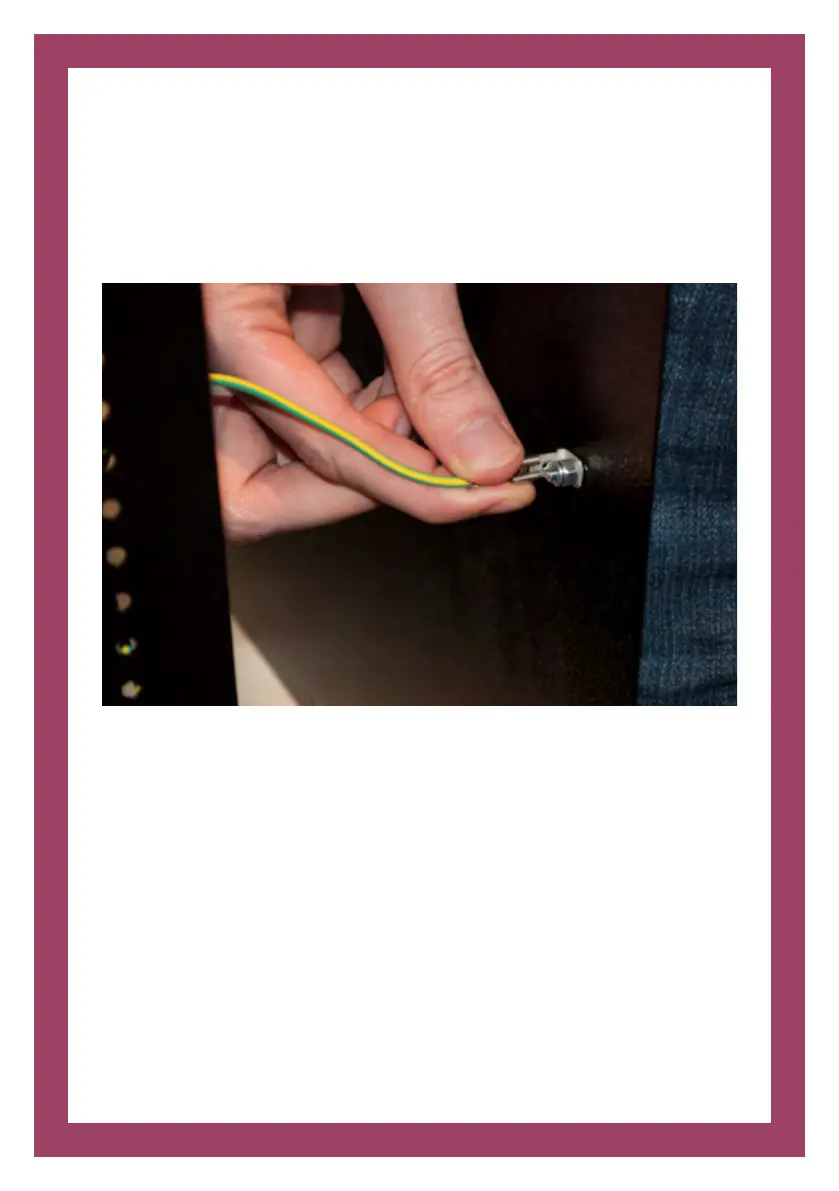
Step 3: Disconnect earth cable
Slowly start to remove the rear panel to gain access to the connected earth cable.
The cable should pull o of the rear panel.
Step 4: Load your devices
You are now ready to load your devices (See Section 4: User Guide)
Step 5: Secure rear panel
The earth cable you previously disconnected please reconnect and screw all 10
screws back into place.


 To Next Page