f
,.i
I PREStrrr,\c srArroNs l
Th.
phycr
has
prc\enl
menroryof20 stations each band.
.
Prcailh. POWER button on the fronl
panel.
.Prcss
rhc IjTJNCTION button on the f-ronr
paneluntilthe
ftequenc) band appeats on the
display
.
Prcss rhc AM
/
FM butto! to select the desirod band.
.P..ss
theTUNINC+andTUNlNG
-
bulon to find
yourdesired
sration.
,uNdc/.\
r\-",,"
E
\.1 l'l
E
.
Prcss rhe
MEMORY
bullon.lhe
preset
slatior is flashing.
@
.PlcssthePRESEf+dndPRliStil
-brllontosel€clthepresern!1nbef
andpresslheMEMORY
butron to store thc station,
TU\
I\G INTO 4 PRESqT STATION
.
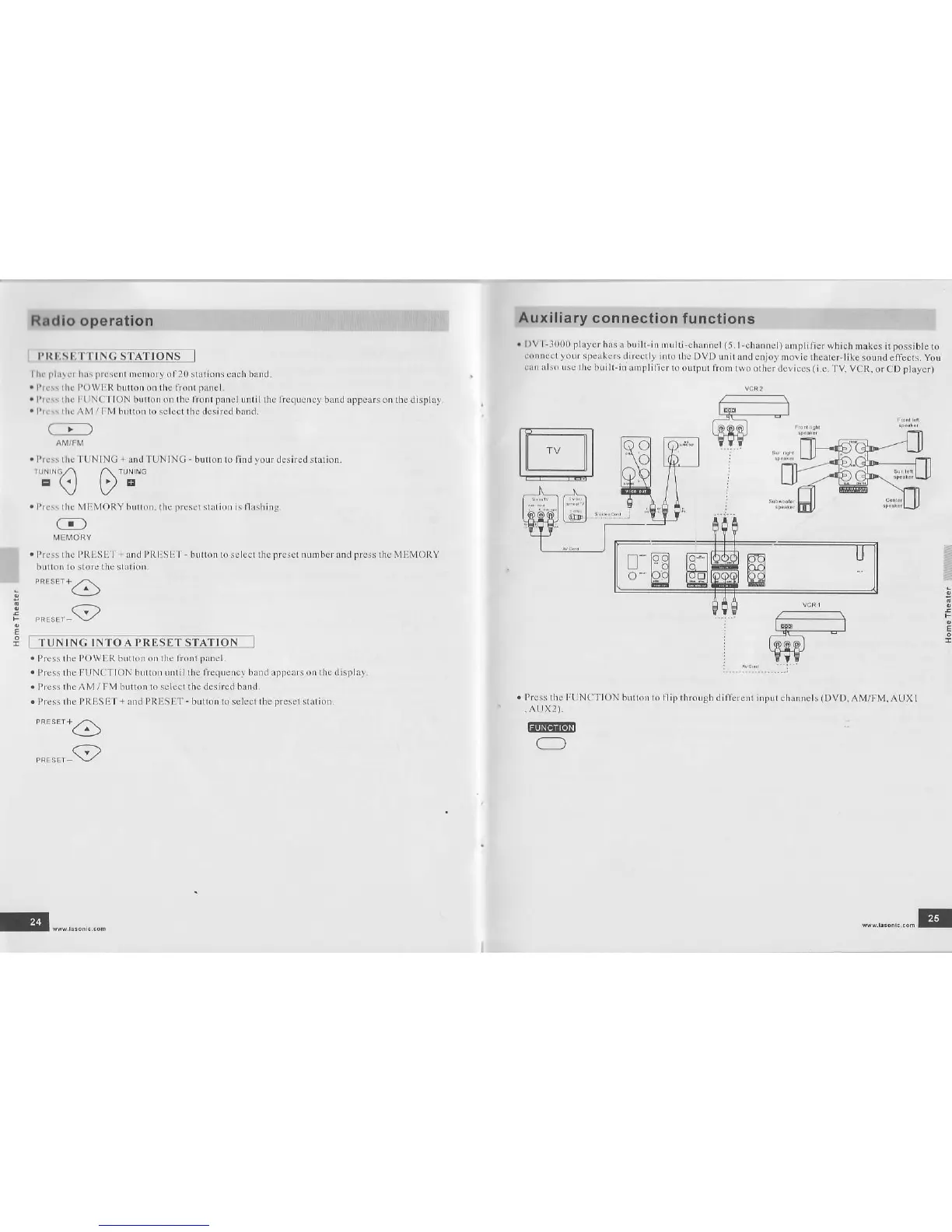
DVT-1000
player
has a built-in mul(i-channel(5.l-channel)
amDlificf which inak€s
it
Dossible
to
connecrloL,(peak(rsdfiecrl).nro\eDvDunir6ndenJo,morierh.arentikesoundellecrsyou
can olso rse the
buill-in ampliiier to
ourpur from two orher
devices
(i.e.
TV VCR.
o. CD
playet
:
E
e
i
E
.
Plcss the
POWER butlonon lhe lion{
pAnel
.
Pres thc FLJNCTION
buuo! ui(ilrhe liequency band appeas on the display
.
Press rhc AM / FM button to selcd rh€ d€sir€d bund
.
Press rhe PRESE I
+
and PRIISET
-
button to select the
presel
sratio!
**.6
"".".,_9
Press the FtiNC'I ION
buuo! kr ilip throu8h dithrent inpLrr
channets
(DVD,
AM/FM. AUXI
.
AUX2).
@
O
E""-........
"....".,...E


 To Next Page
 Loading...