TURNTABLE
EN
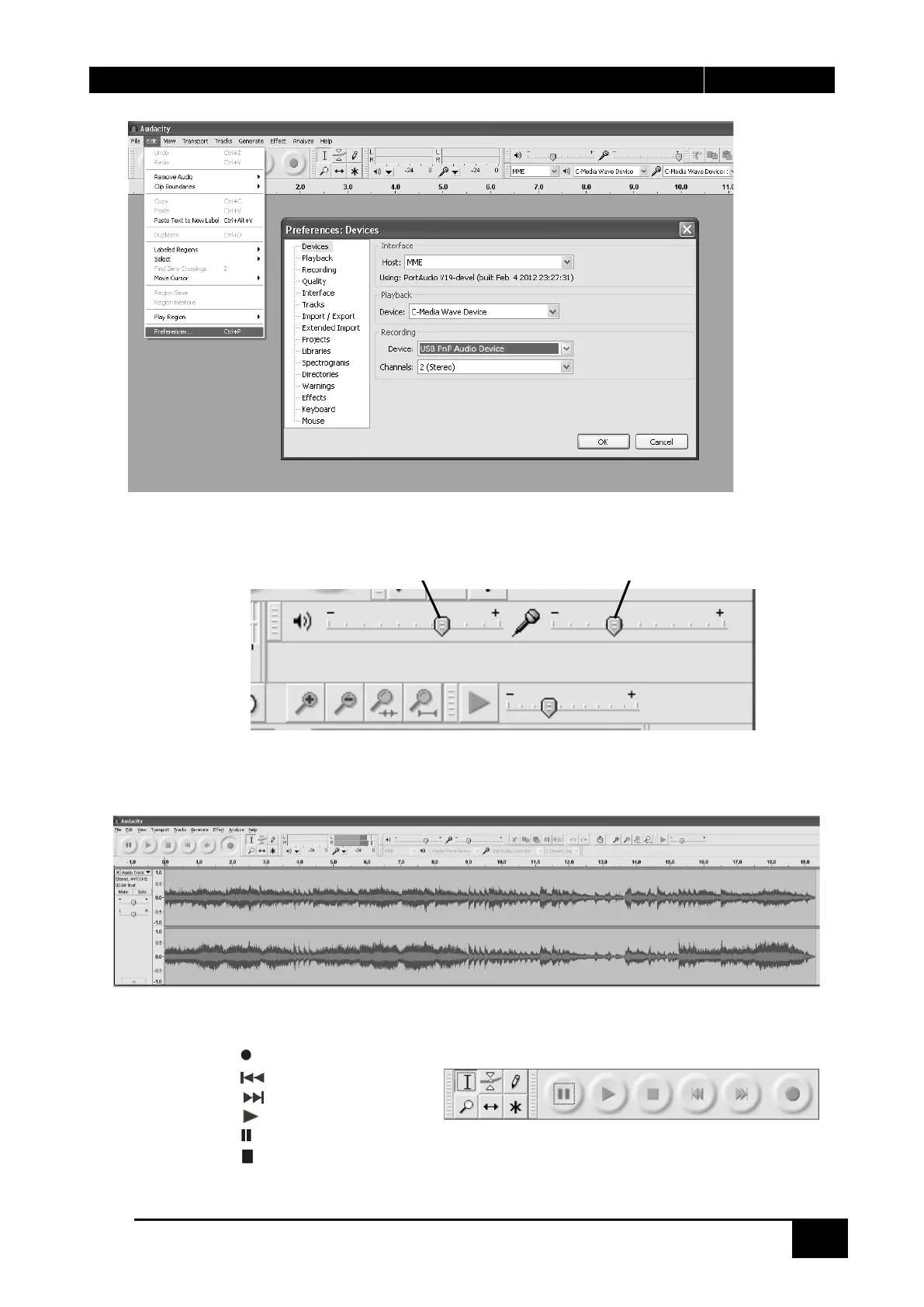
4. Adjust the input and output volume by sliding the Input and Output Volume bars.
5. Click the record button to start recording, left and right tracks will show on your computer screen. If
you cannot see the sound waves appear on the Interface when recording, adjust the Input volume bar.
6. Use the Audacity control panel to record or listen the music you have recorded
- Click the button to start recording.
- Click the button to skip to start;
- Click the button to skip to end;
- Click the button to play;
- Click the button to pause;
- Click the button to stop.
Output Volume Input Volume


 To Next Page