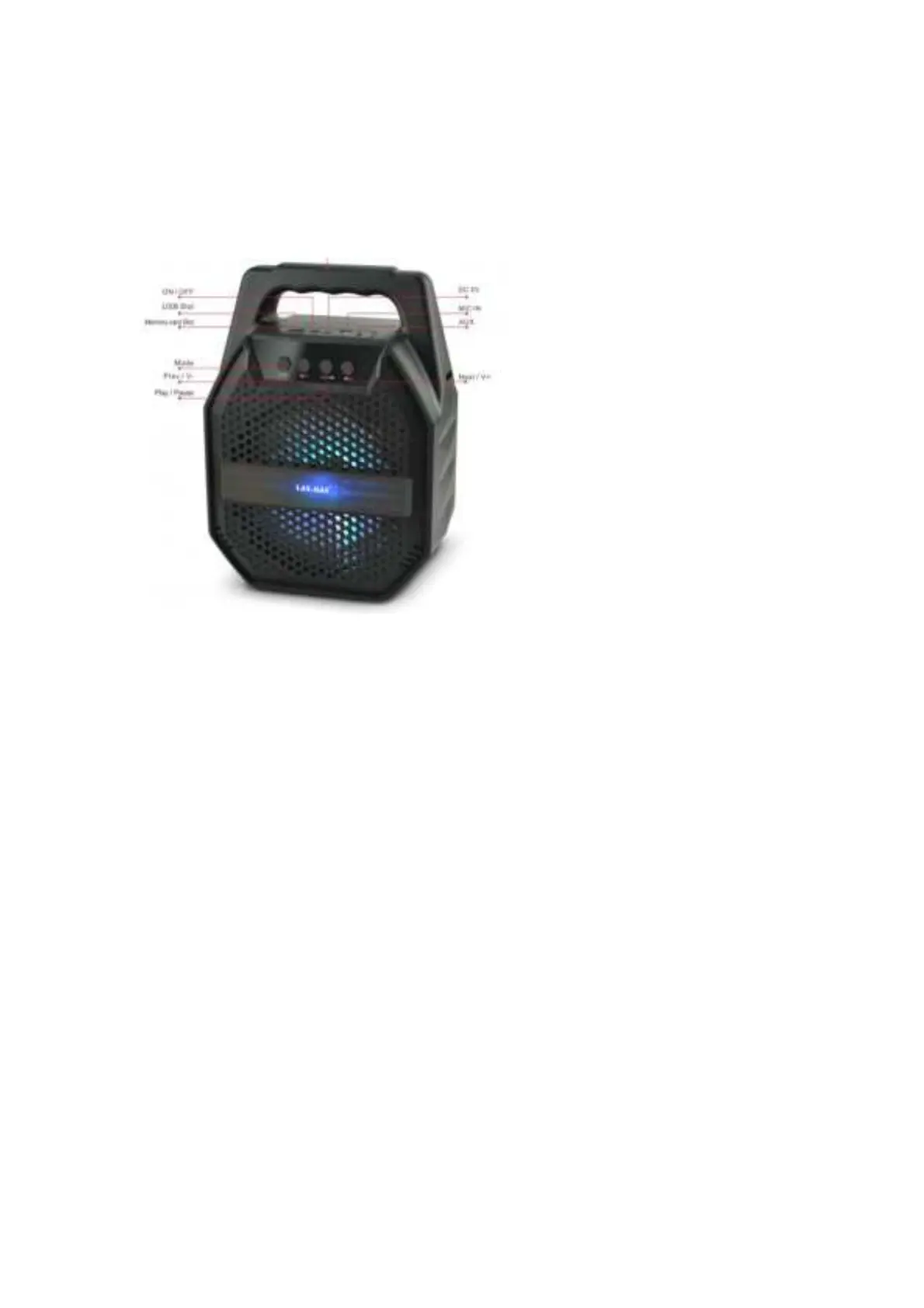
ControlPanel
1. USBSlot:InsertUSBDrivetolistenstoredtracks
2. TFCardSlot:InsertTFcardtolistenstoredtracks
3. PowerON/OFF:TurnON/OFFUnit’spowersupply
4. DC5VIN:Useincludedchargingcabletochargeunit.(Adaptornotincluded)
5. MICinput:Connectionforamicrophone(included)witha¼inch(6.3mm)plug
6. AUXinput:Connectexternalmediaplayerusing3.5mmlineincable
7. Mode:TogglebetweensourceBluetooth/USB/MicroSD/AUX/FMRadio.Press
andholdtoturnON/OFFthewooferlight
8. PreviousTrack/V‐:SelectprevioustrackinBluetooth/USB/MicroSDcardModes,
Selectpreviouspreset
frequencyinFMmode.Pressandholdtodecreasevolume
9. Play/Pause/SCAN/TWS:PlayorPauseinBluetooth/USB/MicroSDcardMode.
WheninFMmode,pressandholdtoscanforavailablefrequencies.Whenin
Bluetoothmode,pressandholdthisbuttonwillbeinTWSmode
10. NextTrack/V+:SelectnexttrackinBluetooth/USB/MicroSDcardModes.Select
nextpresetfrequencyinFMmode.Pressandholdtoincreasevolume


 To Next Page