℃℃
℃℃
※
※
※
¡¢
+
+
-
+
£
+ -
+ -
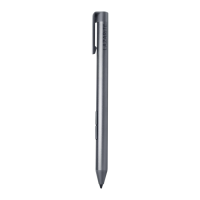
Side
button
End
cap
Right
click
Eraser
button
Nib
GUARANTEE
LAZARITE'sall products are manufactured under
complete quality management. From the date of
urchase, users can enjoy a one-year warranty
Forfreebyrepairorreplacement.However,the
company has the right to refuse to repair or pay
for the failure caused by improper use.
Operation Environment and Safety Warning
• If the laptop is charging, it is possible that the
output power of the laptop will be unstable, and
then the pen may appear NOISEwhen used on
the laptop in this state. Please try to use the pen
when the laptop isnot charging.
• Please use the device within the temperature
range of 5 C -40 C , and store the equipment
within the temperature range of -10 C -55 C.
When the ambient temperature is too high or
too low, it may cause equipment failure.
•please do not allow children or pets to swallow
the device or its accessories to avoid injury.
• This device and its accessories contain some
small parts; please keep the device and
accessories Out Ofthe children's reach to prevent
them from swallowing small parts, which may
cause suffocation and other hazards.
•Do not place the device around exposed fire
sources and heating devices such as candles,
stoves, microwaves, heaters, ovens, etc., where
high temperatures may occur.
•Please do not dispose of old batteries casually
and follow local regulations for battery disposal.
•Please keep the device dry, do not use strong
chemicals, detergents, or strong detergents to
clean the device. Please use a clean and dry soft
cloth to wipe the device.
First time using
•1. Unscrew the pen cap counterclockwise and
remove the battery.
counterclockwise
to loosen
• 2. Remove the electrical insulation film off
which at the end of the battery.
electrical insulation film
•3. Put the battery back into the battery holder
of the pen cap.
•4. Put the pen cap into the pen body and
tighten it clockwise.
clockwise
to tighten
•5. Enjoy writing with the pen on your laptop.
Important Information
If the pen doesn't work With your laptop
Solution l: Switch pen protocol
Pressand hold the two side buttons together
for 5 seconds.
Solution 2: Reset pen protocol
Press and hold the two side buttons together
for 25 seconds.
Customize the Side button functions
For detailed steps, please visit the following link
(Please pay attention to upper lower case of English letters).
www.amz.fun/Z_FyW
or scan the QR code.
What's in the package
•Active stylus pen
x
•AAAAbattery(lnstalled in the pen) X
•Quick start guide
1
1
1
Warranty page: https://www.elazarite.com/warranty
Contact page: https://www.elazarite.com/Contact
Email: info@elazarite.com
Adress: 2nd Road,
Nicheng Town,pudong New District,
Shanghai city, China


 To Next Page
 Need help?
 General