Rev: 10.25.19 Page 3
CCD-0003381
Installation
1. Completely open the RV entry and screen doors and place them flush against the unit.
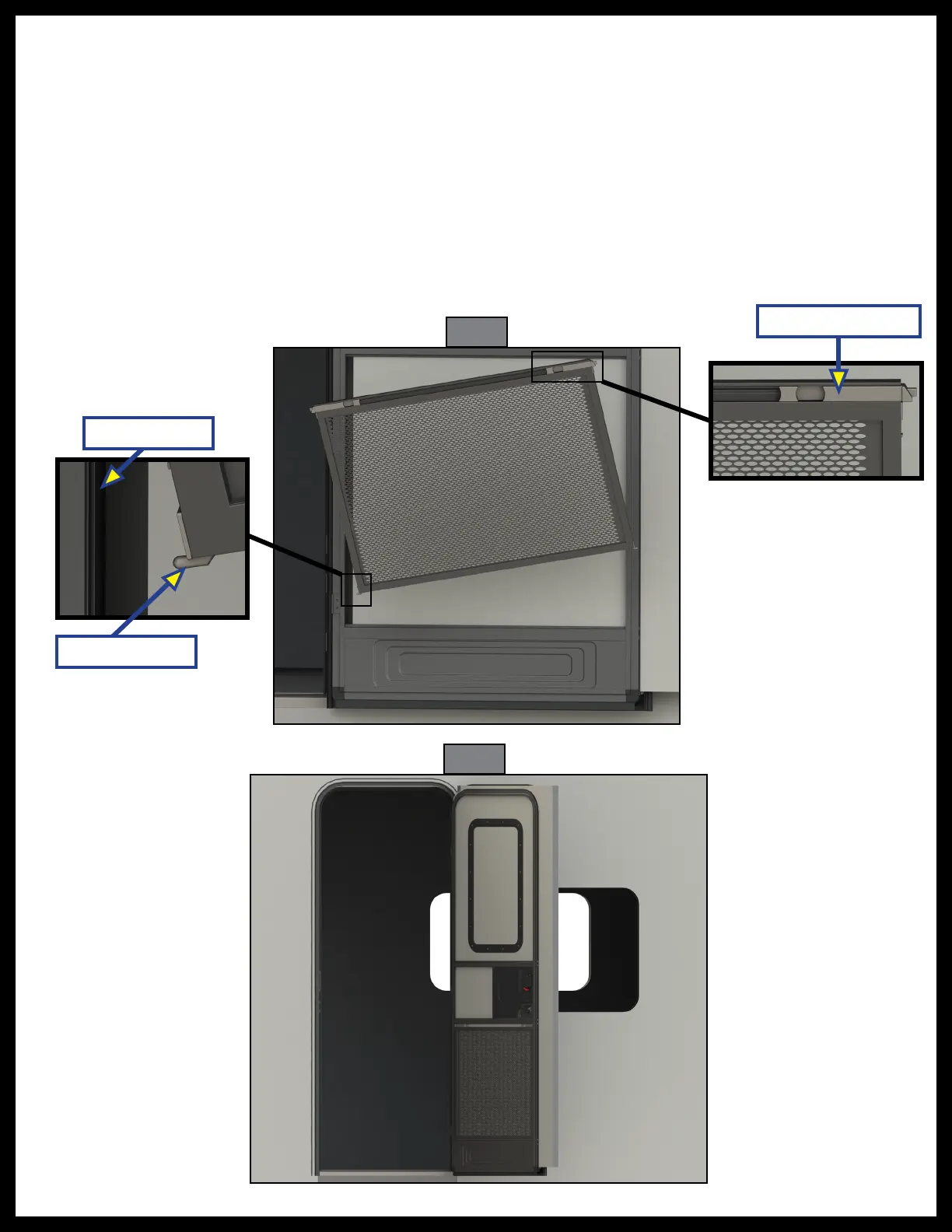
2. Tilt the Screen Defender and direct one side of the Screen Defender toward the back window channel
of the screen door (Fig. 1).
3. Insert the channel guide at the bottom of the Screen Defender into the back window channel of the
screen door.
4. Insert the channel guide on the other side of Screen Defender into the back channel of the screen door
and push down on the Screen Defender until it is seated in the screen door channel.
5. Squeeze the retractable latches on the top of the Screen Defender (Fig. 1) and push the Screen
Defender into the back of the screen door.
6. Release the Screen Defender latches.
7. The Screen Defender is installed (Fig. 2).
Fig. 1
Fig. 2
Channel Guide
Back Channel
Retractable Latch


 To Next Page
 Loading...