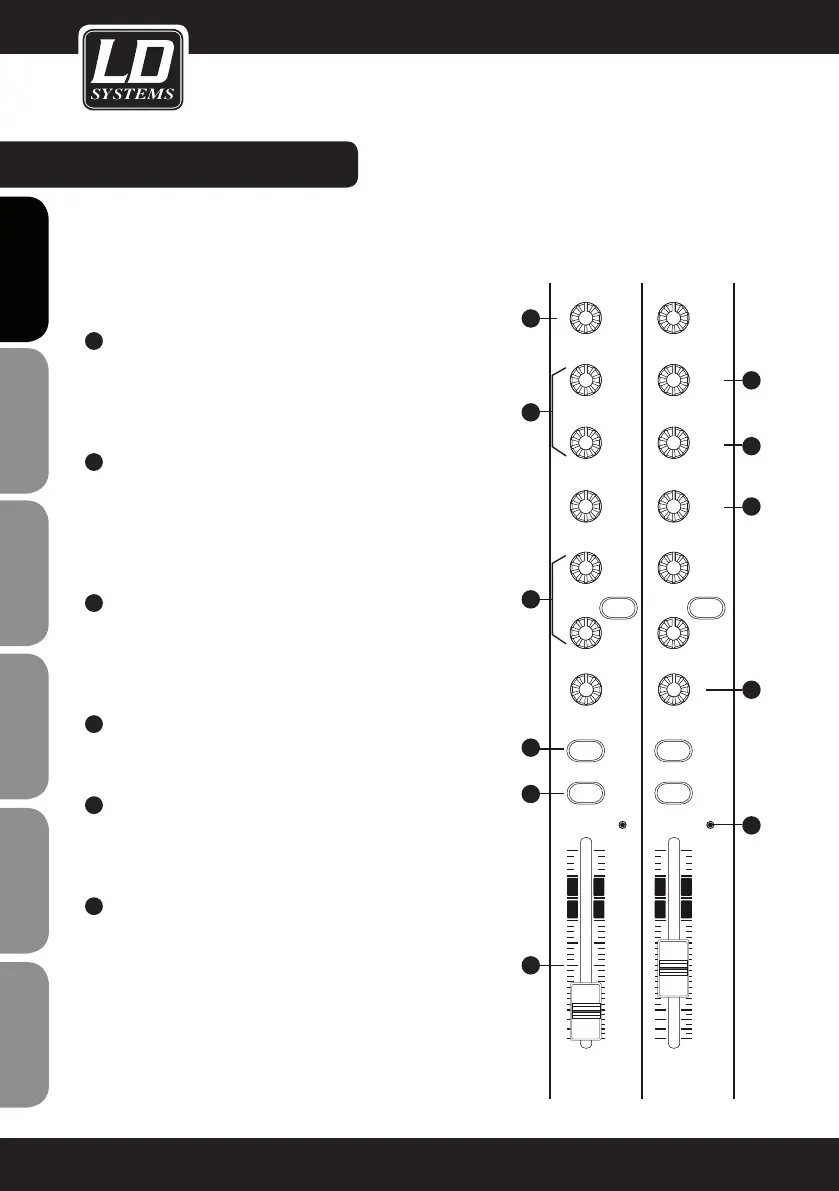
CONTROL ELEMENTS:
8
10
11
12
14
17
9
13
15
16
18
10
dB
-5
-10
-15
-20
-30
-40
-60
0
5
10
dB
-5
-10
-15
-20
-30
-40
-60
0
5
KAEPKAEP
OO
O
O
EQUALIZER
The mono input channels of the LAX12D are equipped with 3-band
equalizers (HI/MID/LOW; MID: with adjustable centre frequencies), the
stereo channels with 4-band EQs with fixed centre frequencies (HI,
HI-MID, MID-LOW and LOW). The boost/cut range is +/-15 dB.
8
HI
This knob is used to control the high frequencies. You can use it to
add more brilliance and presence to the corresponding signal or
attenuate undesirably loud high frequencies (boost/cut range -15
dB to +15 dB, centre frequency 12 kHz).
9
MID
This knob is used to control the midrange frequencies. These are
the most important frequencies for musical instruments and the
human voice (boost/cut range -15 dB to +15 dB). The FREQ knob
is used to set the centre frequency that is to be boosted or cut
(100 Hz to 8 kHz).
10
HI-MID
This knob is used to control the hi-mids, which are slightly higher
than the frequencies covered by the MID EQ. This provides even
greater flexibility when it comes to equalization of the important
midrange frequencies.
11
MID-LOW
This knob is used to control the mid-low frequencies (boost/cut
range -15 dB to +15 dB, centre frequency 500 Hz).
12
LOW
This knob is used to control the low frequencies. You can use
it, for example, to boost a bass drum, bass guitar or male voice
(boost/cut range -15 dB to +15 dB, centre frequency 80 Hz).
13
AUX SEND CONTROLS
These two knobs are used to adjust the level of the signals sent
to AUX buses 1 and 2. This does not affect the MAIN MIX output
signal. AUX 1 can be configured as PRE or POST fader using the
PRE/POST button. In the POST position (button not pressed) the
signal is sent after the channel fader, meaning that the volume set
for this channel also affects the AUX 1 signal. In the PRE position
(button pressed), the signal is sent before the fader, so that the
channel fader does not affect the AUX 1 signal. AUX 2 is a "post
fader" path.
8
ENGLISHDEUTSCHFRANCAIS
FRANCAISFRANCAIS
FRANCAISFRANCAIS
ESPAÑOLPOLSKIITALIANO


 To Next Page
 Loading...