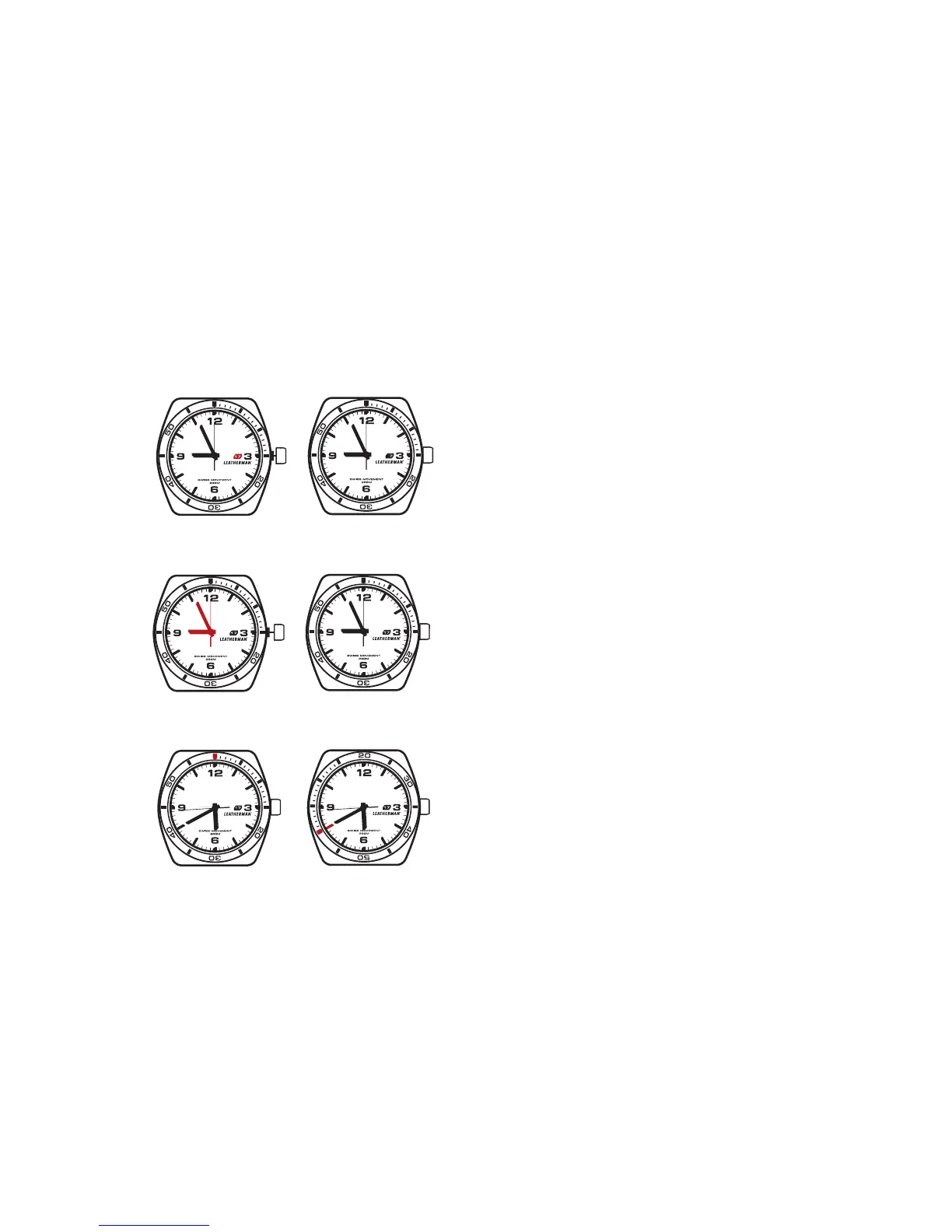
CHANGE DATE:
1. Unscrew and pull the crown out to position II.
2. Turn the crown clockwise until the date appears.
3. Push the crown back to position I.
4. Turn the crown clockwise to lock.
CHANGE TIME:
1. Unscrew and pull the crown out to position III.
2. Turn the crown to the desired time.
3. Push the crown back to position I.
4. Turn the crown clockwise to lock.
TEMPO INSTRUCTIONS
Position III Locked
Position II Locked
USING THE DIVER’S BEZEL:
1. Align the 12 o’ clock bezel marker (A) with the
minute hand (B).
2. Elapsed time can be read on the bezel
(up to 60 minutes).
3. For safety, the bezel only moves in one direction.
If it’s accidentally moved, the time submerged
will appear longer.
(A) (B)


 To Next Page