Copyright © 2022, Leatt
®
Corporation
3
GB
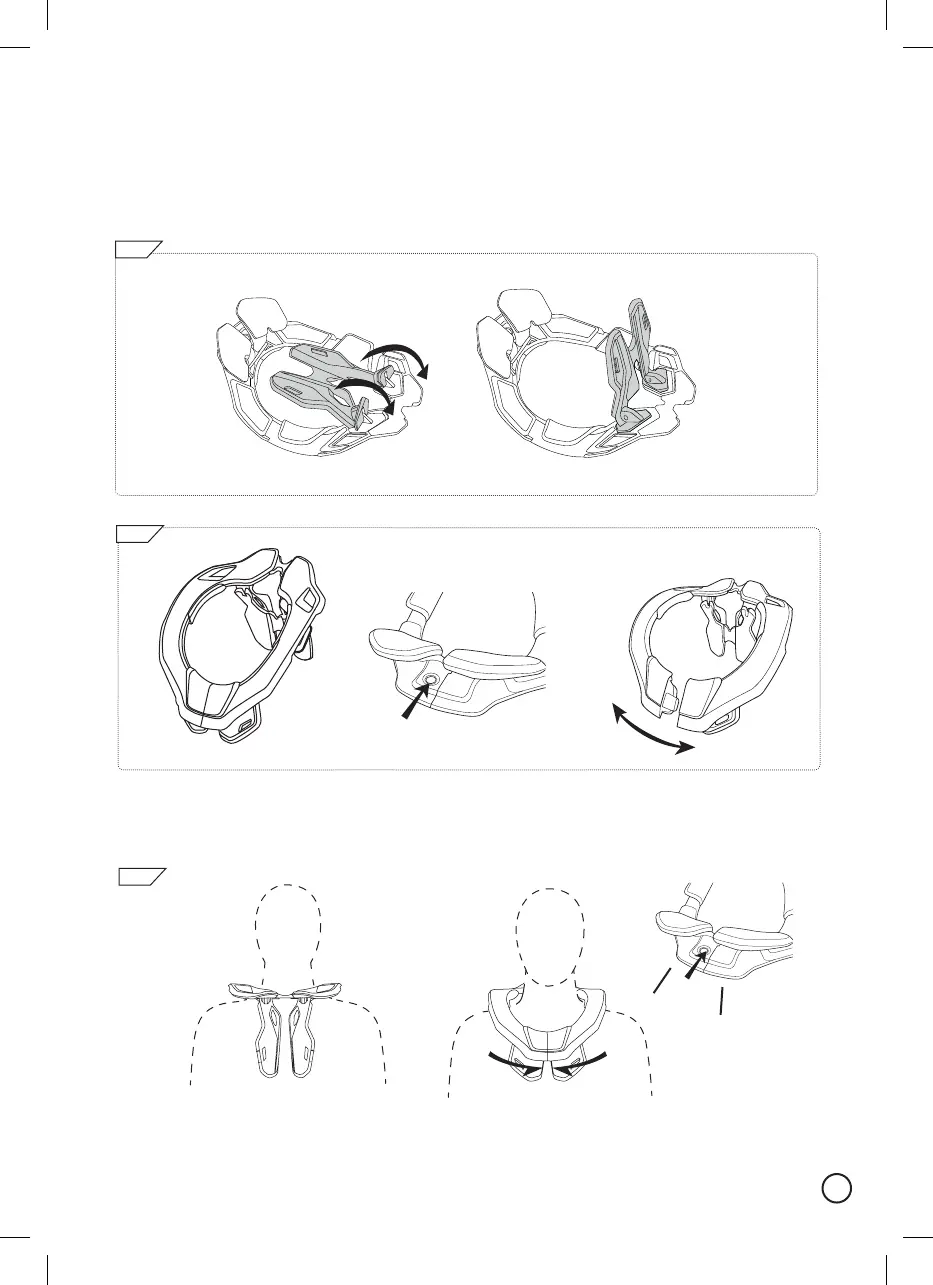
Brace Setup
Pleasefollowthestepstotyour4.5neckbrace
Before you put on your 4.5 neck brace pull the rear thoracic back until it stops.
Openthebracebypushingtheredrelease‘open’buttonsituatedonthefrontbottomofthebrace(2b).
Thebracewillthenunlockandopenatthefront(2c).
a.
b.
1
a.
b.
2
a.
Fitthebracewiththerearthoracicfacingyourback(3a).Closethebrace,thereshouldbeaclick
toconrmthatitisclosed(3b)
3
c.
b.
CLICK



 To Next Page