Copyright © 2021, Leatt
®
Corporation
7
Fig.1 (p.2) - Sleeve Fitment:
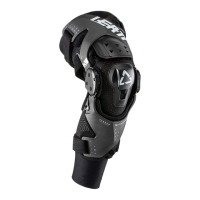
Fit the inner knee sleeve provided with your brace, note the right/left indicator on
the sleeve for correct tment, with the Leatt logo centered over your knee cap.
Fig.2 (p.2) - Knee Brace Positioning
Fig.3 (p.3) - Strap Adjustment:
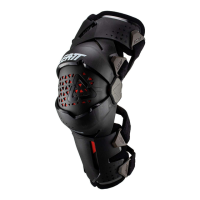
Start with strap 1 and work your way through to strap 4, adjust and t to a
comfortable tolerance, making sure the ttings are correctly clipped into the
body of the Z Frame Brace.
When tting the calf straps, always make sure the top strap is positioned
above the calf to prevent the Z Frame Brace from sliding down your leg.
Fig.4 (p.4) - Knee adjustment:
Additional spacers supplied to adjust pressure point inside knee.
Fig.5 (p.4-5) - Angle Adjustment:
The degree spacers provided allow you to change the angle of the brace to
provide various degrees of lockout. The brace must rst be bent/angled for
the stopper to be removed. Make sure you use the same spacer for the inner
and outer hinge.
Fig.6 (p.5) - Sleeve Fold Over:
Once the Z Frame Brace is in place and the tment feels comfortable, fold the
top and bottom of the sleeve over the brace making a secure t.
This also decreases the chance of the pants catching on the Z Frame Brace
whilst riding.
GB


 To Next Page