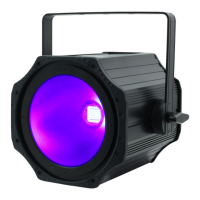
www.prolight.co.uk 150W UV COB Flood User Manual
7
Operating instructions
Sound active:
To access the sound active mode, press the “MENU” button and use the “UP” and “DOWN” buttons on
the rear of the unit to show SU00 on the LED display. Now press the “ENTER” button and use the
“UP” and “DOWN” buttons to set the sound sensitivity between 00 ~ 99. Press the “ENTER” button to
conrm the setting. To exit out of any of the above options, press the “MENU” button.
DMX fail:
To change what the unit does when the DMX signal is lost, press the “MENU” button and use the “UP”
and “DOWN” buttons on the rear of the unit to show b1nd on the LED display. Now press the “ENTER”
button and use the “UP” and “DOWN” buttons to choose between b1nd (Blackout),
SoUN (Sound mode) or Ho1d (Hold the last DMX command).
Press the “ENTER” button to conrm the setting.
To exit out of any of the above options, press the “MENU” button.


 To Next Page