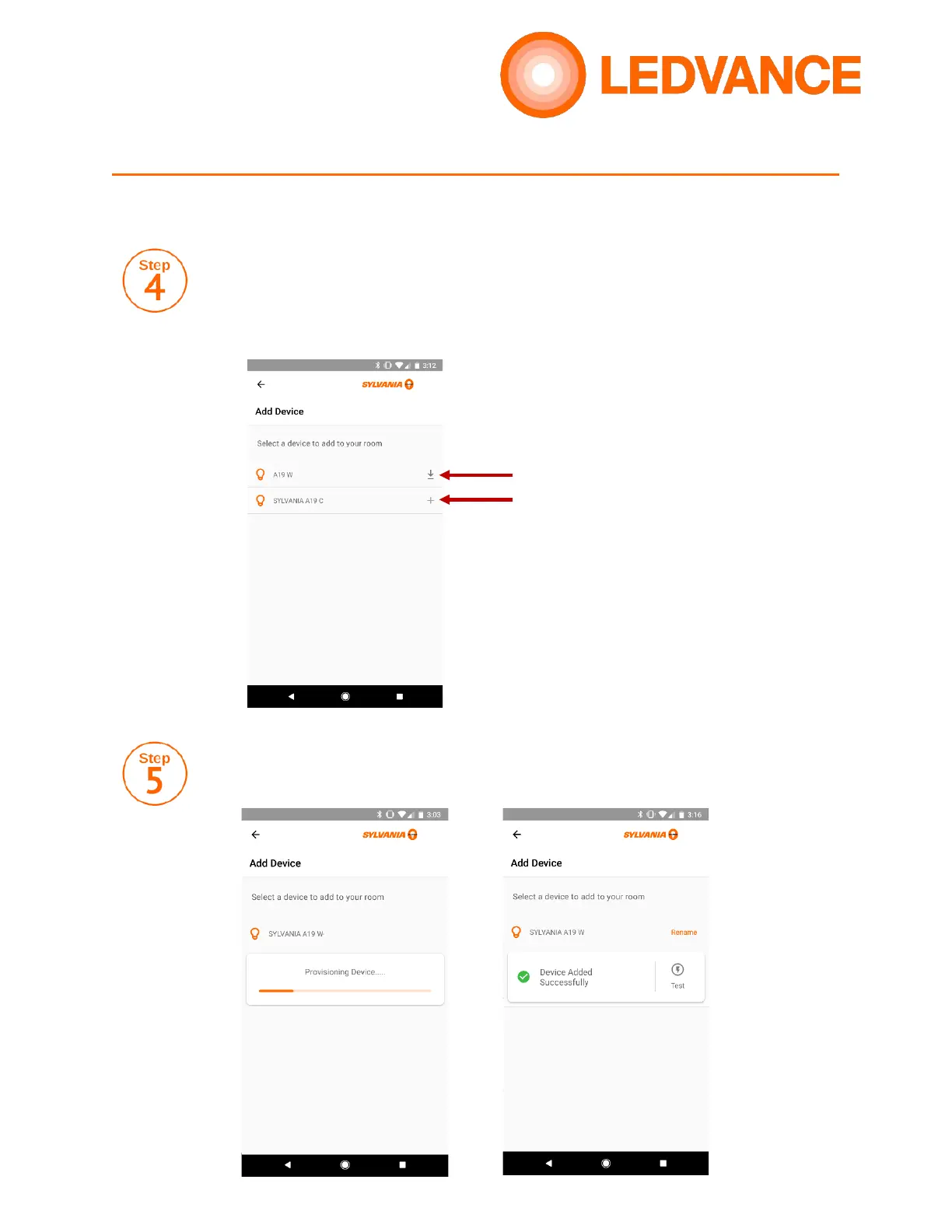
Your app will search for nearby products. If you see a “Download” icon, a
firmware update is required before pairing your lights. Tap this icon to proceed
with the update. If no update is required, tap the plus sign (+) to proceed with
pairing. If a firmware update is applied, you will see a plus sign next to the
updated product. Tap again to proceed with pairing.
Once the device is paired, you will see a “Device Added Successfully” message.
You can also test the device to ensure it was paired properly.



 To Next Page