15
CONTENTS
17 “FUN” ETHERNET MENU
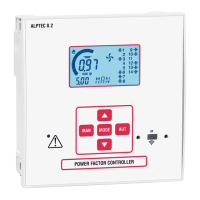
- This menu is only available on ALPTEC 8.2 controllers equipped with the EXTETH module.
Code Description Access level UoM DEF Range
F.01 IP address Usr • 192.168.1.1 IP1.IP2.IP3.IP4
IP1 0...255
IP2 0...255
IP3 0...255
IP4 0...255
F.02 Subnet mask Usr • 0.0.0.0 SUB1.SUB2.SUB3.SUB4
SUB1 0...255
SUB2 0...255
SUB3 0...255
SUB4 0...255
F.03 IP port Usr • 1001 0…9999
F.04 Client/Server Usr • Server Client/Server
F.05 Remote IP address Usr • 0.0.0.0 IP1.IP2.IP3.IP4
IP1 0...255
IP2 0...255
IP3 0...255
IP4 0...255
F.06 Remote IP port Usr • 1001 0…9999
F.07 Gateway IP address Usr • 0.0.0.0 GW1.GW2.GW3.GW4
GW1
GW2
GW3
GW4
F.01…F.03 – TCP-IP coordination for the Ethernet interface application
F.04 – Authorises the Server TCP-IP connection = waits for connection of a remote client. Client = Establishes connection to a remote server
F.05…F.07 – Coordinates connection to a remote server when F.04 is congured as client
18 POSITION OF TERMINALS
ALPTEC3.2 ALPTEC5.2 ALPTEC 8.2
OUT 1
OUT 2
OUT 3
OUT 4
OUT 5
OUT 6
OUT 7
OUT 8
COM
SLOT 1
SLOT 2



 To Next Page
 Loading...