10
Getting started with new equipment
GPS Equipment User Manual -2.0.0en
Measuring with the default configuration parameters
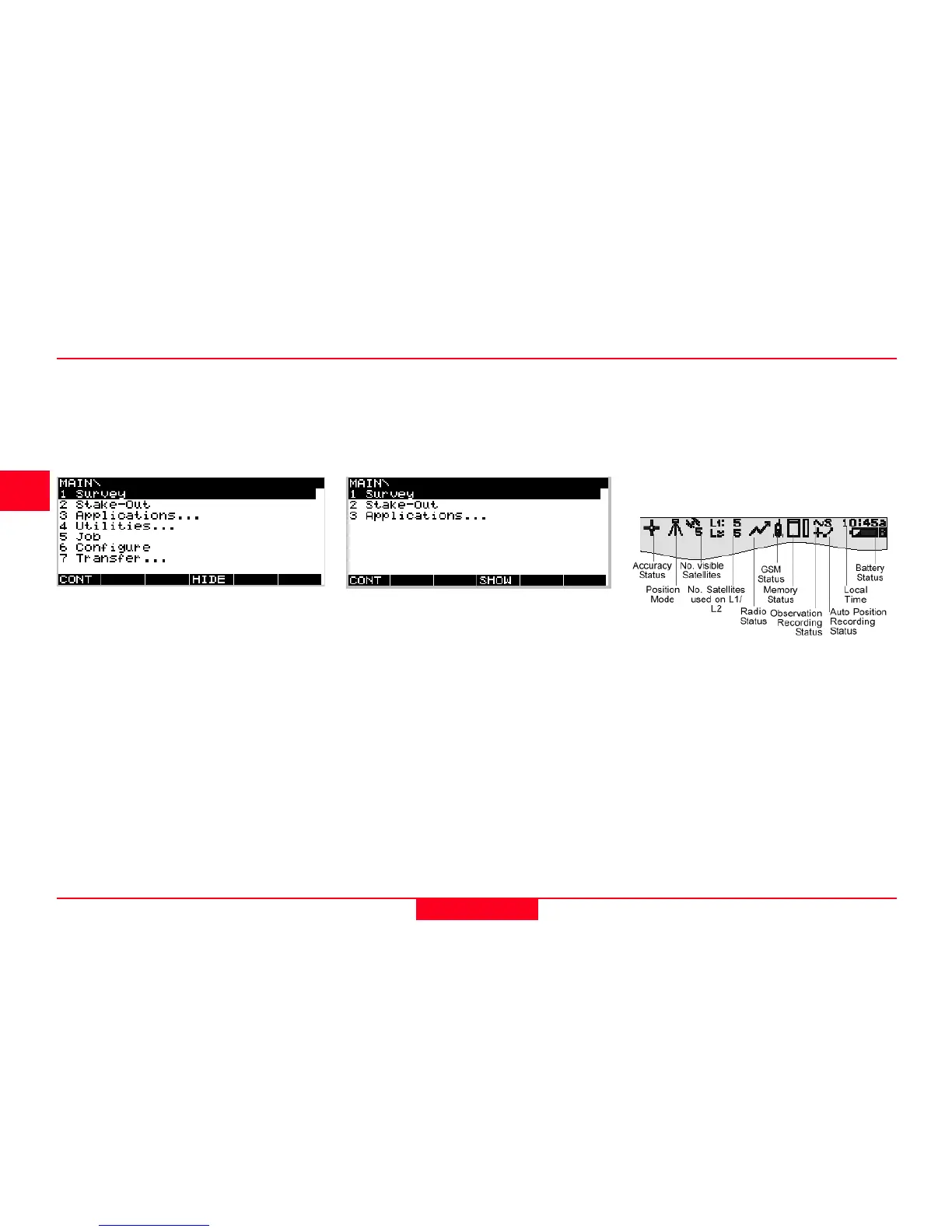
Step 2: Study the Icons
Most important at this stage is the top
part of the screen which contains
several symbols (icons) which
indicate the current system status.
Step 1: Power on
Turn on the sensor by pressing the ON-button on the terminal. One of the
following two screens will appear on the display:



 To Next Page