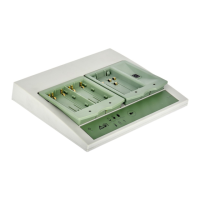
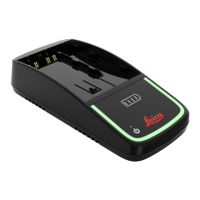
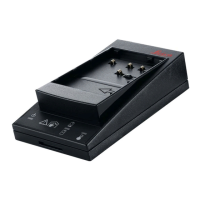
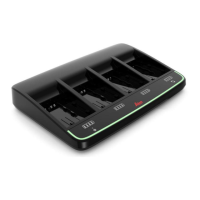
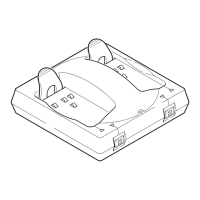
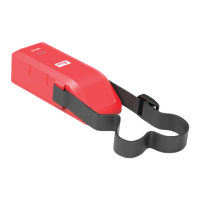
The Leica GKL211 is a versatile battery charger designed for various Leica Geosystems batteries, including Li-Ion, Ni-Cd, and Ni-MH types. It offers flexible power input options and features to ensure safe and efficient charging.
Function Description:
The GKL211 serves as a charging station for Leica batteries, allowing users to power up their equipment in various environments, from indoor settings to vehicles. It is capable of charging different battery chemistries, indicated by specific battery models it supports. The charger is designed for ease of use, with clear indicators for charging status and potential issues.
Important Technical Specifications:
The GKL211 charger supports a wide range of input voltages, making it adaptable for international use and vehicle charging:
- GEV192 (EU): 230V~
- GEV192-1 (US): 120V~
- GEV192-2 (JP): 100V~
- GEV192-3 (UK): 230V~
- GEV192-4 (AUS): 240V~
- Vehicle Input: 9-32V= (with a 5A fuse)
The operating temperature range for the charger is between 0°C and +50°C.
Charging time for batteries is approximately 2 to 4 hours, depending on the battery type and its initial charge level.
The charger is compatible with the following Leica battery models:
- Li-Ion: GEB221
- Ni-Cd/Ni-MH: GEB211, GEB90
Usage Features:
- Power Connection: The charger can be powered via an AC adapter for wall outlets or a DC adapter for vehicle use. When connecting to a vehicle, ensure the 5A fuse is in place.
- Battery Insertion: Batteries are inserted into the charging slot. For Li-Ion batteries (e.g., GEB221), they are placed directly into the slot. For Ni-Cd/Ni-MH batteries (e.g., GEB211, GEB90), an adapter is first placed into the charging slot, and then the battery is inserted into the adapter.
- Charging Process:
- Initial State: When the charger is connected to power but no battery is inserted, or a battery is inserted but not charging, the indicators will show a standby or error state.
- Charging Indication: During charging, the battery level indicator will progressively light up, showing the charge status (e.g., 0%, 80%, 100%). A full battery icon indicates a complete charge.
- Error Conditions: The charger features various indicators to alert users to potential issues:
- Temperature Warning: An exclamation mark with a thermometer indicates that the ambient temperature is outside the optimal charging range (0°C to +50°C). Charging may be paused or slowed down.
- Battery Error: An exclamation mark with a battery icon suggests an issue with the battery itself (e.g., defective, incorrect type).
- Charger Error: An exclamation mark with a charger icon indicates a problem with the charger unit.
- Connection Error: An exclamation mark with a plug icon suggests a power connection issue.
- Environmental Considerations: The manual illustrates that the charger should be used in a dry environment, away from rain and excessive moisture. It also shows that the charger can be used in a vehicle, emphasizing its portability.
- Safety Precautions: The manual advises against using the charger in wet conditions or attempting to modify it. It also highlights the importance of using the correct battery types for charging.
Maintenance Features:
- Cleaning: The manual shows the charger being cleaned with a cloth, suggesting that regular external cleaning is appropriate. Avoid using harsh chemicals or submerging the device.
- FCC Compliance: The device complies with part 15 of the FCC Rules, ensuring it operates within acceptable electromagnetic interference limits. Users are advised to ensure proper installation and use to prevent harmful interference. If interference occurs, measures such as reorienting the antenna, increasing separation from the receiver, or consulting a technician are recommended.
- No User Serviceable Parts: The FCC statement warns that changes or modifications not expressly approved by Leica Geosystems could void the user's authority to operate the equipment, implying that internal repairs or modifications should not be attempted by the user.
- Temperature Management: The charger includes temperature monitoring to protect batteries during charging. If the temperature is too high or too low, the charger will indicate a warning and may pause charging until conditions are optimal. This helps prolong battery life and ensures safe operation.

 Need help?
 General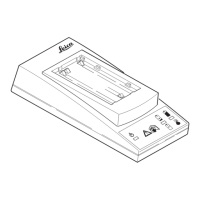

 To Next Page