1111
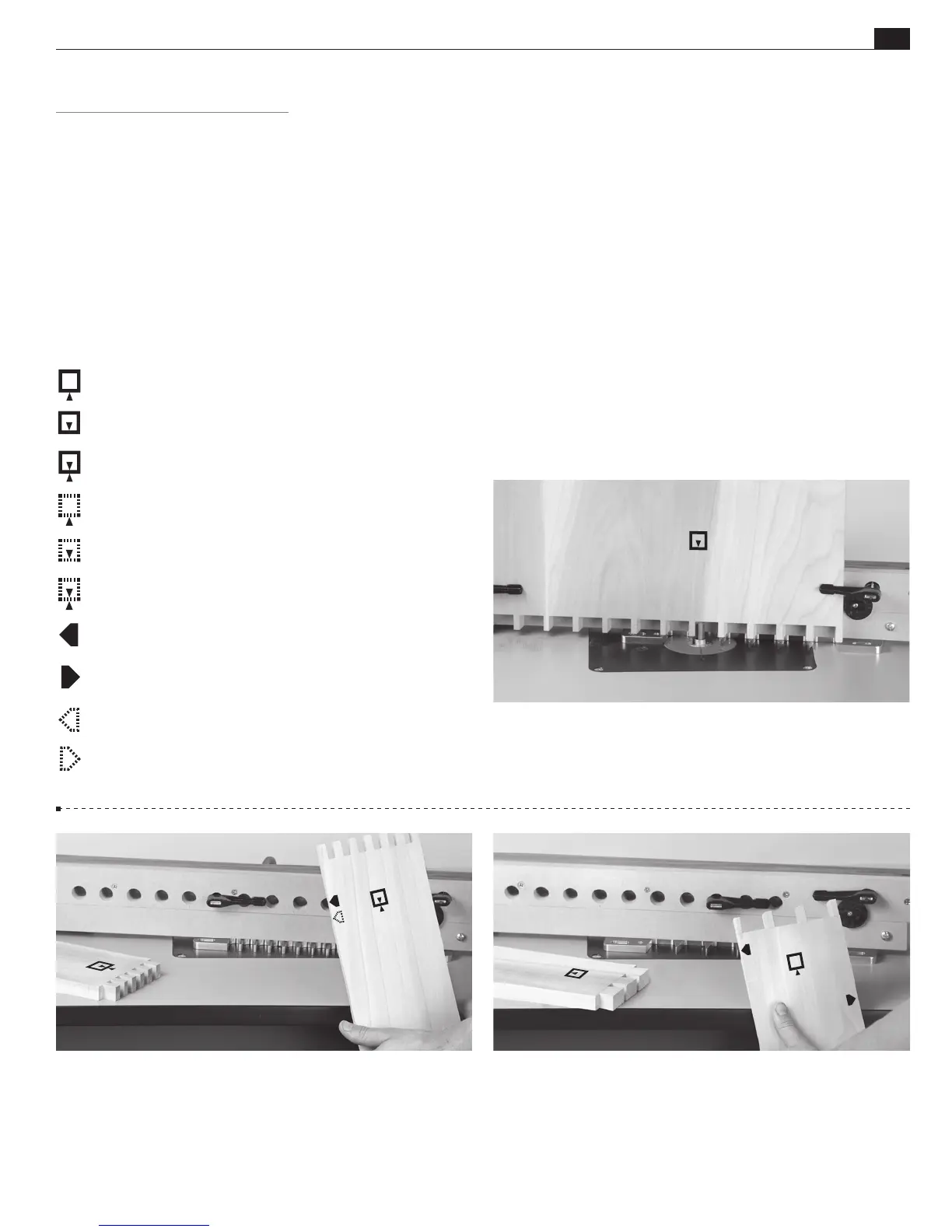
“Outside” of board
“Inside” of board
“Either side“ of board
“Outside” of board (on other side of board)
“Inside” of board (on other side of board)
“Either side“ of board (on other side of board)
“This edge” against side stop
“This edge” against side stop
“This edge” against side stop (on other side of board)
“This edge” against side stop (on other side of board)
Which Way Around Should the Board Go?
The following symbols/icons are used throughout this user guide.
They indicate which side of a board faces out (toward you, the
operator, when clamped in jig), which faces are in or out when
assembled, and which edge goes against the side stop. Dashed line
icons indicate the other side of the board.
R9PLUS ROUTER TABLE OPERATION
CHAPTER 2
Glossary of Symbols
2-3
Note: Because through dovetail pin and tail boards face
only one way, both side edges are (alternately) used against the
side stop.
2-2 Box joint boards are clamped against the beam both “face
in” and “face out” for alternate end cuts. With box joints, the same
side edge always goes against the side stop.
2-1
Icons such as the one above indicate which side of the board
faces out (toward you, the operator) when clamped in jig, and
which faces are in or out when assembled.


 To Next Page
 Loading...